Amazon Alexa Ad Monitoring
Amazon advertising has always been an intelligence game. Whoever sees a competitor’s move first has time to respond. Whoever finds out through declining revenue is already behind.
Alexa for Shopping taking over the search bar added a new front to that intelligence game — one that didn’t exist before May 2026 and that traditional ad monitoring tools are completely blind to: Alexa’s AI recommendation flow and the Prompts ad conversation layer.
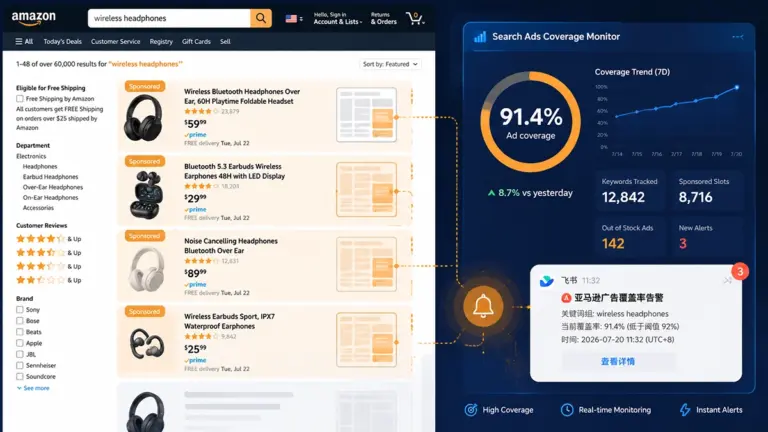
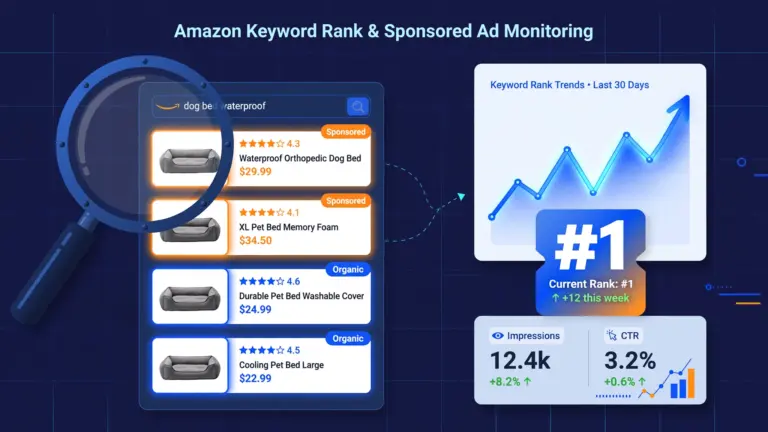
Your existing ad tools track keyword rankings and Sponsored Products placements. Those still matter. But they have no visibility into what’s happening inside Alexa’s conversational interface — which competitors are running Prompts ads against your keywords, whether your brand is being named in Alexa’s AI summaries, whether a competitor’s ASIN just entered a recommendation group you’re not in.
This article covers how to build visibility into that new front — and what to do with the intelligence you find.
The Structural Change to Amazon’s Ad Ecosystem
Before getting into the monitoring tool itself, it’s worth understanding what actually changed in Amazon’s advertising environment — because the monitoring strategy flows directly from these structural shifts.
Change 1: Traditional SP Ad Positions Shifted Down the Page
Alexa’s AI summary and grouped product recommendations now occupy the prime top-of-page position that Sponsored Products ads previously competed for. SP ads remain active, but their effective first-screen visibility has decreased as Alexa’s content claims the initial scroll position.
The seller implication: the same budget, same keywords, same bid strategy that produced a certain impression quality before May 2026 may now yield lower effective visibility — but your ad dashboard numbers may not clearly reflect this change yet, because impression volume is measured differently from first-screen attention capture. This is a structural degradation that requires active monitoring to detect early.
Change 2: Prompts AI Ads — A New Conversational Ad Channel
Amazon launched the Prompts ad format, allowing advertisers to appear within Alexa’s shopping conversation flow in natural language form. When users interact with Alexa, Prompts ads integrate with the AI recommendation context — creating a user experience fundamentally different from seeing a product card labeled “Sponsored.”
The competitive implication: right now, there may be competitors running Prompts ads against your core keywords inside Alexa’s conversational interface, and you have no idea it’s happening. Unlike SP ads — which are visible to anyone searching — Prompts ads within AI flows require structured data collection to track at scale.
Change 3: AI Recommendation Visibility Became a Brand Competitive Metric
The competitive landscape used to be visible on the search results page: who’s in position 1, who’s in the ad slot. Now there’s an additional layer: who gets named in Alexa’s AI summary, who appears in which recommendation semantic group, whose AI description is most persuasive. These dimensions form the new competitive terrain that requires a new monitoring approach.
What Is the Pangolinfo Ad Monitoring Skill?
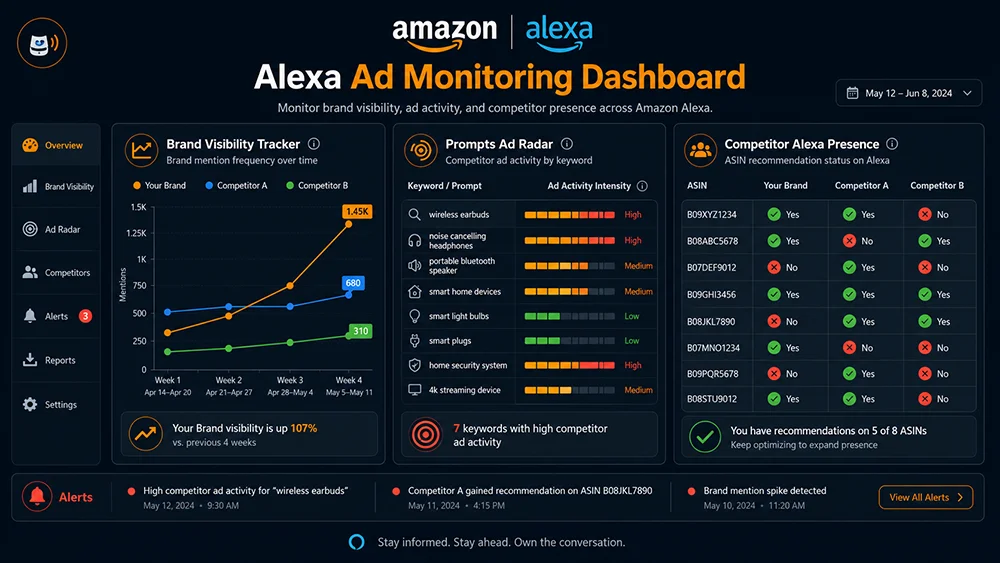
The Pangolinfo Ad Monitoring Skill is a competitive intelligence tool built on Alexa API data, designed to track advertising competitive dynamics and brand visibility changes within the Amazon Alexa for Shopping ecosystem.
The core problems it monitors:
- Is your brand’s appearance frequency in Alexa’s AI summaries trending up or down?
- Which competitors have started running Prompts ads against your core keywords?
- How are competitor ASINs’ positions shifting within Alexa’s recommendation groups?
- Are new decision dimensions appearing in
follow_up_questionsthat your listing doesn’t yet address?
How it differs from the Listing Optimization Skill: the Listing Optimization Skill is a one-time diagnostic that answers “what should I change in my listing?” The Ad Monitoring Skill is an ongoing surveillance tool that answers “how is the competitive landscape shifting and when do I need to respond?” Together, they form a complete AEO operations loop.
The 4 Monitoring Dimensions: What the Skill Tracks
Dimension 1: Brand Alexa Visibility Tracking
What it monitors: The frequency with which your brand name appears in the Alexa content field (AI summary text) across your keyword list, tracked weekly or bi-weekly as a trend chart.
Why it matters: This is the most direct indicator of Alexa’s AI recommendation preferences for your brand. A brand visibility drop of 20% over four weeks is an early warning that Alexa’s recommendation logic has shifted — giving you time to diagnose and respond before the change shows up as a revenue dip.
Data source: content field brand name appearance count / total keywords queried
Dimension 2: Prompts Ad Frequency Tracking
What it monitors: Which brands appear in Prompts ad positions within Alexa’s conversational flow for your core keywords, with frequency data and keyword-level distribution.
Why it matters: Prompts is a relatively early-stage ad format — brands that establish strong positioning now, while competitive intensity is low, will face significantly higher entry costs once more advertisers recognize the channel’s value. If a competitor is already running Prompts ads heavily against your keywords, each week of delayed response widens their first-mover advantage.
Data source: Prompts ad identification within Alexa response data + brand attribution
Dimension 3: Competitor ASIN Recommendation Position Tracking
What it monitors: The ASINs in your preset competitor list — whether they appear in Alexa’s grouped recommendation products (products field), which semantic group they’re placed in (products[].title), and how the AI description (describe) field content changes over time.
Why it matters: A competitor moving from “occasionally present” to “consistently in the top recommendation group” is the most direct competitive pressure signal available. It means they’ve completed some form of effective AEO optimization — and examining what changed in their listing is the fastest way to understand what drove it.
| Monitoring Dimension | Data Field | Recommended Cadence | Action Trigger Threshold |
|---|---|---|---|
| Brand visibility | content field | Weekly | Single-week drop exceeding 20% |
| Prompts ad competitors | Prompts position identification | Weekly | New competitor appears for 2+ consecutive weeks |
| Competitor recommendation position | products[].items[].asin | Bi-weekly | Competitor enters Top 3 recommendation group |
| New follow-up question signals | follow_up_questions | Monthly | New dimension not covered by current listing |
Dimension 4: Follow-Up Question Competitive Signal Tracking
What it monitors: Changes in the follow-up questions Alexa asks users in your category — whether new decision dimensions emerge or specific questions increase in frequency.
Why it matters: follow_up_questions are a real-time reflection of how user decision-making is evolving in your category. When “does it need a box spring?” goes from appearing in 30% of Alexa responses to 70%, that’s a signal that your category’s user need structure is shifting — and both your listing content and your ad strategy need to respond.
Step-by-Step: Setting Up the Ad Monitoring Skill
Step 1: Create a Monitoring Project
Log in to the Pangolinfo Console and create a new Ad Monitoring project. Input:
- Brand names to track: Your brand and key competitors (you can monitor multiple brands simultaneously)
- Core keyword list: 5–10 keywords recommended — covering high-volume core keywords, scene-based keywords, and 1–2 long-tail keywords
- Competitor ASIN list: 3–10 primary competitor ASINs
- Monitoring cadence: Weekly or bi-weekly (weekly recommended for initial baseline building; can be adjusted to bi-weekly once the data pattern is established)
Step 2: Configure Alert Rules
Set alert conditions to receive email or console notifications when:
- Your brand’s Alexa summary visibility drops below a defined threshold (20% drop recommended)
- A new competitor appears in a Prompts ad position for the first time
- A competitor ASIN enters the Top 3 recommendation group for a core keyword
- A
follow_up_questionappears that your listing doesn’t currently address
Step 3: Interpret Your First Weekly Report
The initial run produces a baseline report containing:
- Visibility snapshot: The current distribution of brand presence across your keyword set in Alexa’s AI summaries
- Prompts ad map: Which brands are running Prompts ads, keyword by keyword
- Recommendation group competitive landscape: Which brands dominate each semantic recommendation group; where your ASINs are present or absent
- Follow-up question heat map: Frequency distribution of decision dimension questions, with listing coverage status flagged
This baseline report is the reference point against which every subsequent weekly report is measured. Without a baseline, you have data — but no change, and no signal.
Step 4: Link to the Listing Optimization Skill
The standard response workflow when the Ad Monitoring Skill triggers an alert:
- Brand visibility drop alert → Run the Listing Optimization Skill immediately on affected ASINs to diagnose AI readability gaps driving the decline
- Competitor recommendation position rise → Review the competitor’s Alexa
describefield content and identify recent listing changes; assess whether defensive optimization is needed - New follow-up question dimension → Check whether your listing covers this dimension; if not, add Q&A content and supplement bullet/description copy
- New Prompts competitor → Evaluate the competitor’s ad intensity and your defensive need; decide whether to deploy Prompts ad coverage on the affected keywords
Case Study: 5-Week Competitive Landscape Shift (Anonymized)
A leading home goods brand’s monitoring data over a 5-week period (brand names anonymized):
Week 1: Baseline Snapshot
- Brand A (self): Present in Alexa summaries for 6 of 8 core keywords — 62% summary visibility rate
- Brand B (primary competitor): Present for 4 of 8 keywords — 38% visibility rate
- Prompts ads: Brand B not present in any Prompts ad positions
Week 3: Alert Triggered
- Brand A visibility drops to 43% (−19% — alert threshold crossed)
- Brand B visibility rises to 55% (+17%)
- Brand B begins appearing in Prompts ad positions for 3 keywords
Response Analysis
After the alert fired, the operations team:
- Ran the Listing Optimization Skill on Brand A’s core ASINs → diagnosed that Brand B had recently updated their title and Q&A to include specific “apartment-friendly” and “30-minute assembly” language that Brand A’s listing lacked
- Updated Brand A’s title and 3 bullet points to add explicit scene-specific language and assembly time parameters
- Simultaneously evaluated Prompts ad deployment — decided to run defensive Prompts ad coverage on the 3 keywords where Brand B had established presence
Week 5: Results
- Brand A visibility recovers to 58% (+15% vs. Week 3 trough)
- Brand A re-enters the “Best for Apartments” recommendation group at position 2
- Prompts ad coverage active for 3 keywords with stable appearance rate
From alert detection to completed response: 10 days. Without the monitoring system, this competitive shift would likely have been indirectly detected through revenue decline 6–8 weeks later — at which point Brand B’s first-mover advantage would have been substantially harder to erode.
Core Monitoring Principles
Principle 1: Monitoring’s value is in early detection
The Ad Monitoring Skill’s greatest value is not documenting what already happened — it’s surfacing competitive signals before they translate into lost revenue. This requires monitoring to be continuous and automated, not ad-hoc and reactive. A monitoring system you only check when you’re worried is not a monitoring system; it’s manual research.
Principle 2: Calibrate alert thresholds to category dynamics
High-competition categories (smartphone accessories, home goods, kitchen) have fast-moving Alexa recommendation landscapes — set more sensitive thresholds (10–15% visibility drop trigger). More stable niche categories can use wider thresholds (20–25%). Thresholds that are too low create alert fatigue; thresholds that are too high cause you to miss signals until they’ve already compounded.
Principle 3: Data triggers decisions — data doesn’t make decisions
An alert means “look here.” It doesn’t automatically mean “do everything immediately.” Each alert requires business judgment: is this a temporary fluctuation or a trend? Is the competitor’s move worth defending against or watching? What’s the cost-benefit of a listing change vs. the risk of inaction? Let the data tell you where to direct attention; apply judgment to decide what that attention should produce.
FAQ
How many keywords and competitor ASINs can one monitoring project track?
The number of keywords and ASINs is limited by your account tier and available API credits. Each monitoring cycle consumes API credits based on keywords queried (6 credits per keyword per cycle). The recommended starting point is 5–8 core keywords and 5–10 competitor ASINs — enough to build a meaningful baseline without excessive credit consumption. Scale up after establishing stable data patterns.
How long is monitoring history data retained?
Pangolinfo Console stores 12 months of monitoring history by default, with support for arbitrary date-range comparison queries. Extended data retention periods are available for long-term subscribers — contact Pangolinfo support for details.
What if my brand has no presence in Alexa summaries at all in the baseline?
A zero-baseline is actually the most useful starting point — it tells you your AEO optimization work has a clear, measurable goal. Start with the AEO Optimization Guide and use the Listing Optimization Skill to diagnose and address AI readability gaps. Use the Ad Monitoring Skill to track whether your optimizations translate into measurable visibility gains.
Can I monitor brands I’m not affiliated with?
Yes — monitoring competitor brands and ASINs is the primary use case for the competitive intelligence features. The Ad Monitoring Skill tracks publicly visible Alexa for Shopping data; monitoring any brand or ASIN that appears on Amazon’s public-facing interfaces is entirely within scope.
The Bottom Line
The advertising competition in the Alexa era doesn’t only happen on the search results product grid. It happens inside AI conversation flows, in AI-generated brand summaries, and in the recommendation groups Alexa uses to categorize and present products. Sellers who only monitor the traditional ad layer are running blind on an entire battlefield.
The Ad Monitoring Skill makes that battlefield visible — trackable, quantifiable, and actionable. The brands that build this intelligence infrastructure now will be the ones that see competitive shifts in time to respond, rather than in time to explain why sales dropped.
→ Pillar Page: Amazon Alexa API Complete Guide
→ Listing diagnosis: Listing Optimization Skill Complete Guide
→ AEO foundation: Amazon AEO Optimization Guide
→ Context: Amazon Alexa vs Rufus: 7 Core Differences
Register at the Pangolinfo Console to create your first Ad Monitoring project and get a baseline competitive intelligence snapshot for your category. Full Alexa API data field reference: Amazon Alexa API Product Page.