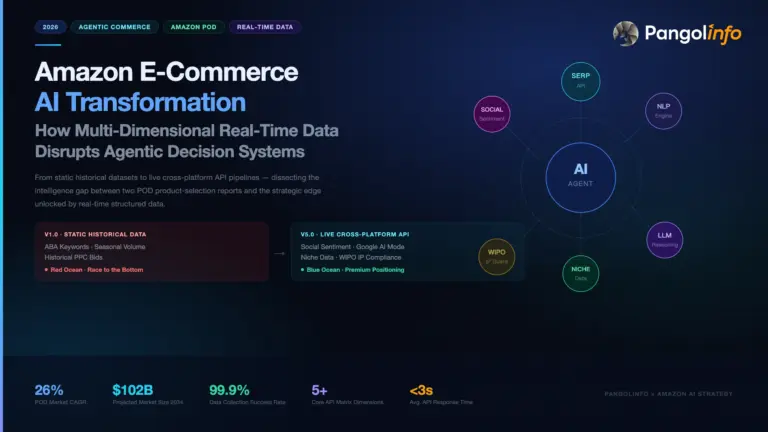


Finding a profitable product on Amazon is no longer a guessing game—it is a data engineering and filtering problem. Two sellers can look at the exact same category: one spends a weekend clicking through browser tabs and Seller Central screens, while the other runs a structured Amazon niche discovery workflow that screens thousands of sub-markets by 90-day search growth, brand monopoly ratios, return rates, and live Sponsored Products density before spending a single dollar on inventory.
Yet most sellers still fail at product selection for one structural reason: when 50,000 sellers use the exact same legacy SaaS preset filters (“High Demand, Low Competition”), every “blue ocean” surfaced on Monday becomes a bloodbath by Friday.
In this guide, we break down what conventional niche research guides miss and walk you through a production-grade, 6-stage Amazon niche discovery workflow—showing you how to execute it whether you prefer no-code team dashboards, AI Agents via Model Context Protocol (MCP), or programmatic REST APIs powered by Pangolinfo.
Why Traditional Amazon Niche Research Workflows Break Down in 2026
If you read most top-ranking guides on Amazon Product Opportunity Explorer (POE) or third-party subcategory tools, they typically teach a manual sequence: type a seed phrase, check total search volume, eyeball the top 10 listings, and plug a rough guess into an FBA calculator.
In 2026’s hyper-competitive marketplace, that manual workflow suffers from four fatal blind spots:
- Snapshot Bias & Stale Aggregations: Official Seller Central niche reports refresh weekly or monthly, while legacy SaaS databases often rely on cached historical estimates. A single BSR snapshot hides whether a niche is sustainably expanding or decaying after a short-lived TikTok spike.
- Hidden Ad Monopolies & Regional Blindness: A niche might look wide open organically, yet have 70% of its above-the-fold real estate locked down by high-bid Sponsored Products (SP). Worse, generic tools scrape from data-center IPs without delivery ZIP codes, completely missing regional FBA stockouts and price variations between East Coast (
10001) and West Coast (90001) buyers. - Blindness to Return Rates & Engineering Defects: High search volume means nothing if the category suffers from a 12%+ return rate due to sizing or durability flaws—or conversely, if you miss a goldmine because you only skimmed 10 positive reviews instead of mining 500 critical reviews at scale.
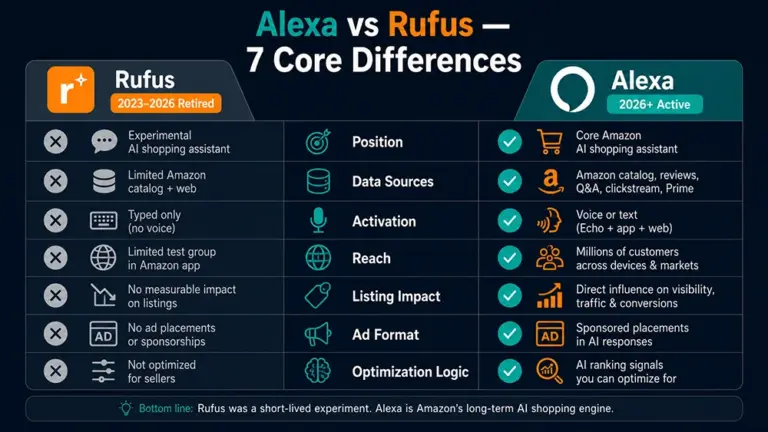
- The AI Search Blind Spot (Alexa for Shopping & Google AI Overviews): With Amazon upgrading Rufus into Alexa for Shopping and Google rolling out AI Overviews across commercial queries, buyer discovery is increasingly mediated by LLMs. If an AI assistant recommends only two entrenched brands for a query, traditional keyword volume won’t save a new launch.
To beat the crowd, your Amazon niche discovery workflow must evolve from manual tab-switching into a repeatable, multi-signal verification pipeline.
The 6-Stage Amazon Niche Discovery Workflow (2026 Blueprint)
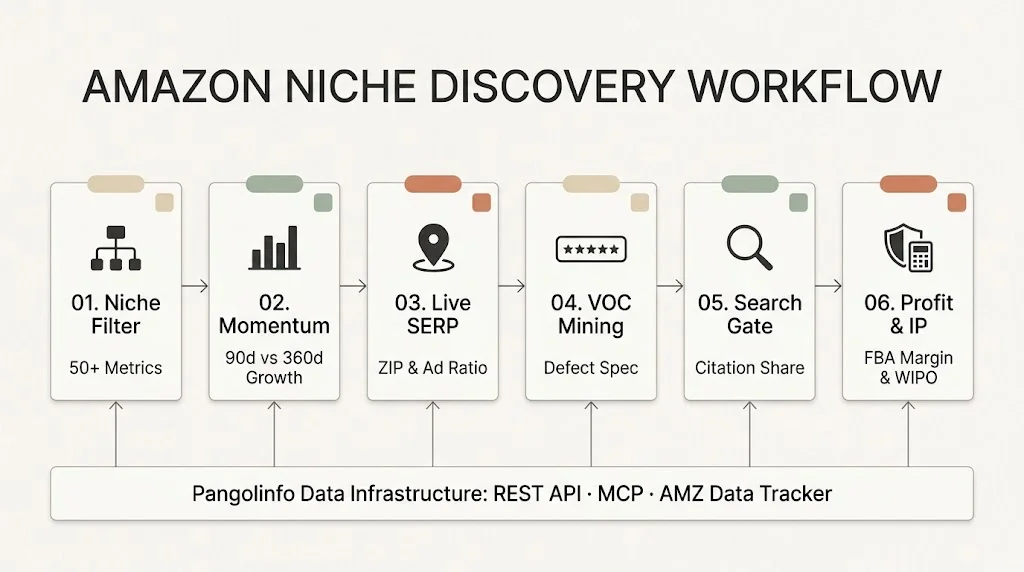
Below is the complete 6-stage funnel used by top quantitative sellers and AI-native e-commerce teams. Every stage pairs clear Pass/Kill Benchmarks with live data endpoints from Pangolinfo’s Amazon Data Solutions.
| Workflow Stage | Core Objective | Key Quantitative Metrics & Benchmarks | Pangolinfo Tool / Endpoint Used |
|---|---|---|---|
| Stage 1: Macro Browse-Node & Niche Filtering | Narrow 40,000+ sub-markets down to 20–30 high-intent niches | searchVolumeT90 > 10,000; top5BrandsClickShare < 40%; returnRateT360 < 6%; buyBoxPriceAvg $20–$70 |
Amazon Niche Data API (Niche Filter Docs) |
| Stage 2: Newcomer Survival & Momentum Check | Verify that new brands can actually break into the top 20 | successfulLaunchesT360 ≥ 3 ASINs; 90d vs. 360d search growth positive; rising BSR with <300 reviews |
Amazon Niche Data API & Category Tree API |
| Stage 3: Live SERP & ZIP-Level Ad Audit | Quantify PPC entry cost and regional fulfillment gaps | Sponsored vs. Organic slot ratio; Top-3 organic brand concentration; ZIP-specific Prime delivery speed | Amazon Scraper API (API Reference) |
| Stage 4: Bulk VOC & Defect Reverse-Engineering | Extract recurring 1–3★ complaints to define product specs | Cluster frequency of negative themes (>8% mention rate); Customer Says sentiment tags |
Amazon Review API & VOC Insight MCP |
| Stage 5: Off-Site & AI Search Visibility Gate | Check who owns Google AI Overviews and Alexa prompts | AI Overview brand citation share; Alexa prompt recommendations | AI Overview SERP API (AI Mode Docs) |
| Stage 6: Unit Economics, IP Clearance & Tracking | Validate net FBA margin (>30%), patent safety, and track daily | FBA/MFN fee breakdown; WIPO trademark & PACER patent check; 30-day BSR velocity tracking | Revenue Calculator API, WIPO API & AMZ Data Tracker |
Stage 1: Programmatic Macro Filtering (Niche vs. Category)
First, distinguish between an Amazon Category (a static node in Amazon’s Browse Node directory tree, like Home & Kitchen) and a Niche (a dynamic cluster of buyer search terms and co-purchased products driven by a specific intent, like iphone 16 wallet case or leak-proof stainless steel toddler lunch box).
Instead of manually clicking through Seller Central, you can query the Amazon Niche Data API to filter across 50+ dimensional metrics in a single REST call (detailed in the Niche Filter API documentation).
Recommended Stage 1 Filter Thresholds:
– Demand Floor (searchVolumeT90Min): 10,000 to 150,000 searches over 90 days (large enough to generate $15,000–$50,000/month at a 3% market share, small enough to avoid mega-brands).
– Monopoly Ceiling (top5BrandsClickShareMax): ≤ 0.40 (40%). If the top 5 brands capture more than 40% of all clicks, brand loyalty or ad budgets will crush a new entrant.
– Return Risk Ceiling (returnRateT360Max): ≤ 0.06 (6%). Filtering out high-return niches upfront saves you from categories plagued by sizing mismatches or electronics defects.
– Price Anchor (buyBoxPriceAvg): $22 to $75, leaving healthy room above FBA fulfillment and referral fees.
curl --request POST   --url https://scrapeapi.pangolinfo.com/api/v1/amzscope/niches/filter   --header 'Authorization: Bearer YOUR_API_KEY'   --header 'Content-Type: application/json'   --data '{
    "marketplaceId": "US",
    "searchVolumeT90Min": 10000,
    "top5BrandsClickShareMax": 0.40,
    "returnRateT360Max": 0.06,
    "page": 1,
    "size": 20
  }'
Stage 2: Validating Newcomer Breakout Potential & Momentum
A low click-share ratio is not enough if the niche is a shrinking fad or if existing sellers are liquidating stock at zero margin. Before shortlisting a niche, inspect four trajectory metrics returned in the Niche Filter API response:
- Short-Term vs. Long-Term Growth (
searchVolumeGrowthT90vs.searchVolumeGrowthT360): Look for steady, compounding growth across both 90-day and 360-day windows rather than a one-month seasonal spike. - Newcomer Survival Rate (
newProductsLaunchedT360&successfulLaunchesT360): Check how many new ASINs entered in the past 360 days and what percentage achieved sustained sales velocity. You want to see at least 3 newcomer listings (<300 reviews) generating $10,000+/month. - Brand Age Distribution (
avgBrandAge): Lower average brand age combined with highsearchToPurchaseRatioconfirms that shoppers care about product utility and value rather than legacy brand names.
Stage 3: Live SERP Audit & ZIP-Code Specific Competition Mapping
Aggregated niche metrics tell you what happened over the past 90 days; the live Amazon Search Engine Results Page (SERP) tells you what it costs to rank today.
Using the Amazon Scraper API, pull the top 3 pages of search results for the niche’s top 5 seed keywords—passing specific US delivery postal codes (such as 10001 for New York and 90001 for Los Angeles). Because Pangolinfo routes requests through millions of residential proxies with deep GraphQL/DOM rendering, it captures 96%–98%+ of Sponsored Products (SP) and Sponsored Brands (SB) placements with an explicit is_sponsored flag (see the Pangolinfo API documentation).
What to audit on the live SERP:
– Above-the-Fold Ad Density: If more than 60% of top-of-page slots are dominated by aggressive Sponsored Products and video ads, factor higher launch PPC into your unit economics.
– Organic Slot Diversity: Verify that no single brand owns 3 or more organic spots on page one.
– Regional Stockout & Delivery Gaps (avgOosRate): Compare delivery promises across ZIP codes. A niche with frequent out-of-stock signals or slow FBM shipping times represents an immediate FBA Prime opening.
Stage 4: Bulk Review Mining & Product Defect Reverse-Engineering
Never launch a “me-too” product. Your product differentiation spec should come directly from mathematical clustering of competitor flaws—not from reading 10 random reviews.
By calling the Amazon Review API (or connecting the VOC Insight MCP to your AI workspace), extract the 100 most recent 1-star to 3-star Verified Purchase reviews across the top 10 competing ASINs, along with Amazon’s native Customer Says AI review summaries.
- Quantify the Defect Frequency: Group complaints by root cause (e.g., “lid seal leaks on wide bowls”, “zipper snags after wash”, “instructions missing metric measurements”).
- Define the Engineering Spec: When a specific structural complaint appears in ≥8% of critical reviews across multiple top-selling ASINs, you have found a validated product gap that you can solve at the factory level and highlight in your main image and bullet #1.
Stage 5: AI Search & Off-Amazon Demand Validation (Alexa + Google AI Overviews)
In 2026, a complete Amazon niche discovery workflow must verify how AI assistants interpret the niche:
- On-Amazon AI Discovery: Use the Alexa Listing & Search endpoints (documented in the Pangolinfo Developer Docs) to see what questions shoppers ask Alexa for Shopping on competitor detail pages and which attributes trigger AI recommendations.
- Off-Amazon Generative Search: Query the AI Overview SERP API (see AI Mode API Reference) for
"best [niche keyword] 2026". Extract the exact brands cited in Google’s AI Overview summary and the publisher domains feeding those citations—giving your launch team a ready-made PR and affiliate outreach list before day one.
Stage 6: Programmatic Unit Economics, IP Screening & Shortlist Tracking
Before signing a purchase order, run your shortlisted niche through three final automated gates:
- Exact FBA/MFN Fee & Margin Modeling: Pass the top competitor’s ASIN, dimensions, weight, and your target price into the Revenue Calculator API. It connects directly to Amazon’s official fee engine to return exact Referral, FBA Fulfillment, and Monthly Storage fees. Require a minimum 30%–35% net margin after accounting for launch discounts and expected PPC spend.
- Trademark & Patent Risk Clearance: Run the niche’s core design terms and brand names through the WIPO API and PACER patent litigation lookup (available in Pangolinfo API Docs and Amazon Data MCP) to eliminate TRO and design-patent infringement risks upfront.
- 30-Day Continuous Velocity Monitoring: Never rely on a single day’s pull. Add your top 20 finalist ASINs into AMZ Data Tracker to monitor BSR trajectory, price stability, and review velocity over 14–30 days before committing capital.
3 Ways to Execute This Workflow (Pick Your Stack)
You don’t need a 10-person data engineering team to run this pipeline. Pangolinfo provides three interchangeable entry points powered by the exact same real-time data engine:
- Path 1: Zero-Code Conversational AI via Amazon Data MCP
Ideal for solo founders, brand managers, and AI-native operators using Claude Desktop, Claude Code, Cursor, Windsurf, or OpenClaw. With a single JSON config line, your AI agent gains 19 live tools (filter_niches,search_amazon,get_amazon_reviews,ai_search,wipo_search, etc.). Simply prompt your AI:“Find 5 US Amazon niches in Kitchen & Dining with 90-day search volume > 15,000, top-5 brand click share < 35%, and return rate < 5%. Then pull the top 30 critical reviews for the #1 niche, check WIPO patent risks, and generate a differentiation spec.”
- Path 2: Visual Team Tables via AMZ Data Tracker
Ideal for operations and sourcing teams who want scheduled monitoring without writing code. Configure your target ASINs, keywords, and category lists visually, and sync structured updates directly into Lark Base / Feishu or Excel dashboards. - Path 3: High-Concurrency Pipelines via Amazon Niche Data API & Amazon Scraper API
Ideal for large sellers, aggregators, and SaaS builders integrating live Amazon market intelligence into proprietary ERPs, BI warehouses (Tableau/PowerBI), or custom Python pipelines (full schemas at docs.pangolinfo.com).
Real-World Cost Math: How Much Does an API-Driven Workflow Cost?
Traditional product research SaaS subscriptions lock teams into $600 to $3,600+ per year per seat—while still serving cached data. With Pangolinfo, you pay only for successful API calls:
- Stage 1 & 2 Macro Niche Filtering:
10 creditsper Niche Filter call (~5–10s response time) and2 creditsper Category Tree / Search call (Niche API Docs). - Stage 3 SERP & ASIN Detail Validation:
1 creditper page via Amazon Scraper API. - Stage 4 Review Mining:
5 creditsper review page via Amazon Review API.
A complete, end-to-end deep dive on a candidate niche consumes under 300 to 800 credits total—and every new account at Pangolinfo receives free testing credits upon registration with no credit card required.
Frequently Asked Questions (FAQ)
1. What is the difference between an Amazon Category and an Amazon Niche?
An Amazon Category is a fixed node in Amazon’s Browse Node directory tree (e.g., Patio, Lawn & Garden). A Niche is a dynamic cluster of search terms and products grouped around a specific buyer intent (e.g., solar ultrasonic deer repeller). Using the Amazon Niche Data API allows you to evaluate buyer intent clusters directly rather than broad departments.
2. Why shouldn’t I rely solely on Amazon Product Opportunity Explorer (POE)?
POE is an excellent starting point, but its data updates weekly/monthly, lacks ZIP-code level SERP visibility, does not calculate full FBA profit margins, and cannot be queried programmatically in bulk. Pairing niche metrics with live SERP scraping via Amazon Scraper API and fee modeling via Revenue Calculator API eliminates those blind spots.
3. Can I automate this Amazon niche discovery workflow without writing Python code?
Yes. By connecting Amazon Data MCP to Claude or Cursor (takes 3 minutes and zero code), your AI agent automatically chains niche filtering, product lookup, review analysis, and patent screening in natural language. For scheduled spreadsheet tracking, use AMZ Data Tracker.