
Black Friday 2026 Data Playbook (4/4). Previous: Three Real-Time Data Feeds. Overview: What Amazon Sellers Should Track in Real Time.
On May 13, 2026, Amazon replaced Rufus with Alexa for Shopping. It’s more than a rename: the assistant now sits in the main search bar, is free for signed-in U.S. shoppers with no Prime membership needed, and can answer questions, compare products and track prices. MediaPost reported that sponsored products can also appear directly in the search bar.
This is its first Black Friday. Outside forecasts for AI traffic this year are clear:
- Adobe expects AI traffic to retail sites to grow 130% year over year this holiday season, with Thanksgiving up 159%, Black Friday up 95%, and Cyber Monday up 88%.
- Looking back at 2025: Adweek, citing Adobe, reported AI-driven retail traffic up 805% on Black Friday, and Salesforce estimated that AI and agents influenced 17% of U.S. orders during Cyber Week, around $13.5 billion.
- Adobe forecasts $12.9 billion for Black Friday and $15.1 billion for Cyber Monday. On a base that large, even a small share moving through AI is real money.
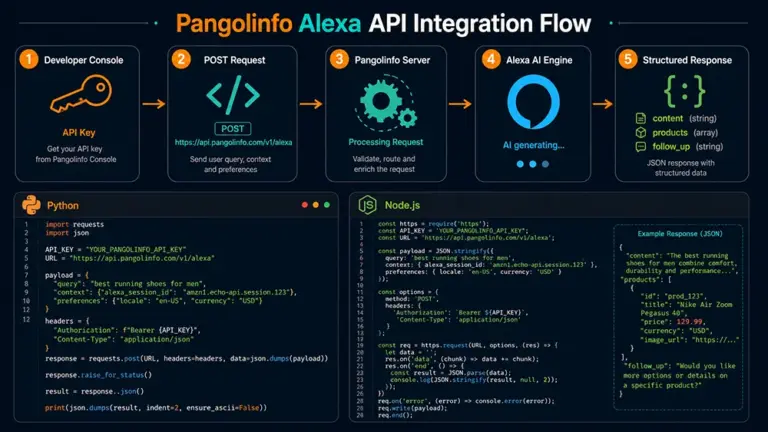
The opportunity for sellers: this is an entrance most teams don’t yet know how to read. You can check rankings with keyword tools, but for “does the AI recommend me?”, most teams are still typing a few questions by hand. Whoever turns it into measurable metrics first can optimize first. Pangolinfo’s Amazon Alexa API is built for exactly this: it lets you query the Alexa shopping assistant programmatically and get back its natural-language answers, recommended products and follow-up questions, with optional page screenshots.
What we know and what we don’t
What we know:
- Alexa for Shopping combines Rufus’s product knowledge with Alexa+ personalization and draws on a shopper’s Amazon history.
- It appears in the search bar and on results pages, generating AI overviews and product comparisons.
- It doesn’t replace the traditional search algorithm. Perpetua’s analysis describes the two as running in parallel.
What we don’t know:
- Amazon hasn’t published how Alexa for Shopping weighs products when it recommends them.
- So everything below on “how to optimize” is a testable hypothesis, not a rule. The way to test is to ask the same questions every day, record the results, and see whether your changes move them.
Step 1: build a question set
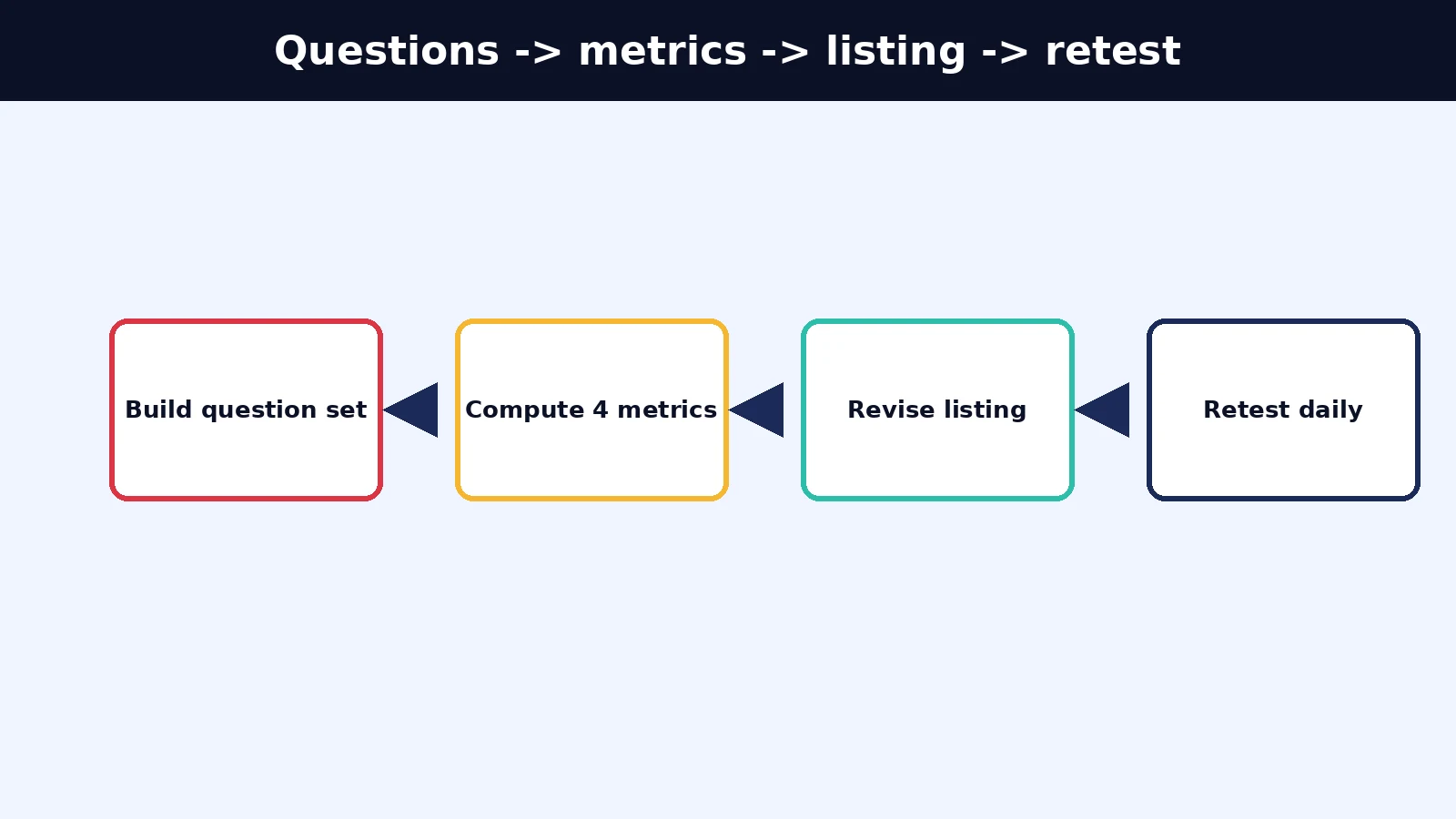
AI shopping is conversational. Buyers won’t only search “coffee maker.” They’ll ask “which coffee maker should I get my dad for under $200?” So build a set of 30 to 50 questions across four types:
| Type | Example (coffee makers) | Why it matters |
|---|---|---|
| Scenario | A coffee maker for my dad, $200 budget | Gift intent starts rising in October |
| Comparison | Brand A vs Brand B | The last step before a decision |
| Constraint | Coffee maker for a small kitchen, minimal counter space | Hits specific selling points |
| Delivery and returns | Will it arrive before Christmas? How do returns work? | Common worry during Black Friday week |
Sources for questions: your Q&A, reviews, support tickets, and the recurring phrases in competitor reviews mentioned in the previous post.
Step 2: define four metrics
| Metric | Definition | Use |
|---|---|---|
| Brand mention rate | Answers that mention your brand ÷ total questions | Whether you’re “in the answer” at all |
| Top-3 placement rate | Times your ASIN appears in the top three recommendations ÷ total questions | Whether you reach the first screen |
| Reason distribution | Cluster the reasons the AI gives and count frequency | Reverse-engineer which selling points get weight |
| Competitor recommendation rate | Same calculation for 3–5 main competitors | Relative position, not just absolute numbers |
How to collect the data. The Pangolinfo Amazon Alexa API returns relevant fields: mentioned brands (mentioned_brands), recommended ASINs and their positions (recommended_products), and the AI’s stated reasons (ai_reason). It can also track sponsored-prompt placements in the conversation flow. Submit your question set on a schedule, save the results to a table, and you can compute all four metrics.
Running the question set with the Alexa API
Pangolinfo offers a Python SDK (pangolinfo-alexa). Usage is simple:
from pangolinfo_alexa import AlexaClient

questions = [
    "A coffee maker for my dad, $200 budget",
    # ...your 30-50 questions
]

with AlexaClient(token="YOUR_TOKEN") as client:
    for q in questions:
        data = client.ask(q, screenshot=True)  # screenshot is optional; keep it as evidence
        # store data in a table, then compute mention rate and top-3 placement
Three practical notes:
1. It’s slow. The SDK documentation says Alexa’s responses take 60 to 120 seconds, and the default timeout is 180 seconds. That makes it suited to scheduled batch jobs, not second-level alerts. Submit concurrently and store asynchronously. 2. Keep screenshots as evidence. With screenshots on, you keep a record of what the AI’s first screen actually looked like that day, which is more convincing in a review than fields alone. 3. Check the docs for fields. Exact response fields and the Credits consumed per call are on the product page and in the developer docs.
Step 3: turn “reasons” into listing changes
This is the most valuable step. The reasons the AI gives are, in effect, what it believes buyers care about.
| What the data shows | Listing action (hypothesis, to be tested) |
|---|---|
| Competitors’ recommendation reasons keep citing a selling point your copy doesn’t mention | Add it to bullets, A+ content and Q&A, backed by specific facts |
| You’re recommended, but for a reason that isn’t the one you want to lead with | Reorder the main image and the first two bullets |
| Review tags (Customer Says) include keywords you don’t want | Address them in the listing, or push for a product fix |
| You never appear for constraint-type questions | Add the relevant specs, dimensions and use cases |
Price consistency is worth a note. Alexa for Shopping can track prices. If your list price has been inflated for a long time or your Black Friday discount isn’t genuine, the risk is higher in an entrance that helps shoppers read price history. That’s a guess, not a confirmed ranking factor, but it connects to the price monitoring in the previous post: watch your own price trail, and don’t let the Black Friday discount look abrupt in your price history.
Step 4: timeline
| When | Action |
|---|---|
| Now to Nov 4 | Build the question set and run the first baseline |
| Nov 5 to Nov 8 | Revise the listing based on the reasons, before the listing freeze (around Nov 9, a seller convention, not an Amazon rule) |
| Nov 9 to Nov 18 | Retest daily and compare the four metrics before and after your changes |
| Black Friday week and Cyber Monday | Read the numbers daily. When a competitor takes a recommendation slot, respond through the price and ad feeds |
| Early December | Review: which question types gained the most mention rate, and which reasons worked |
Heavy edits to titles and keywords after the freeze carry risk, so the earlier you run the baseline, the better.
What customers say
Sif is a keyword-analytics platform serving thousands of sellers. According to Pangolinfo’s materials, Sif’s CTO said Alexa data lets them separate organic demand from paid demand more clearly. That points at something important: exposure inside the AI entrance and exposure in traditional search need to be counted separately.
LinkFox AI is an AI agent platform for cross-border sellers. Its product lead said Pangolinfo’s AI SERP data maps traffic across AI Overviews, e-commerce and social media, so users can optimize for both traditional SEO and generative-search optimization (GEO). It’s a reminder that AI entrances aren’t only on Amazon; Google’s AI search is diverting attention too, and deserves its own post later.
Both comments come from Pangolinfo’s own materials. More customer cases are on the case page.
Get started
1. Sign up at tool.pangolinfo.com. No credit card, 60 Credits a month free. 2. Take 5 to 10 of your most important questions, run a baseline through the Amazon Alexa API, and see whether the AI’s answers include you. 3. If your team uses AI agents, connect through MCP and turn “ask, store, compute metrics” into a fixed workflow. Parameters are in the developer docs.
Wrap-up
Every wave of Black Friday has three data feeds: price, ads and AI. You know the first two. The third is new this year. It has no mature playbook yet, which is exactly the opportunity: set a baseline, make a change, retest, and let the data decide.
Series navigation
1. What Amazon Sellers Should Track in Real Time This Black Friday 2. Black Friday 2026 Is Three Traffic Waves, Not One Day 3. Stop Running Black Friday on Gut Feel: Three Real-Time Data Feeds 4. This post: Alexa for Shopping and your listing
Sources and notes
- Modern Retail, Alexa for Shopping replaces Rufus: Modern Retail, Alexa for Shopping replaces Rufus
- MediaPost, sponsored products in the search bar: MediaPost, sponsored products in the search bar
- SellerApp, free for signed-in U.S. shoppers: SellerApp, free for signed-in U.S. shoppers
- Perpetua, Alexa for Shopping runs in parallel with traditional search: Perpetua, Alexa for Shopping runs in parallel with traditional search
- Adobe, 2026 holiday forecast: Adobe, 2026 holiday forecast
- Adweek, 2025 AI traffic: Adweek, 2025 AI traffic
- Chain Store Age, Salesforce 2025 Cyber Week: Chain Store Age, Salesforce 2025 Cyber Week
- Pangolinfo, Amazon Alexa API: Pangolinfo, Amazon Alexa API
- PyPI, pangolinfo-alexa SDK description: PyPI, pangolinfo-alexa SDK description
- Pangolinfo customer cases and official materials.
Market data as of October 29, 2026. Amazon hasn’t disclosed Alexa for Shopping’s recommendation weights, so the optimization steps above are hypotheses to test.