1. The Ecosystem Premise: The Agent Has a Hometown
The three previous installments of this series each solved the same problem in a different client: a chat window with a place to paste a server URL. Meta Muse took a custom connector, Claude Code took a --header flag, ChatGPT took a Token in Developer Mode. The data never moved; only the door changed.
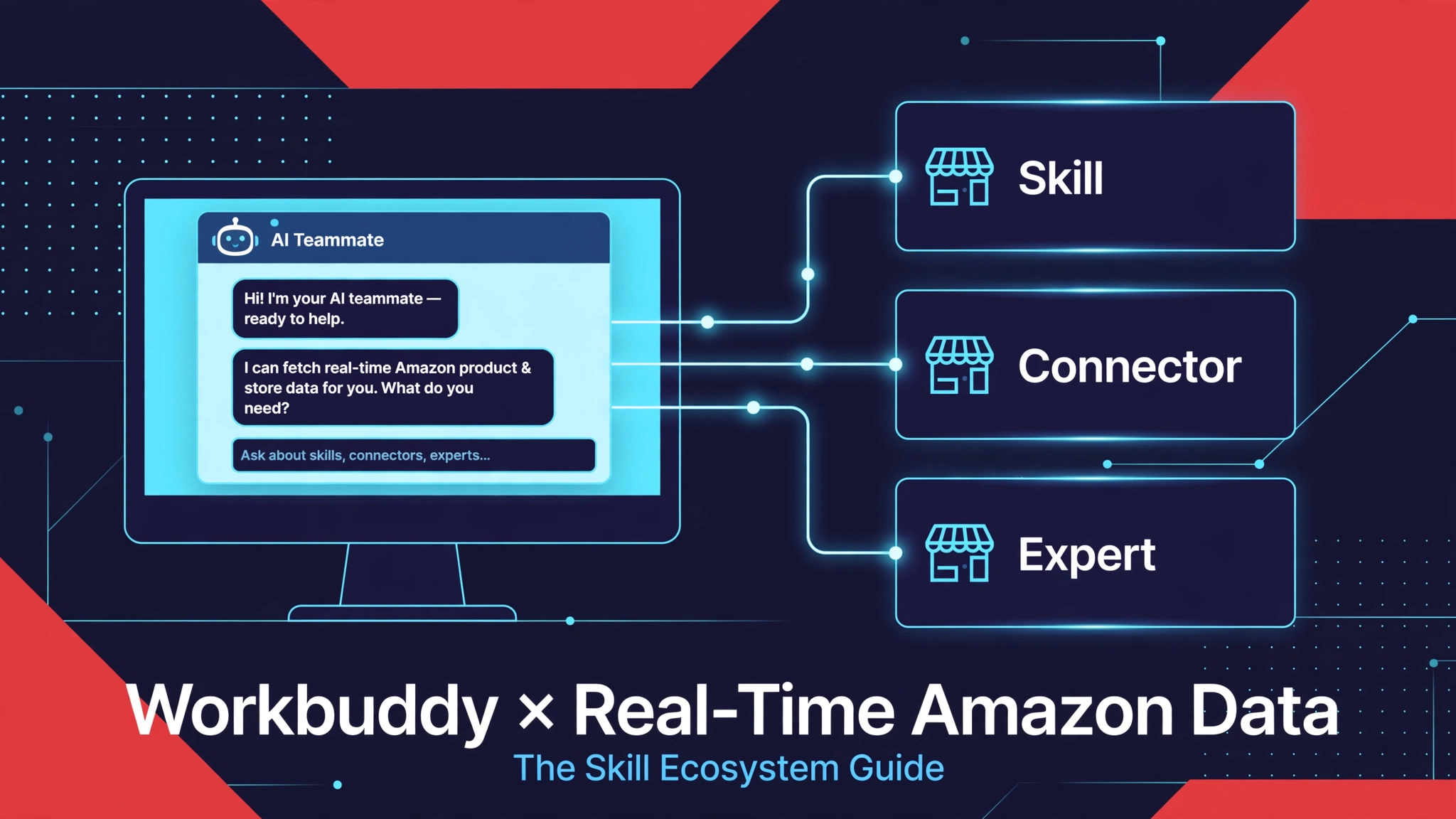
Tencent Workbuddy changes the shape of the question. It is not a chat window you visit — it is a desktop AI agent, launched by Tencent Cloud on 2026-03-09 and positioned as an “AI teammate,” that reached 8.85 million monthly active users in its first month. It ships in two editions: a domestic edition at codebuddy.cn/work and an international edition at workbuddy.ai. And on 2026-09-02, Tencent opened the WorkBuddy Open Platform, exposing three integration surfaces — Skill, Expert, and Connector — to developers, alongside tens of thousands of cloud ecosystem Skills already in the catalog.
So the operative question here is not “how do I connect a server.” It is: where in this ecosystem should the Amazon-data capability live? A packaged Skill the user installs from the marketplace? A raw MCP connector declared as a dependency? A full Expert persona that bundles both? Each door leads to the same data; they differ in who publishes, who installs, and what the user experiences. (For why an agent needs live commercial data at all — the grounding argument with the controlled measurement — see the hub guide; this installment does not repeat it.)
2. Three Doors Into the Same Data
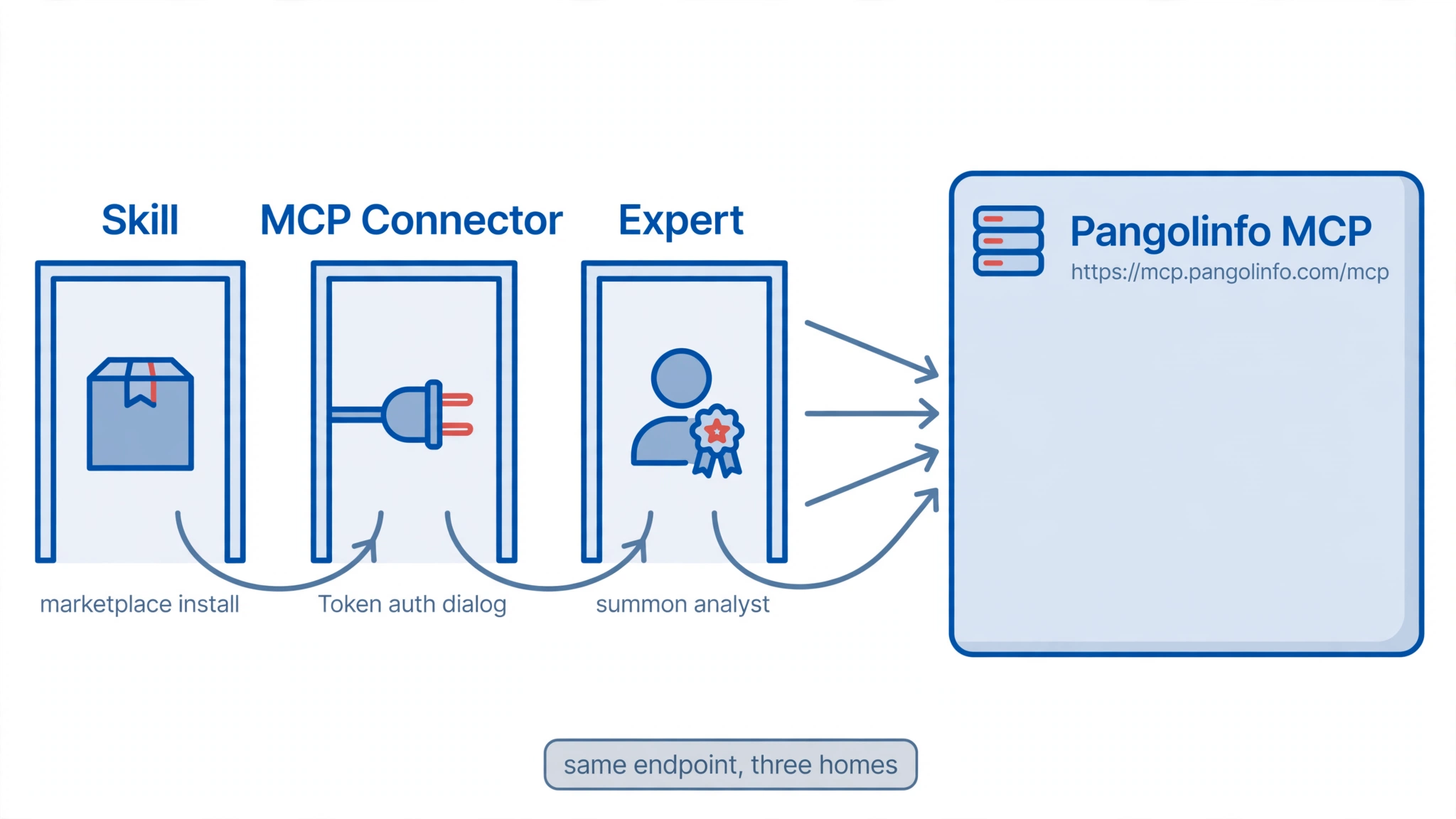
Door 1 — Marketplace Skill (the packaged capability). A Skill is a directory with a SKILL.md definition (YAML frontmatter: name, descriptions, category, version, author; Markdown body with instructions), plus optional references/ (API specs, examples), scripts/ (executables the agent runs via Bash), and templates/. The publisher uploads it to the Open Platform — via a conversational “Create Skill” flow or a zip following the documented structure — and it appears in the Skill Marketplace inside the WorkBuddy client (left menu → Experts · Skills · Connectors → Skills). The user clicks the plus sign to install and invokes it in conversation. This is the pillar’s Skill pattern made concrete: the capability travels as a package, and the user never sees a URL or a key form beyond what the Skill itself declares.
Door 2 — MCP Connector (the declared dependency). WorkBuddy’s Expert framework lets a published Expert declare external MCP servers as dependencies — in plugin.json under dependencies.mcpServers, or in a .mcp.json file at the plugin root using the standard MCP configuration format. Authentication is declared, not pasted: for Token auth, headers carry ${VAR} placeholders (e.g. "Authorization": "Bearer ${PANGOLINFO_API_KEY}") and an x-workbuddy block describes a credential form the user fills in a unified dialog. Pangolinfo’s server — https://mcp.pangolinfo.com/mcp, 20 tools, Bearer key — fits this shape exactly: remote HTTPS, static token, no OAuth dance. After connection, the built-in MCP is managed under Connectors → Custom Connectors.
Door 3 — Expert bundle (the persona). An Expert is a full agent persona published to the Expert Marketplace: a plugin.json (name, version, author, display names in zh/en, profession, exactly three tags, three quick prompts), an agents/ directory with the agent definition, and optionally a skills/ directory bundling Skills and an MCP dependency declaration. This is the heaviest door and the most complete product: a user summons an “Amazon market analyst” that already knows the data tools, rather than assembling the capability themselves.
| Door 1 — Skill | Door 2 — MCP Connector | Door 3 — Expert | |
|---|---|---|---|
| Publisher does | Writes SKILL.md + scripts, uploads to Open Platform | Declares .mcp.json with Token auth form |
Writes plugin.json + agent persona, bundles 1 and 2 |
| User does | Installs from Skill Marketplace, invokes in chat | Fills the Token dialog once on the guidance card | Summons the Expert from the marketplace |
| Auth model | Whatever the Skill’s scripts declare | ${VAR} placeholder + unified Token dialog |
Inherits the declared MCP dependency |
| Best for | Reusable team capability, no persona needed | Power users who already live in the connector world | A branded, shareable analyst for non-technical users |
The selection rule: if the capability should be invocable inside any conversation, ship Door 1; if your users already manage connectors, Door 2 is the thinnest path to the same endpoint; if the audience needs a persona rather than a tool, build Door 3 on top of the other two.
3. Building the Skill: A Complete Blueprint
Door 1 is the one worth building in full, because it is the only door whose artifact is entirely in the publisher’s hands — no client UI to chase, no beta menu paths. What follows is a complete, publishable Skill blueprint for Pangolinfo Amazon data, following the Open Platform’s documented structure.
SKILL.md — the definition. Frontmatter follows the official field list (description, description_zh, description_en, version, and author are required):
---
name: pangolinfo-amazon-data
display_name: Pangolinfo Amazon Data
display_name_en: Pangolinfo Amazon Data
description: Query live Amazon product, review, and pricing data for market research
description_zh: 查询实时亚马逊商品、评论与价格数据,服务市场研究与选品分析
description_en: Query live Amazon product, review, and pricing data for market research and product selection
category: data-analysis
version: 1.0.0
author: Pangolinfo
---

# Pangolinfo Amazon Data

When the user asks about Amazon products, reviews, prices, or market demand —
in Chinese or English — use the scripts in `scripts/` to query live data.
Never answer from parametric knowledge when the scripts can measure.

## Workflow

1. **Discover.** Call `scripts/amazon_data.py search_amazon` with the user's
   keywords (`site` defaults to `amz_us`). Record the ASINs.
2. **Measure.** Call `scripts/amazon_data.py get_amazon_reviews` with the ASIN.
   Use `filterByStar=critical` + `sortBy=helpful` for complaint mining.
3. **Report.** Present counts, dates, and verified-purchase markers — never
   themes without numbers. See `references/api-endpoints.md` for the full
   tool contract.
references/api-endpoints.md — the contract the agent reads. This documents the verified MCP surface: search_amazon (keyword, site, page) and get_amazon_reviews (asin, site, pageCount, filterByStar, sortBy), each billed at the matching REST rate (product pages 1 credit, review pages 5 credits). The values below are from the executed reference measurement, not placeholders.
scripts/amazon_data.py — the executable the agent runs via Bash. It speaks Streamable HTTP to https://mcp.pangolinfo.com/mcp with the key from the PANGOLINFO_API_KEY environment variable, so the secret never appears in conversation text:
#!/usr/bin/env python3
"""Query Pangolinfo Amazon data over MCP (Streamable HTTP).
Usage: PANGOLINFO_API_KEY=<key> python3 amazon_data.py <tool> '<json_args>'
"""
import json, os, sys, urllib.request

ENDPOINT = "https://mcp.pangolinfo.com/mcp"
API_KEY = os.environ.get("PANGOLINFO_API_KEY", "")
if not API_KEY:
    sys.exit("Set PANGOLINFO_API_KEY (Pangolinfo dashboard -> API Keys, long-lived key).")

def _post(payload, session=None):
    req = urllib.request.Request(
        ENDPOINT, data=json.dumps(payload).encode(),
        headers={"Content-Type": "application/json",
                 "Accept": "application/json, text/event-stream",
                 "Authorization": f"Bearer {API_KEY}"})
    if session:
        req.add_header("Mcp-Session-Id", session)
    with urllib.request.urlopen(req) as r:
        return r.headers.get("Mcp-Session-Id"), r.read().decode()

def mcp_call(tool, args):
    sid, body = _post({"jsonrpc": "2.0", "id": 1, "method": "initialize",
                       "params": {"protocolVersion": "2025-06-18", "capabilities": {},
                                  "clientInfo": {"name": "workbuddy-skill", "version": "1.0.0"}}})
    _post({"jsonrpc": "2.0", "method": "notifications/initialized"}, session=sid)
    _, out = _post({"jsonrpc": "2.0", "id": 2, "method": "tools/call",
                    "params": {"name": tool, "arguments": args}}, session=sid)
    for line in out.splitlines():
        if line.startswith("data:"):
            print(json.loads(line[5:])["result"]["content"][0]["text"])

if __name__ == "__main__":
    mcp_call(sys.argv[1], json.loads(sys.argv[2]))
Publishing. Two routes, both documented: in the WorkBuddy client, open the Skill Marketplace → Add Skill → Create Skill and describe the capability conversationally; or on the Open Platform, upload the directory as a zip conforming to the structure above (the platform’s troubleshooting guide points at exactly this layout when parsing fails, and lists [email protected] for operations issues). One honest gap: the marketplace review and approval process is not publicly documented — budget time for it and confirm with the operations contact before promising a launch date.
4. The API Key and the First Test
Registration is the only prerequisite, and it is free: a Pangolinfo signup includes 60 credits per month (reset monthly) — the entire Skill below runs on single-digit points.
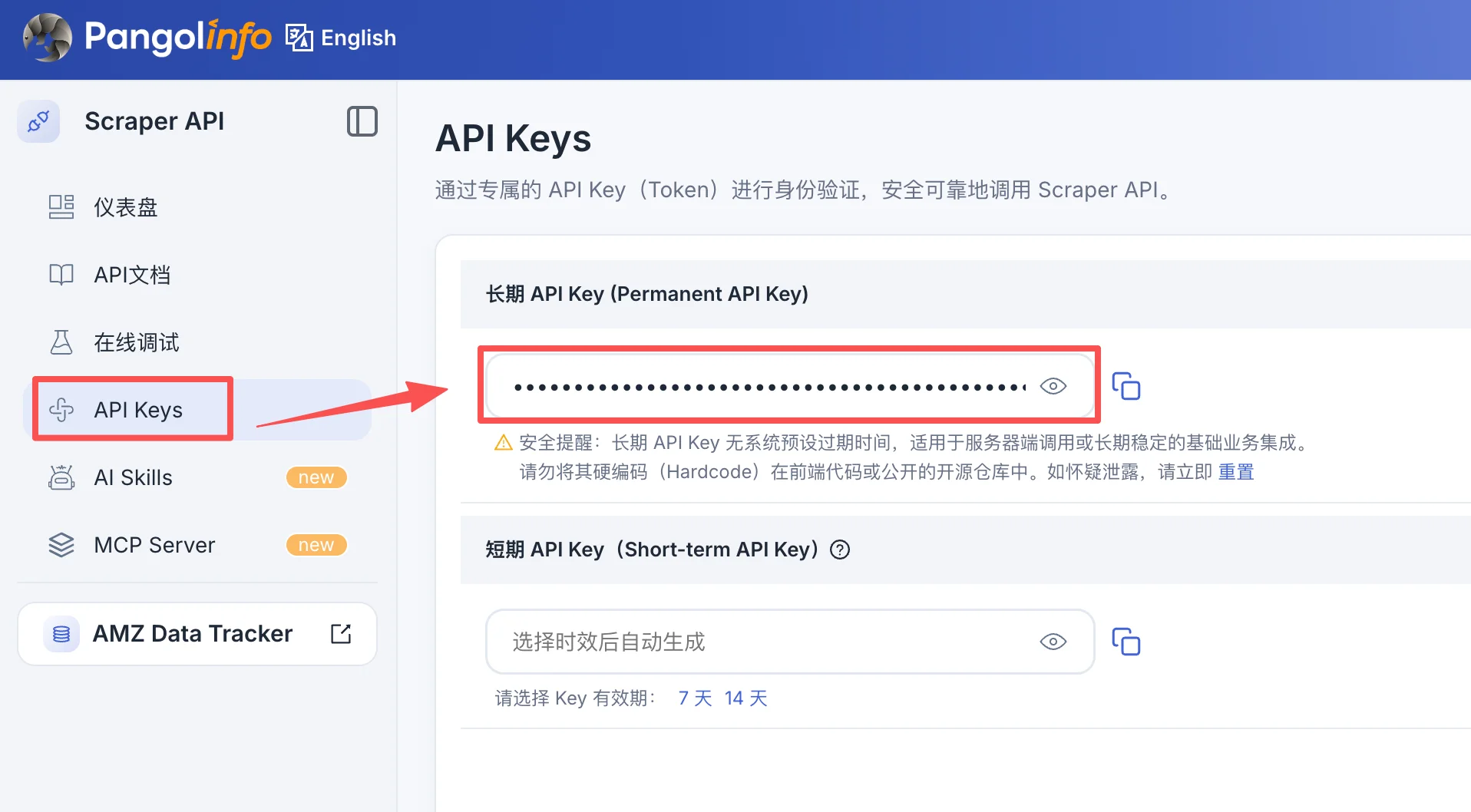
Step 1 — Register and copy the key. Open pangolinfo.com, click “Start Free Trial,” and create your account at tool.pangolinfo.com. Copy a long-lived API key from the dashboard’s API Keys page. Never paste it into chat text that might be shared or logged; it belongs in the PANGOLINFO_API_KEY environment variable (Door 1), the Token dialog (Door 2), or the Expert’s credential form (Door 3).
Step 2 — Run the reference measurement. Every installment of this series runs the same measurement so results are comparable across agents. It was executed on 2026-10-12 directly against the Pangolinfo MCP endpoint — the same endpoint all three Workbuddy doors reach:
| Step | Tool call | Parameters | Result | Cost |
|---|---|---|---|---|
| 1. Discover | search_amazon |
{"keyword":"wireless earbuds","site":"amz_us","page":1} |
5 real results, including AirPods Pro 3 (ASIN B0FQFB8FMG) |
1 credit |
| 2. Mine complaints | get_amazon_reviews |
{"asin":"B0FQFB8FMG","site":"amz_us","pageCount":1,"filterByStar":"critical","sortBy":"helpful"} |
1,392 critical reviews out of 4,269 total | 5 credits/page |
What it establishes: Apple AirPods Pro 3, US marketplace, 4,269 reviews with 1,392 critical (1–2 star), the newest dated 2026-10-10 — live data, two days old at measurement time. Every review carries a verified-purchase flag and a helpful-vote count. Dominant complaint themes, ranked by helpfulness: weak low-frequency noise cancellation, units failing after roughly three months, iPhone pairing difficulty, iPad 7 incompatibility, battery and Find My issues.
Through Door 1, the same measurement is one installed Skill away: “use the Pangolinfo skill to find complaint themes in AirPods Pro 3 reviews” — the agent runs the scripts, and the answer arrives with counts, dates, and purchase markers. If it arrives without them, the Skill — not the model — failed, and the scripts are where to look.
5. What the Ecosystem Changes
Three things are genuinely different about shipping data inside Workbuddy’s ecosystem rather than behind a chat connector, and they cut both ways.
Distribution becomes the product. A connector serves one user who configured it; a marketplace Skill serves every Workbuddy user who clicks install. The 8.85-million-MAU launch base is the point: the Skill is distribution, not just integration. The cost is the marketplace’s rules — versioning, descriptions in two languages, and a review process you don’t control.
Trust moves from the vendor to the catalog. Tens of thousands of Skills from independent publishers means the user must decide which Skill to trust, and the platform must decide what “verified” means. Pangolinfo’s Skill carries its API key model with it — the key stays the user’s, scoped per environment — which is the right shape, but the ecosystem’s trust markings are still forming. Read them skeptically.
The desktop is the context. Workbuddy’s deeper bet — visible in its hardware partnerships, from smart glasses to NAS storage — is that the agent’s context should include the user’s physical and digital surroundings, not just the chat transcript. An Amazon-data Skill invoked from a desktop where the user already lives (spreadsheets open, browser tabs full of supplier pages) answers a different question than the same Skill invoked in a bare chat: not “what does the data say” but “what does the data say about what I’m already looking at.”
None of this changes the billing: tool calls cost what the underlying data costs (1 credit per product page, 5 per review page), and the 60-credit monthly free tier covers the full first test with room to spare.
6. Verification Status: What Was Checked, What Was Not
✅ The three integration surfaces (Skill, Expert, Connector), the SKILL.md structure and frontmatter fields, the marketplace install flow, the .mcp.json Token-auth declaration with ${VAR} placeholders, and the x-workbuddy metadata: all verified against the official Open Platform documentation (open.workbuddy.cn) and the WorkBuddy product docs (workbuddy.ai/docs) on 2026-10-13.
✅ The Pangolinfo MCP endpoint, the 20-tool list, and the Section 4 reference measurement: executed directly against the MCP protocol by our team on 2026-10-12 (11 credits, within the monthly free tier).
✅ Workbuddy product facts (2026-03-09 launch, “AI teammate” positioning, 8.85M first-month MAU, domestic codebuddy.cn/work vs international workbuddy.ai, 2026-09-02 Open Platform launch): cross-checked across Tencent Cloud announcements and independent coverage.
⚠️ The Skill blueprint in Section 3 was not published to the Skill Marketplace and not executed inside a WorkBuddy client by our team — that requires a developer account and the desktop client, which we did not use for this guide. The SKILL.md conforms to the documented spec; the scripts implement the verified MCP tool contract.
⚠️ The marketplace review/approval process is not publicly documented; confirm timelines with the platform operations contact before planning around them. Client UI paths (marketplace menus, Create Skill flow) should be re-verified against current docs — the product ships fast.
Billing: 60 credits per month free, reset monthly; product data 1 credit/page, review data 5 credits/page.
7. Related Reading
- How to Connect AI Agents to Real-Time Amazon Data: The Complete Guide — the hub guide: the grounding argument and the three integration patterns
- How to Connect Real-Time Amazon Data to Meta Muse (MCP): The Complete Guide — the connector path, verified end to end inside the client
- How to Connect Real-Time Amazon Data to Claude Code (MCP): The Complete Guide — CLI, Desktop, and web paths compared
- How to Connect Real-Time Amazon Data to ChatGPT (MCP): The Complete Guide — Developer Mode Token auth and the session boundary
- Amazon Review API — the review data engine behind the measurement
- Amazon Data MCP — the 20-tool server all three doors reach
- Amazon Scraper Skill — Pangolinfo’s Skill-format integration for agent IDEs
8. Series Navigation
This guide is part of the series How to Connect AI Agents to Real-Time Amazon Data: The Complete Guide — the hub. Installments:
- Meta Muse — custom MCP connector, verified end to end.
- Claude Code — CLI, Desktop, and web paths compared, with the auth-surface breakdown.
- ChatGPT — Developer Mode custom connector with Token auth; Custom GPT Actions compared.
- Workbuddy — this guide: the Skill-ecosystem path — marketplace Skill, MCP connector, and Expert bundle compared, with a complete Skill blueprint.
- IDE agents — MCP and skills inside the editor.
- n8n / Make — scheduled REST workflows for continuous monitoring.