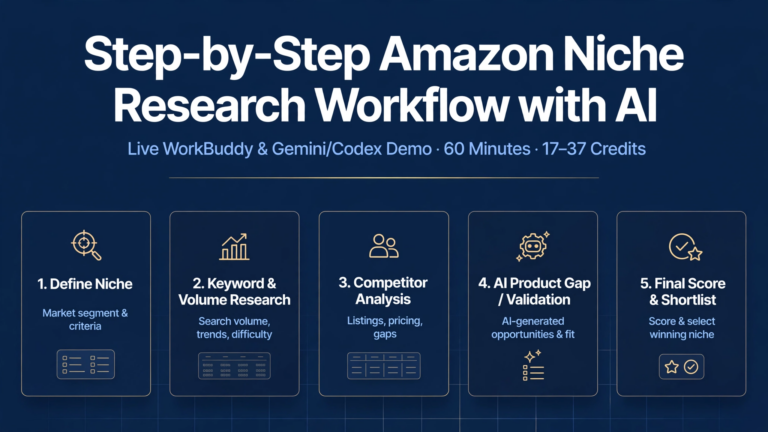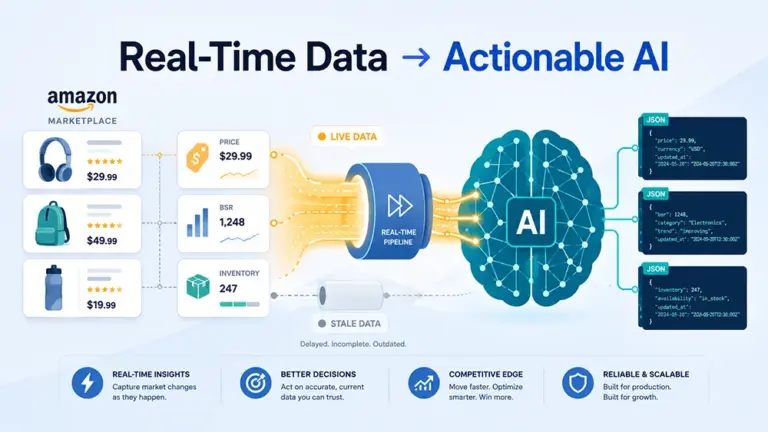

Learning how to monitor Amazon Buy Box ownership is not about refreshing a product page once to see which seller holds the “Add to Cart” button; it is the continuous process of recording complete Product Detail Page (PDP) snapshots under fixed conditions—capturing the Buy Box winner, landed price, delivery speed, seller rating, and active coupons—so every ownership loss or recovery can be definitively explained and reviewed. Without a standardized baseline, sellers confuse geographic delivery differences with actual Buy Box losses and frequently trigger unnecessary price wars that erode profit margins.
Why the Amazon Buy Box Decides Your Sales Volume
The Amazon Buy Box (officially known as the Featured Offer) directly determines the vast majority of conversion volume on a listing because most shoppers click “Add to Cart” or “Buy Now” without opening the secondary list of competing sellers. According to industry research figures, 80% to 82% of all Amazon desktop orders go through the Buy Box, and that share climbs to 85% to 90% on mobile devices where screen real estate pushes alternative offers below the fold.
When a seller loses the Featured Offer, conversion rates collapse immediately even if the listing remains active and indexed in search results. Furthermore, Amazon Sponsored Products ads automatically pause when an advertiser does not hold the Buy Box, cutting off paid traffic at the exact moment organic conversion drops. Effective ranking and price monitoring treats Buy Box ownership as a primary revenue health metric rather than a secondary pricing check.
What to Capture in Every Fixed-Condition PDP Snapshot
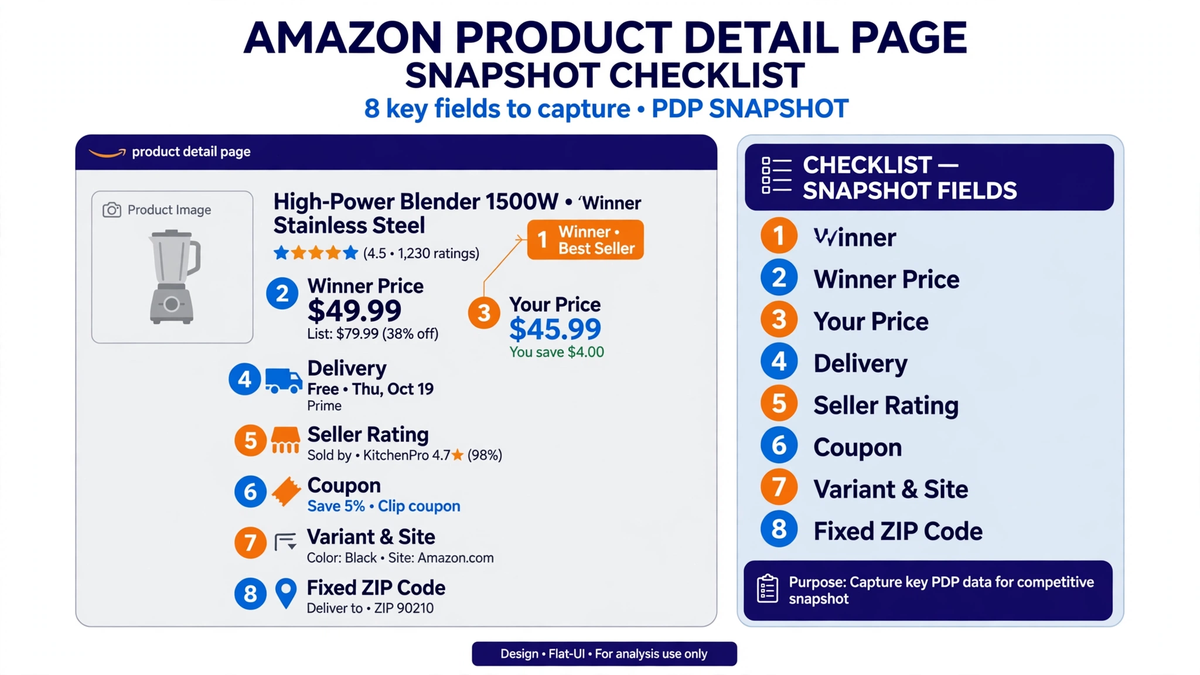
Reliable Buy Box tracking requires capturing 8 fixed fields in every single PDP snapshot under identical query parameters so that historical records remain strictly comparable across hours, days, and marketplaces. Recording only the winner’s name or base price leaves blind spots that prevent accurate root-cause analysis when ownership flips.
The 8 Essential Snapshot Fields
Buy Box Winner: The exact seller name and merchant ID currently occupying the Featured Offer slot, distinguishing Amazon Retail (1P) from third-party merchants (3P).
Winner Price: Both the item price and the total landed price (item price plus shipping) displayed to the shopper in the Featured Offer box.
Your Price: Your own active listing price and shipping charge on the offer listing page, even when you are not currently winning the Buy Box.
Delivery Method and Speed: Whether the winning offer is fulfilled by Amazon (FBA), Seller Fulfilled Prime (SFP), or Fulfilled by Merchant (FBM), along with the exact promised delivery date or transit window.
Seller Rating: The winner’s positive feedback percentage and total lifetime rating count, alongside any account health signals visible on the storefront.
Coupon and Promotion: Any active clippable coupons, percentage-off badges, Subscribe & Save discounts, or Prime-exclusive pricing applied to the winning offer.
Variant and Site: The exact child ASIN (size, color, pack count) and specific Amazon regional marketplace (across the 13 sites supported in standardized monitoring pipelines).
Fixed ZIP-Code Condition: The exact buyer delivery postal code locked into the session header before rendering the PDP.
Why Fixed ZIP-Code Conditions Prevent False Alarms
Amazon assigns the Buy Box dynamically based on the shopper’s delivery address and local inventory proximity. A seller with stock in a regional fulfillment center near New York may hold the Buy Box for East Coast ZIP codes while losing it to a competitor with stock in California for West Coast ZIP codes. If your monitoring setup rotates IP addresses without locking a fixed ZIP code, two consecutive scrapes will return conflicting winners simply because the simulated buyer moved across the country. Consistent tracking requires locking a target delivery postal code for every scheduled snapshot, alongside disciplined keyword rank monitoring under matching regional parameters.
The Step-by-Step Playbook After Losing the Buy Box
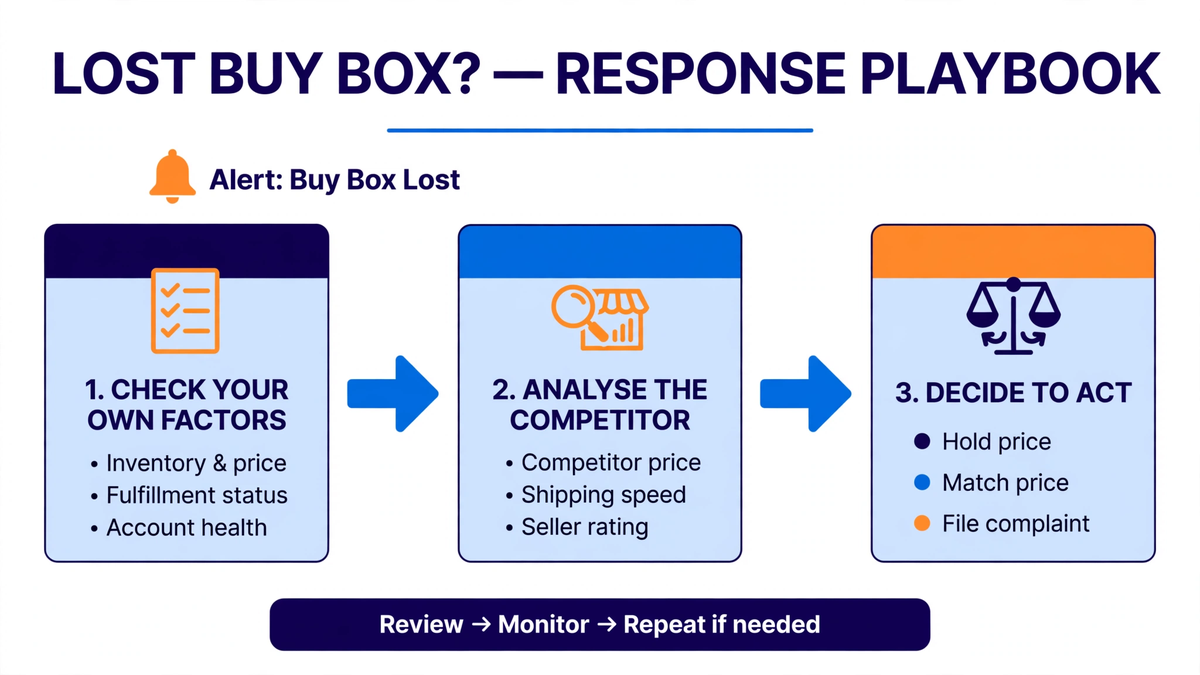
When a fixed-condition snapshot confirms a Buy Box loss, you must follow a strict diagnostic sequence—ruling out internal account and fulfillment issues first, analyzing competitor advantages second, and executing a measured response third—to avoid destroying margins through knee-jerk repricing.
Step 1: Rule Out Your Own Internal Factors First
Before looking at rival sellers, audit your own snapshot fields to confirm you have not disqualified yourself from Featured Offer eligibility:
Inventory Stock and Regional Allocation: Check whether your FBA inventory has dropped to low stock or entered FC transfer status, which extends your promised delivery date even when total units appear available.
Account Health and Seller Metrics: Verify your Order Defect Rate (ODR), Late Shipment Rate (LSR), and Valid Tracking Rate (VTR). Crossing an Amazon performance threshold removes Buy Box eligibility regardless of how low your price is.
Price Ceiling and Suppressed Pricing: Confirm that a recent price change did not trigger Amazon’s Fair Pricing Policy, which suppresses the Buy Box entirely across the whole ASIN rather than awarding it to a competitor.
Delivery Speed: Compare your promised delivery window against your previous winning snapshots to see if carrier delays or holiday cutoffs slowed your transit estimate.
Step 2: Analyze the Competitor’s Advantage
If your internal metrics, stock, and delivery speed are intact, inspect the winning competitor’s snapshot fields to identify what changed:
Fulfillment Method (FBA vs. FBM): Determine whether an FBA competitor entered the listing against your FBM offer. Amazon heavily favors Prime-eligible two-day delivery over standard FBM shipping.
Hidden Coupons and Promotions: Check whether the competitor maintained the same list price as you while activating a 5% or 10% clippable coupon, lowering their effective checkout price without changing their headline price.
Price Band Positioning: Evaluate how far below your landed price the competitor sits—whether they undercut you by a few cents via an automated repricer or dropped into an unsustainable clearance band.
Step 3: Decide Whether to Hold, Match, or File a Complaint
Once the root cause is verified from your snapshot log, execute one of three actions in order of margin preservation:
Hold Price: Keep your current price if the competitor has very few units left in stock, relies on slow FBM transit that will lose ground in other ZIP codes, or is temporarily liquidating inventory.
Match or Adjust Price / Coupon: Match the competitor’s landed price or deploy a targeted coupon only when the rival has deep FBA stock, strong seller ratings, and a sustainable price point within your minimum margin floor.
File a Complaint: Submit a Brand Registry violation report or test-buy documentation if the new Buy Box winner is an unauthorized seller offering counterfeit goods, altered packaging, or mismatched product variants.
Real-World Cases: How Snapshot Data Explains Buy Box Shifts
Documented industry cases demonstrate that Buy Box losses frequently stem from operational metrics rather than headline price, and that high-frequency PDP monitoring translates directly into recovered revenue.
Account Health Threshold Impact (LSR Case): According to public case reports, a merchant whose Late Shipment Rate (LSR) climbed to 4.5%—exceeding Amazon’s 4.0% maximum threshold—immediately lost the Buy Box despite offering the lowest price on the listing. Because the seller had not isolated account health metrics alongside price data, they initially assumed a pricing issue before discovering that sales had dropped by over 90% overnight due to metric-driven Buy Box disqualification.
Scale Real-Time Monitoring Impact (WebDataInsights Case): According to public case reports, WebDataInsights deployed real-time Buy Box and PDP monitoring across 120,000 products, enabling automated detection of ownership shifts, competitor stockouts, and pricing gaps. By reacting only when verified snapshot conditions warranted a price adjustment, the operation generated $4.2M in incremental revenue.
Building an Automated Buy Box Monitoring Pipeline
Manual browser checks cannot capture hourly Buy Box rotations across multiple variants and regional postal codes, making automated data collection essential for serious catalog management. When designing your ingestion layer—as detailed in our guide on price monitoring architecture [A2 link TBD]—you must eliminate the anti-bot blocks, layout shifts, and geographic inconsistencies that cause inaccurate monitoring [A3 link TBD].
To capture clean, fixed-condition PDP snapshots at scale, teams rely on dedicated collection infrastructure:
High-Concurrency API Collection: Using the Pangolinfo Amazon Scraper API, engineering teams can query live PDPs across 13 sites with a fixed ZIP code parameter, achieving roughly 3-second response times, a 99.9% success rate, and predictable pay-per-success billing. Full request parameters and JSON schema examples are documented in the Pangolinfo Developer Documentation.
AI Agent & Workflow Integration: For teams connecting Buy Box alerts directly into LLM workflows or automated diagnostic agents, the Pangolinfo Amazon Data MCP exposes 21 MCP tools that allow AI assistants to pull live PDP snapshots, verify seller ratings, and audit Buy Box ownership changes on demand.
Frequently Asked Questions (FAQ)
1. How often should I monitor the Amazon Buy Box?
Monitoring frequency depends on competition intensity and repricer activity on your ASINs. High-velocity listings with multiple active FBA sellers should be snapshotted every 15 to 60 minutes to catch automated repricer battles and intraday stockouts. Lower-competition or brand-owned ASINs typically require snapshots every 4 to 6 hours to detect unauthorized hijackers or suppressed Featured Offers.
2. Why do I see myself winning the Buy Box, while my customers see another seller?
Amazon assigns the Buy Box regionally based on the buyer’s delivery ZIP code and which fulfillment center holds inventory closest to that address. If your stock is concentrated on the East Coast, you may win the Featured Offer for New York shoppers while losing to a rival with West Coast inventory for Los Angeles shoppers. Always monitor using fixed target ZIP codes.
3. Can I win the Amazon Buy Box without having the lowest price?
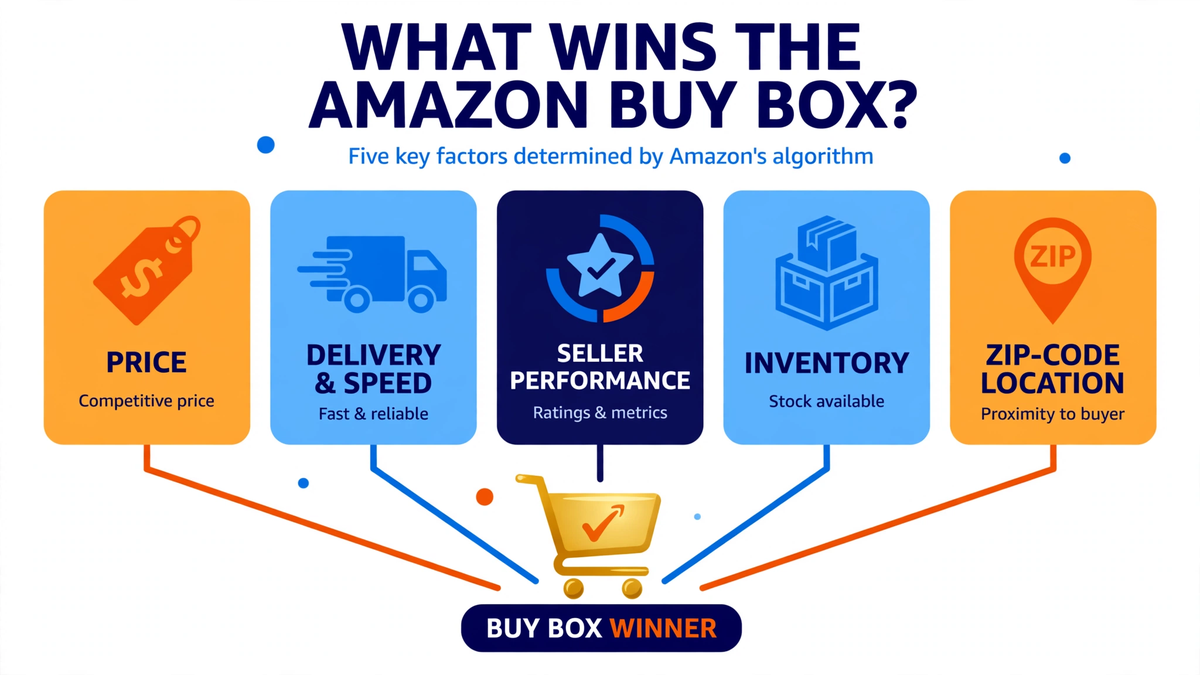
Yes, Amazon’s Featured Offer algorithm weighs total landed value and fulfillment reliability rather than item price alone. A seller with a slightly higher price frequently wins the Buy Box over a cheaper competitor if the higher-priced offer uses FBA (offering faster Prime delivery), maintains a higher positive seller feedback score, or holds deeper local inventory.
4. What happens to my Amazon PPC ads when I lose the Buy Box?
Sponsored Products ads automatically pause the moment you lose the Buy Box on an advertised SKU, stopping all impressions and clicks until you regain ownership. Sponsored Brands and Sponsored Display campaigns may continue running depending on campaign settings, which can waste ad spend by driving traffic to a PDP where a competitor captures the checkout.
5. What is a suppressed Buy Box and how do I fix it?
A suppressed Buy Box occurs when Amazon removes the “Add to Cart” and “Buy Now” buttons completely, forcing shoppers to click “See All Buying Options.” This usually happens when your listing price violates Amazon’s Fair Pricing Policy (priced significantly higher than recent Amazon history or external retailers) or when listing data is incomplete. Lowering your price within competitive bounds typically restores the button.