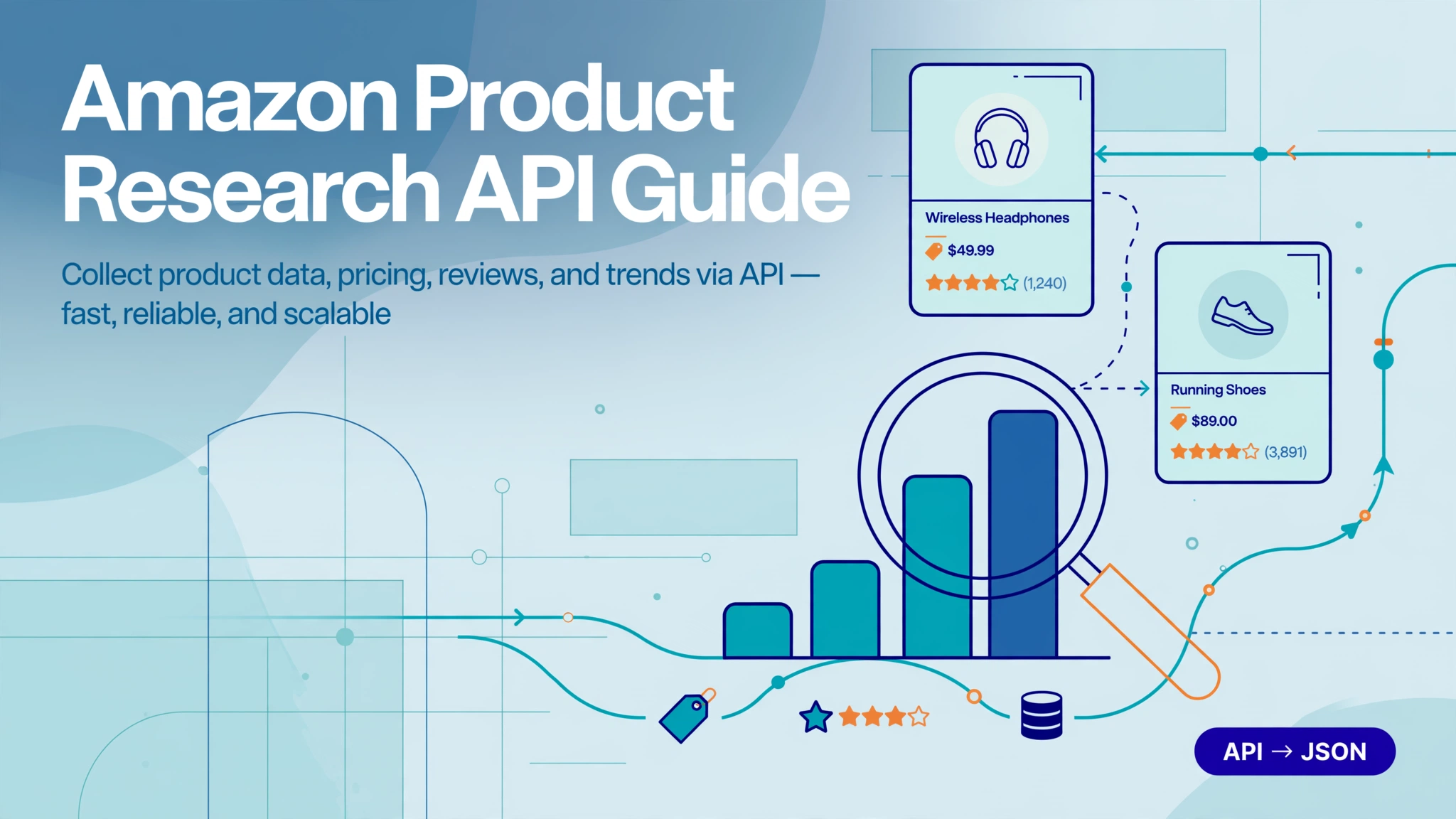
Finding a winning product on Amazon is a data problem. Two sellers can look at the same niche: one guesses from a weekend of manual browsing, the other pulls live Best Sellers Rank trends, review velocity, pricing history, and keyword demand before spending a dollar on inventory. An Amazon product research API is how the second seller gets that data programmatically — at a scale no browser tab can match.
This guide covers what these APIs actually return, the research workflow step by step, what it costs, and how to choose a provider.
What an Amazon product research API gives you
Strip away the marketing and a product research API is a structured feed of Amazon’s public marketplace data. The fields that matter for research:
- Product detail — title, brand, ASIN, images, feature bullets, description
- Pricing — current price, variant pricing, coupon and deal flags
- Rank signals — Best Sellers Rank (BSR) by category, the closest public proxy for sales velocity
- Social proof — rating, review count, review velocity
- Competition — seller count, FBA vs FBM mix, buy box winner
- Search data — keyword results with organic vs sponsored placement flags
- Niche data — category-level demand, concentration, new-SKU activity
Each field answers a research question. Price plus BSR plus review count tells you whether a niche has room. Sponsored placement ratios tell you how expensive entry will be. Review text tells you what customers complain about — which is where product opportunities hide.
Reading BSR without fooling yourself
BSR is the most misread number in product research. Three things that trip people up:
- It’s category-relative. Rank #1,000 in Kitchen & Dining and #1,000 in Industrial & Scientific imply wildly different sales volumes. Never compare BSR across categories.
- It updates roughly hourly. A single snapshot lies; the trend tells the truth. What you want is BSR direction over 30–90 days, not today’s number.
- It measures recent velocity, not lifetime sales. A product can hold rank on momentum while its review base decays — which is exactly the kind of vulnerable incumbent you want to find.
The official API vs third-party APIs
Amazon’s own Product Advertising API (PA-API) is the official route, but it was built for affiliates embedding product widgets — not for research. It requires Associates approval, enforces strict rate limits, and won’t give you bulk search results, competitor offers, or BSR at scale.
| PA-API (official) | Third-party product data API | No-code research tool | |
|---|---|---|---|
| Bulk keyword search | No | Yes | Yes (via UI) |
| BSR at scale | Limited | Yes | Yes |
| Competitor offers | No | Yes | Partial |
| Review text mining | No | Yes | Yes (AI summary) |
| Approval needed | Associates account | API key | Account |
| Best for | Affiliate widgets | Developers, data teams | Sellers who don’t code |
PA-API is genuinely enough if you’re building a price-comparison widget for a handful of ASINs. The moment you need to sweep a category, track rank movement, or mine reviews, you’ve outgrown it. Third-party APIs exist because research needs fall outside what PA-API allows — you trade Amazon’s blessing for coverage.
The product research workflow, step by step
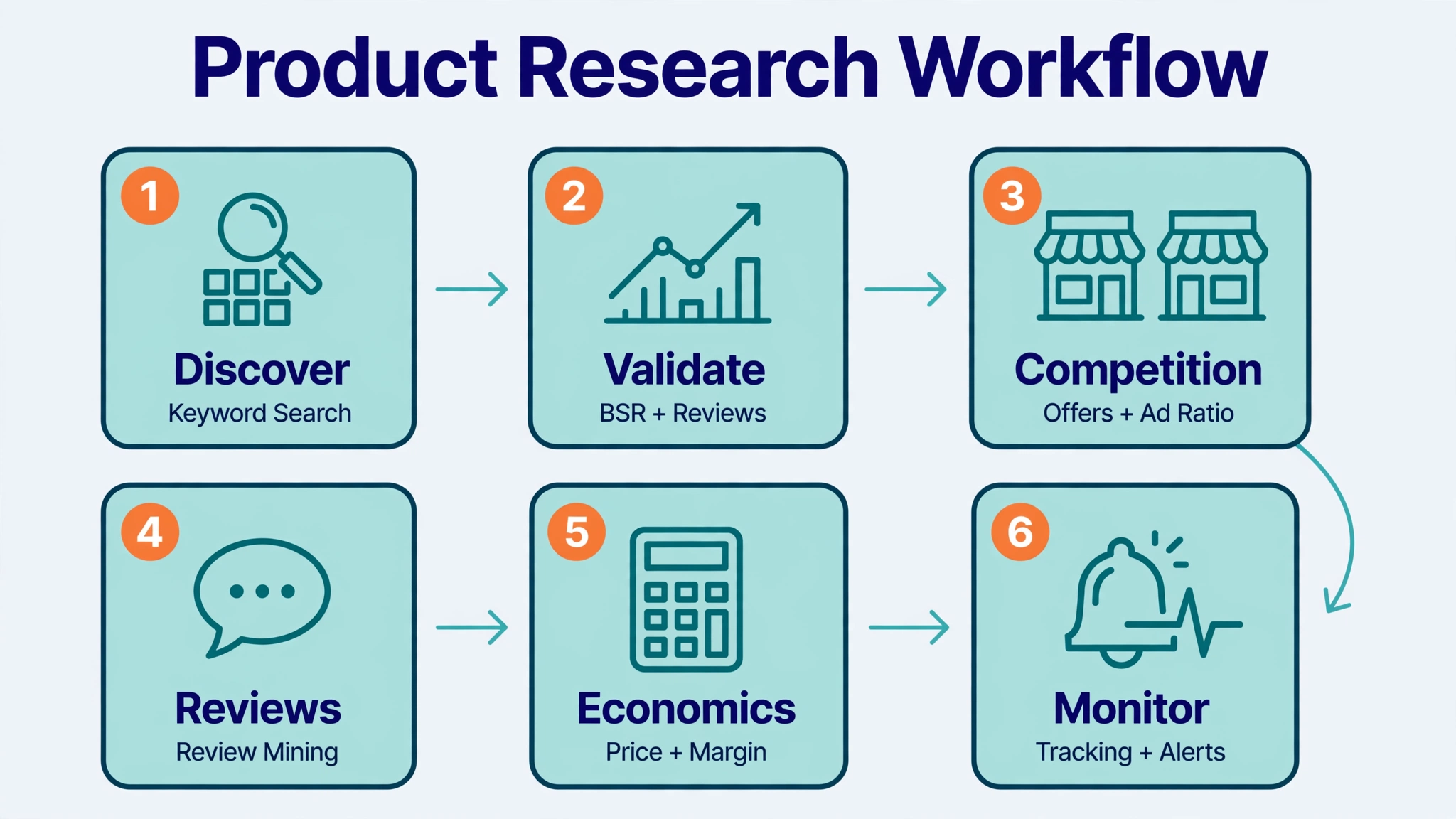
Here is how a research pass maps to API calls — whether you run it in code or in a no-code tool.
1. Discover candidates
Start wide. Pull keyword search results or category best-seller lists for your seed terms. You’re collecting ASINs, titles, prices, ratings, and review counts — a few hundred rows that become your candidate pool.
Practical sizing: 3–5 seed keywords per niche, top 100 results each, gives you 300–500 raw candidates before dedup. That’s a weekend of manual work compressed into one API batch.
2. Validate demand
For each candidate, pull the product detail: BSR trend, price history, review velocity. The numbers to compare:
- Review velocity (reviews/month) beats total review count. A product with 400 reviews adding 40/month is outpacing one with 3,000 reviews adding 5/month.
- Price stability. Frequent discounting in a niche signals margin pressure; stable pricing signals room.
- BSR trend vs review trend. Rising BSR with flat reviews means the category is growing faster than incumbents can capture — an entry window.
3. Map the competition
Pull the offers list and seller data: how many sellers, FBA share, buy box ownership. Then check the sponsored vs organic mix in search results for your main keywords. Rules of thumb:
- If most above-the-fold slots are sponsored, it’s a paid-entry niche — budget for launch PPC accordingly.
- If one brand owns 3+ organic slots for your seed keywords, you’re fighting an entrenched listing, not a market.
- High FBA share among competitors means fast shipping is table stakes, not a differentiator.
4. Mine the reviews
Reviews are the cheapest product-development input available. Don’t read ten reviews and call it research — pull at scale and sort by critical first. Look for repeated complaints: sizing issues, missing features, durability gripes. Every recurring two-star theme is a product spec waiting to happen. This is also where review data APIs earn their keep: sentiment at scale, not anecdotes.
5. Check unit economics
Combine price, estimated fees, and your landed cost. You don’t need perfect sales estimates — you need a margin range and a sense of price clustering. If every competitor sits at $19.99–$24.99, that’s the market’s price anchor; your differentiation has to live inside it or justify breaking it. Factor in a launch discount buffer — you’ll likely sell below anchor for the first 60–90 days.
6. Monitor, don’t snapshot
Research decays. Track your shortlist: price changes, BSR movement, new entrants, review spikes. Set alert thresholds that matter — a 20% BSR drop on a tracked ASIN, a new competitor in the top 20, a sudden 1-star wave. The sellers who win notice a trend in week two, not month six.
Worked example: silicone stretch lids in 10 minutes
Illustrative numbers, but the shape is real:
1. Discover. Search “silicone stretch lids” + “reusable food covers” + “bowl covers silicone” → 300 results, dedup to ~180 unique ASINs.
2. Validate. Detail pulls on the top 30 by review count. Three stand out: 4.5★+, 2,000+ reviews, but review velocity under 15/month — established, slowing.
3. Competition. Offers data shows 12+ sellers on the top ASIN, 80% FBA. Search results: 4 of top 8 slots sponsored. Paid-entry, but nobody owns organic.
4. Reviews. Critical-review mining surfaces a repeated theme: “lids don’t seal on larger bowls” (mentioned in ~8% of 2–3★ reviews). That’s the product gap.
5. Economics. Price cluster $12.99–$16.99. Landed cost estimate leaves 35%+ margin at $14.99 with room for launch discounting.
6. Monitor. Track the 5 finalists weekly; alert on new entrants and BSR shifts.
Verdict: a “yes, with a better seal design” niche. Total API cost for the pass: under 1,000 credits.
What good API data looks like
Not all JSON is equal. When evaluating a provider, check the response shape:
- Every record timestamped. Research data without a date is a rumor — you need to know exactly when each price, rank, and review count was captured.
- Placement flags explicit. Each search result should carry an
is_sponsoredboolean, not bury the signal in title text. - Nulls, not guesses. A good API returns null for missing fields instead of inventing values. Fabricated data is worse than no data.
- Consistent schema across marketplaces. If
.comand.dereturn different field names, your pipeline pays the tax.
Putting it together in code
The pattern is the same regardless of provider: authenticate, request, paginate, store. (Illustrative — see the docs for the exact endpoint reference.)
import requests
from datetime import date

API_KEY = "pgl_xxx"  # free key at tool.pangolinfo.com — first 60 requests free
headers = {"Authorization": f"Bearer {API_KEY}"}

# 1. Discover: search a keyword, collect candidate ASINs
resp = requests.get(SEARCH_URL, headers=headers, params={"q": "silicone stretch lids"})
today = date.today().isoformat()
candidates = [
    {"asin": p["asin"], "price": p["price"], "rating": p["rating"],
     "reviews": p["reviews"], "captured_at": today}
    for p in resp.json()["products"]
]

# 2. Validate: pull detail + BSR for the shortlist, keep timestamps
shortlist = []
for c in candidates[:30]:
    d = requests.get(DETAIL_URL, headers=headers, params={"asin": c["asin"]}).json()
    shortlist.append({**c, "bsr": d["bsr"], "bsr_trend": d.get("bsr_trend_30d")})

# 3. Rank by momentum, not absolute numbers
shortlist.sort(key=lambda x: x["reviews_velocity_30d"] or 0, reverse=True)
What it costs: real credit math
Pricing is credit-based, and the multiplier is what bites. On Pangolinfo’s current pricing (verified October 2026): product data costs 1 credit/page, reviews 5 credits/page, niche research 2 credits/page. Raw HTML responses use 25% fewer credits than parsed JSON.
A realistic discovery pass on one niche:
| Step | Requests | Credits |
|---|---|---|
| 500 search-result pages for candidates | 500 | 500 |
| Detail pulls on 100 shortlisted ASINs | 100 | 100 |
| Reviews on 20 finalists (2 pages each) | 40 | 200 |
| Total | ~800 |
Ongoing monitoring is cheaper than discovery — you’re re-pulling a fixed shortlist, not sweeping categories. Tracking 100 ASINs with a daily detail pull: 100 × 30 = 3,000 credits/month.
Your first 60 requests are free, so the discovery phase costs nothing to validate. The number that matters isn’t credits per request — it’s cost per usable record. A cheap API returning blocked pages or stale data costs more than a pricier one returning clean JSON the first time.
Five research mistakes that waste money
1. Snapshot thinking. One pull tells you nothing about trajectory. Always compare at least two time points before judging demand.
2. Ignoring the sponsored ratio. A niche that looks organic-rich on page one but is 70% sponsored on a fresh search is a PPC battlefield.
3. Treating sales estimates as fact. Estimates are models with error bars. Use them for ranking candidates, never for inventory math.
4. Review sampling bias. Reading the top 10 reviews — which skew positive — instead of mining critical reviews at scale. The complaints are the opportunity.
5. Comparing BSR across categories. #2,000 in one category can outsell #200 in another. BSR is only meaningful within its category.
Build it yourself, buy the API, or skip the code
- Build scrapers in-house if data collection is your core competency and you have engineers to maintain parsers, proxies, and CAPTCHA handling through Amazon’s anti-bot updates. Most teams underestimate the maintenance — it’s a data engineering problem that compounds.
- Use a product data API like Amazon Scraper API if you want structured JSON without infrastructure. You pay per request and focus on analysis.
- Use a no-code tool if you don’t code. Pangolinfo’s Amazon Product Research Tool runs the same workflow — ASIN, keyword, category, and best-seller tracking with AI analysis — inside a Feishu workspace at 1.5 credits/page.
How to choose a provider
- Coverage — which marketplaces and endpoints (search, product, offers, reviews, niche)
- Freshness — live data or cached hours old
- Placement accuracy — reliable sponsored vs organic flags (Pangolinfo reports 90%+ SP placement detection)
- Anti-bot reliability — success rate on Amazon specifically, not generic scraping claims
- Cost per usable record — credits per request times success rate
- Developer experience — docs quality, and MCP support if you build with agents
FAQ
Can I use Amazon’s official PA-API for product research?
You can try, but it wasn’t built for it: Associates approval required, tight rate limits, no bulk search or BSR at scale. Most research workflows need a third-party API.
What’s the difference between BSR and sales estimates?
BSR is Amazon’s own public rank — real, but category-relative and velocity-based. Sales estimates are third-party models built on BSR and other signals. Trust BSR direction; treat estimates as ranking tools, not inventory math.
Is collecting Amazon product data legal?
Pulling public marketplace data for research is standard industry practice; consult counsel for your jurisdiction. A managed API shifts the infrastructure burden to the provider.
How much does product research API data cost?
On Pangolinfo’s current pricing: 1 credit/page for product data, 5 for reviews, 2 for niche research, with 60 free requests to start. A full discovery pass on a niche runs ~800 credits; monitoring 100 ASINs daily runs ~3,000/month. See the pricing page for current plans.
How often should I refresh research data?
Discovery data goes stale in weeks; shortlist monitoring should be daily or weekly depending on category velocity. Set alerts rather than re-running full sweeps.
Do I need to write code?
No. The API is for developers; the Amazon Product Research Tool covers the same workflow — tracking, alerts, AI analysis — with no code.