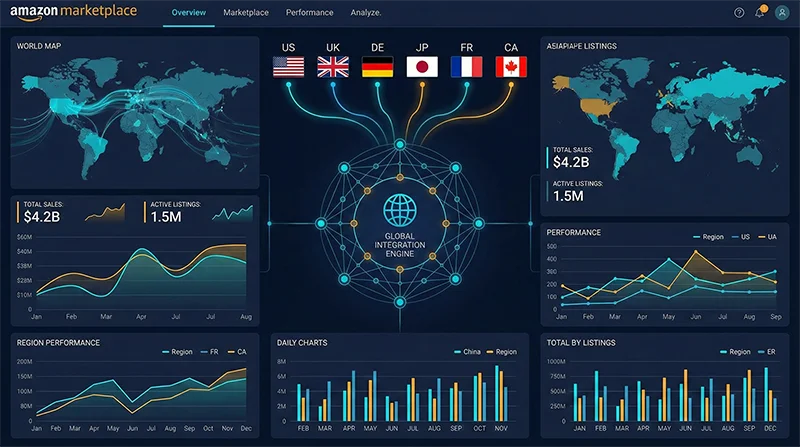
The Hidden Cost of Fragmented Marketplace Data
Consider a brand selling the same kitchen appliance across five Amazon marketplaces. Their US store generates $2 million monthly, a genuine success. But zoom into their Amazon.de performance and you find the same product hovering around 30 reviews with a BSR that rarely cracks the top 500 in its category. Is Germany simply a bad market? Not quite. A German competitor with a nearly identical product sits comfortably at BSR #47 with 800 reviews. The real problem is that this brand has never been able to see both markets in the same analytical view—Amazon Multi-Marketplace Data Analysis has always seemed too complex to set up properly, so they keep managing each store in isolation.
This situation is far more common than most brands admit. Amazon’s platform architecture guarantees that marketplace data silos exist by default: amazon.com, amazon.co.uk, amazon.de, amazon.co.jp, and the rest each maintain entirely separate product catalogs, category taxonomies, search ranking algorithms, review ecosystems, and traffic distribution mechanics. None of this data flows naturally between stores. Amazon’s Seller Central offers no built-in cross-marketplace comparison view, no unified BSR trending chart, no way to see how your keyword rankings in France compare to your rankings in Italy without switching accounts and manually piecing together the picture.
The operational reality for most multi-marketplace sellers looks like this: eight browser tabs open simultaneously, a morning ritual of checking each store individually, an afternoon session building spreadsheets that are already outdated by the time they’re complete. The information lag this creates isn’t just an inconvenience—it’s a structural disadvantage that compounds over time, costing brands the first-mover advantage in markets they could have dominated if they’d seen the opportunity three months earlier.
Why Amazon Cross-Marketplace Data Comparison Is So Difficult
The difficulty of Amazon Cross-Marketplace Data Comparison isn’t a tooling problem you can solve by finding the right software subscription. It operates at three distinct structural levels, each of which undermines naive solutions in a different way.
The Architecture Problem: Separate Systems, Separate Logic
Amazon’s marketplaces are genuinely independent engineering systems. ASIN identifiers don’t reliably map one-to-one across stores—the same physical product sold by the same brand can have different ASINs on Amazon.com and Amazon.co.uk, sometimes none at all on Amazon.co.jp if the seller hasn’t listed there yet. Category hierarchies differ significantly between regions: what Amazon.com classifies under “Tools & Home Improvement > Power Tools > Drills” may occupy a completely different node on Amazon.de. Search ranking algorithms incorporate region-specific signals including local review velocity, currency-adjusted pricing competitiveness, and fulfillment infrastructure presence.
This means that “pulling data from multiple stores into one place” doesn’t automatically produce comparable data. Before any meaningful analysis can happen, someone has to solve the product mapping problem—establishing which ASIN on Store A corresponds to which ASIN on Store B—and the category normalization problem. Both require deliberate engineering effort.
The Tool Design Problem: Single-Marketplace Native Architecture
The dominant third-party Amazon analytics tools were designed with a single-marketplace mental model. Even platforms that advertise “multi-marketplace support” typically mean you can switch between marketplaces inside the same dashboard, not that you can place two markets’ data side-by-side in the same row or chart. If you want to see whether your BSR in the UK Lighting category is improving faster or slower than your BSR in the DE Lighting category over the past 90 days as a single time-series comparison, most tools will make you do it manually across separate views.
There’s also the data definition problem. Different tools use different methodologies for estimating monthly sales velocity, and these methodologies aren’t disclosed or standardized. When Tool A’s estimate for your US listing is 400 units/month and Tool B shows 650 units/month, you already have a reliability problem. Try comparing Tool A’s DE estimate against Tool B’s UK estimate as if they were apples-to-apples, and the analytical noise becomes severe enough to distort decisions.
The Freshness Problem: Stale Timestamps Corrupt Comparisons
Amazon International Marketplace Analytics only delivers genuine value when the data points being compared come from the same temporal window. If your Tuesday morning BSR check for amazon.com is using data cached last Sunday, while your amazon.co.uk check uses data from Thursday, you’re not comparing two markets at the same moment—you’re comparing two historical snapshots taken at different points in time. In fast-moving categories where BSR rankings shift by dozens of positions in a single day, this timing mismatch produces systematic distortions that make cross-marketplace conclusions unreliable.
The Downstream Cost: Opportunities Lost to Fragmented Vision
The compound effect of these three structural problems is measurable in business outcomes. A brand operating five Amazon marketplaces with fully siloed analytics will typically miss a critical category expansion signal: when a sub-category surges on Amazon.com, the equivalent sub-category on Amazon.co.uk and Amazon.ca is often 6–12 weeks behind the curve, still in a relatively low-competition state. The first seller to spot that lag and accelerate their EU or Canada expansion captures the prime review counts and organic ranking positions before the competitive wave arrives. Without unified multi-marketplace visibility, that window is simply invisible.
Why Existing Approaches Fall Short
Sellers facing this challenge typically try one of three approaches. Each has clear practical limits worth understanding before committing time and budget.
Option A: Seller Central’s Native Multi-Account Reporting
Amazon does allow sellers to link multiple marketplace accounts and access basic reporting through the Unified Account structure. The ceiling here is obvious: data scope is limited to your own sales performance with no competitive intelligence, no category trends, no keyword position data, and no BSR context beyond your own listings. Update frequency is daily at best, weekly for some report types. And “multi-account” still doesn’t mean “combined view”—you’re exporting separate CSVs from each marketplace and manually combining them, which scales poorly even at modest SKU counts.
Option B: Premium Third-Party Tool Subscriptions
Platforms like Helium10 and Jungle Scout cover multiple Amazon marketplaces and are sophisticated tools for single-marketplace deep dives. Their multi-marketplace capability, however, remains primarily “switch and view separately” rather than “compare side by side.” For a brand serious about five or more marketplaces with hundreds of SKUs, the enterprise-tier subscriptions that unlock the broadest marketplace coverage run $3,000–$6,000 annually, and the comparison workflow still involves a significant amount of manual data reconciliation across separate marketplace views.
Option C: DIY Data Pipeline with Exports and Scripts
Teams with technical bandwidth sometimes build internal pipelines: schedule data exports from multiple tools, run Python transformation scripts, load into a shared Sheets or BI dashboard. This approach works reasonably well at small scale—perhaps two or three marketplaces, a few dozen SKUs, weekly refresh cycles. It breaks down quickly when the SKU count grows into the hundreds, the marketplace count exceeds three, or data freshness requirements tighten to daily or near-real-time. Every time a source tool changes its export format (which happens several times a year), the pipeline breaks and requires developer intervention to fix. The maintenance overhead grows faster than the analytical value.
The pattern across all three approaches points to the same conclusion: multi-marketplace data analysis requires a real-time data layer, not a reporting layer. You need something that actively and continuously pulls structured data from every target marketplace, normalizes it into a unified schema, and makes it available for querying and comparison. That’s precisely what a professional Amazon data API is designed to do.
A Systematic Approach to Amazon Multi-Marketplace Data Analysis
Building genuine Amazon Multi-Marketplace Data Analysis capability means designing the architecture at three levels: data collection, data normalization, and analytical application. Here’s how each layer works in practice.
Layer 1: Unified Collection Across All Target Marketplaces
The collection layer is where most DIY approaches fail. Amazon’s anti-scraping infrastructure is sophisticated, and its intensity varies significantly by marketplace—what works reliably on amazon.com may be blocked or throttled on amazon.co.jp. Building and maintaining marketplace-specific scrapers requires ongoing engineering investment as Amazon’s frontend changes, and the failure modes (IP bans, CAPTCHA challenges, parser breakage) can silently corrupt your data pipeline without obvious alerts.
A purpose-built API designed for Amazon data collection abstracts all of this complexity. Pangolinfo’s Scrape API covers 20+ Amazon marketplaces—North America (US, CA, MX), Europe (UK, DE, FR, IT, ES, NL, SE, PL), Asia-Pacific (JP, AU, SG, IN), and Middle East (AE, SA)—maintaining dedicated parsing templates for each region. The critical property is schema consistency: a product detail request on Amazon.com and a product detail request on Amazon.co.uk return the same JSON field structure. That consistency is the prerequisite for everything that follows in the normalization and analysis layers.
Data types available for collection span the core dimensions of multi-marketplace analysis: product detail pages (title, price, BSR, rating, review count, availability), category bestseller lists (Best Sellers, New Releases, Movers and Shakers), keyword search results pages, historical ASIN data for trend analysis, and sponsored ad placement data with an industry-leading 98% capture rate.
Layer 2: Normalization—Making Cross-Marketplace Data Actually Comparable
Raw collection isn’t enough. Two systematic issues must be handled before data from different marketplaces becomes genuinely comparable: currency normalization and ASIN mapping.
Price data across marketplaces is denominated in different currencies (USD, GBP, EUR, JPY, etc.). Direct price comparison without conversion produces meaningless numbers—a £35 product and a €40 product can only be compared after converting both to a common currency at consistent exchange rates. In a production system, this typically means connecting to a real-time FX API and applying date-stamped conversion rates to every price data point, so all historical price comparisons use the exchange rates that were in effect at the time of collection.
The ASIN mapping challenge is subtler but equally important. The same physical product manufactured by the same brand will have different ASIN identifiers on different Amazon marketplaces—sometimes completely different, sometimes entirely absent if the brand hasn’t listed there. Building a cross-marketplace product mapping table—keyed on EAN/UPC barcodes, brand-internal SKU codes, or model numbers—allows you to group all marketplace variants of a product together and compare their marketplace-specific performance metrics on an apples-to-apples basis.
Layer 3: Analysis Applications—Insights That Only Emerge With Multi-Marketplace Vision
With a clean, normalized data layer in place, the analytical value unlocked is qualitatively different from anything possible with siloed data. Three scenarios illustrate the highest-value applications:
Opportunity Mapping via Competition Density Comparison: Compare the average review count of BSR Top 20 products in a given sub-category across four marketplaces. If Amazon.com shows an average of 3,200 reviews per Top 20 product while Amazon.de shows 280, the German version of that category is still highly accessible. This kind of white-space signal is completely invisible when looking at one marketplace at a time, yet it’s often the clearest early indicator of where to expand next.
Price Elasticity Analysis Across Regions: The same product at different price points in different markets, combined with estimated sales velocity data, lets you calculate a rough demand curve for each market. European marketplaces often sustain higher price points than North America for certain premium categories, but higher VAT rates, local FBA fees, and currency volatility complicate the net margin picture. Seeing all variables in a unified model makes the true profitability comparison possible.
Competitor Strategy Mapping: When a key competitor drops out of the BSR Top 100 on Amazon.com, the interesting question isn’t just “what happened there?”—it’s “are they pulling resources from the US to push harder in Germany?” Companies that track their main competitors across multiple marketplaces simultaneously can detect strategic pivots weeks before market outcomes confirm them.
No-Code Option: AMZ Data Tracker’s Multi-Marketplace Monitoring
Not every team has the engineering bandwidth to build a full multi-marketplace data pipeline. AMZ Data Tracker provides a configuration-driven alternative: set up monitoring tasks for specified marketplaces and ASINs through a visual interface, and the system handles scheduled data collection and delivers comparison views without writing code. For teams operating four or fewer marketplaces with sub-1,000 SKU counts, this is a meaningful lower-friction entry point into unified cross-marketplace analytics.
Implementation Example: Multi-Marketplace BSR Data Aggregation in Python
The following Python example demonstrates the core workflow for collecting and normalizing BSR data across multiple Amazon marketplaces using the Pangolinfo Scrape API. This represents a production-ready skeleton that can be extended with async concurrency, database persistence, and scheduled execution:
import requests
import json
from datetime import datetime, timezone
from typing import Optional

# Pangolinfo API configuration
API_KEY = "your_api_key_here"
HEADERS = {
    "Authorization": f"Bearer {API_KEY}",
    "Content-Type": "application/json"
}

# Target marketplaces with their category node IDs (Kitchen category example)
MARKETPLACE_CONFIG = {
    "US": {
        "domain": "amazon.com",
        "category_node": "289913",
        "currency": "USD",
        "fx_to_usd": 1.000
    },
    "UK": {
        "domain": "amazon.co.uk",
        "category_node": "11052591031",
        "currency": "GBP",
        "fx_to_usd": 1.270
    },
    "DE": {
        "domain": "amazon.de",
        "category_node": "3167641",
        "currency": "EUR",
        "fx_to_usd": 1.082
    },
    "JP": {
        "domain": "amazon.co.jp",
        "category_node": "2277721051",
        "currency": "JPY",
        "fx_to_usd": 0.0067
    }
}


def fetch_marketplace_bsr(marketplace_code: str, config: dict, rank_type: str = "bestsellers") -> list[dict]:
    """
    Fetch BSR data from a specific Amazon marketplace.
    Returns a list of normalized product dicts for cross-marketplace comparison.

    Args:
        marketplace_code: Market identifier string (e.g., "US", "DE")
        config: Marketplace configuration dict with domain, category, FX rate
        rank_type: One of "bestsellers", "new_releases", "movers_shakers"

    Returns:
        List of normalized product dicts with consistent field schema
    """
    payload = {
        "marketplace": config["domain"],
        "type": rank_type,
        "category_id": config["category_node"],
        "limit": 20
    }

    try:
        response = requests.post(
            "https://api.pangolinfo.com/v1/amazon/category/bestsellers",
            headers=HEADERS,
            json=payload,
            timeout=30
        )
        response.raise_for_status()
        raw_products = response.json().get("products", [])
    except requests.RequestException as e:
        print(f"[ERROR] Failed to fetch {marketplace_code}: {e}")
        return []

    # Normalize to common schema regardless of source marketplace
    normalized = []
    for product in raw_products:
        local_price = product.get("price", 0) or 0
        normalized.append({
            "marketplace": marketplace_code,
            "asin": product.get("asin"),
            "title": product.get("title", "")[:120],  # Truncate for display
            "bsr_rank": product.get("rank"),
            "local_price": local_price,
            "local_currency": config["currency"],
            "price_usd": round(local_price * config["fx_to_usd"], 2),
            "rating": product.get("rating"),
            "review_count": product.get("review_count", 0),
            "fetched_at_utc": datetime.now(timezone.utc).isoformat()
        })

    return normalized


def compute_market_competition_metrics(products: list[dict]) -> dict:
    """
    Compute aggregated competition metrics for a set of BSR products.
    Used to compare barrier-to-entry across marketplaces.
    """
    if not products:
        return {}

    review_counts = [p["review_count"] for p in products if p["review_count"]]
    prices_usd = [p["price_usd"] for p in products if p["price_usd"]]

    avg_reviews = sum(review_counts) / len(review_counts) if review_counts else 0
    avg_price = sum(prices_usd) / len(prices_usd) if prices_usd else 0

    if avg_reviews > 1500:
        competition = "HIGH - Established market, review moat is significant"
    elif avg_reviews > 400:
        competition = "MEDIUM - Growing category, entry still viable with strong launch"
    else:
        competition = "LOW - Accessible category, potential early-mover opportunity"

    return {
        "product_count": len(products),
        "avg_review_count": round(avg_reviews),
        "avg_price_usd": round(avg_price, 2),
        "competition_assessment": competition
    }


def run_cross_marketplace_analysis() -> dict:
    """
    Main orchestration function: collect data across all configured
    marketplaces and generate a structured cross-marketplace report.
    """
    all_products = {}
    competition_report = {}

    for market_code, config in MARKETPLACE_CONFIG.items():
        print(f"Fetching BSR data from {market_code} ({config['domain']})...")
        products = fetch_marketplace_bsr(market_code, config)
        all_products[market_code] = products
        competition_report[market_code] = compute_market_competition_metrics(products)
        print(f"  → Retrieved {len(products)} products")

    return {
        "raw_data": all_products,
        "competition_report": competition_report,
        "analysis_timestamp_utc": datetime.now(timezone.utc).isoformat()
    }


if __name__ == "__main__":
    result = run_cross_marketplace_analysis()

    print("\n" + "=" * 60)
    print("  CROSS-MARKETPLACE COMPETITION ANALYSIS REPORT")
    print("=" * 60)

    for market, metrics in result["competition_report"].items():
        print(f"\n{market} Marketplace:")
        print(f"  Top 20 avg reviews:    {metrics.get('avg_review_count', 'N/A'):,}")
        print(f"  Top 20 avg price (USD): ${metrics.get('avg_price_usd', 'N/A'):.2f}")
        print(f"  Assessment: {metrics.get('competition_assessment', 'N/A')}")

    # Persist full dataset for BI tool import or further processing
    output_filename = f"cross_marketplace_{datetime.now().strftime('%Y%m%d_%H%M')}.json"
    with open(output_filename, "w", encoding="utf-8") as f:
        json.dump(result, f, ensure_ascii=False, indent=2)

    print(f"\nFull dataset saved to {output_filename}")
    print("Import into Tableau, Power BI, or Google Looker for visualization.")
In a production deployment, this skeleton would be enhanced with concurrent async requests (using asyncio + aiohttp to collect all marketplaces simultaneously rather than sequentially), a persistent database layer (PostgreSQL for structured storage with time-series querying), a scheduling framework (Apache Airflow or simple cron), and monitoring alerts for collection failures. Full API reference documentation—including all supported data types, request parameters, and response schemas for every supported Amazon marketplace—is available at Pangolinfo’s documentation center.
Amazon Multi-Marketplace Data Analysis Is Now a Competitive Baseline
The strategic landscape on Amazon has shifted. The single-marketplace playbook—find a winning product, scale one store, rinse and repeat—still works in specific niches, but the highest-growth opportunity for established brands lies in leveraging their existing product portfolio across multiple regions faster and smarter than competitors. Amazon Multi-Marketplace Data Analysis isn’t a feature reserved for enterprise brands with nine-figure revenues; it’s the analytical infrastructure required to compete intelligently when you’re running more than one store simultaneously.
Building that infrastructure means solving the problem at the right layer: data collection, not tool switching. A unified API that delivers consistent, structured data from every Amazon marketplace you care about—at the freshness level your decision cadence requires—removes the fundamental bottleneck that makes cross-marketplace comparison so difficult today. What used to take a team three hours of manual work now becomes a daily automated data pipeline that feeds a dashboard your entire team can act on in real time.
If you’re evaluating how to elevate your team’s multi-marketplace analytical capability, the Pangolinfo Scrape API product page covers all supported marketplaces, data types, pricing tiers, and integration options in detail. You can also register directly on the Pangolinfo Console and run a free-tier test collection across multiple marketplaces today—enough to validate the data quality and schema consistency before any commitment.
Start your Amazon Multi-Marketplace Data Analysis journey with Pangolinfo Scrape API — free tier available, no credit card required to test across all major Amazon regions →