

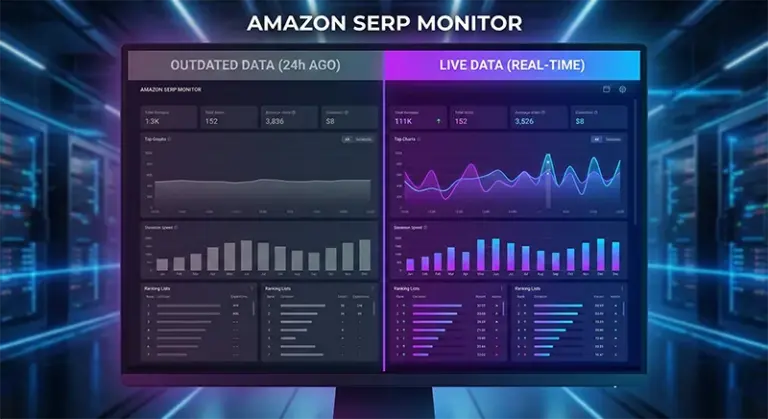
When Your Competitor Analysis Relies on “3-Day-Old Data,” the Market Has Already Moved On
Last month, a kitchenware seller shared his frustration with me: he spent an entire week analyzing competitor rankings for a specific keyword, prepared his advertising budget and promotion strategy, only to discover that the actual search engine results page (SERP) was completely different from what his tool showed. ASINs that were supposedly on page one had dropped to page two, while new products that weren’t even in the tool suddenly occupied the top three positions. What made it worse was that he overspent nearly 30% on advertising because the competitive landscape for his target keyword had fundamentally changed.
This isn’t an isolated case. After investigating further, we found that the vast majority of product research and competitor analysis tools on the market share a fatal flaw: data update cycles of 3-7 days. On Amazon’s battlefield where rankings change every hour, making decisions with outdated data is like driving in an unfamiliar city with an expired map—you never know if the road ahead still exists. The importance of Amazon Real-time Keyword Data becomes evident in this context, as it’s not just about data accuracy but directly impacts the efficiency of every advertising dollar spent and the success of every product decision.
The core issue is this: Amazon’s search ranking algorithm A9/A10 is a dynamic system that adjusts product rankings in real-time based on dozens of factors including click-through rates, conversion rates, inventory status, price fluctuations, and review changes. A product might disappear from page one within hours due to sudden stock-outs, or shoot to the top three because of a Lightning Deal. If your competitor analysis tool still tells you “this ASIN is stable at position 5” when it actually dropped to position 15 due to a surge in negative reviews, then every strategy you build on that data will be wrong.
Three Fatal Flaws of Data Lag: Each One Quietly Eating Your Profits
Fatal Flaw #1: Ad Spending Becomes “Shooting in the Dark”—Money Spent Without Hitting the Target
The biggest problem with traditional product research tools isn’t the lack of data, but the “timeliness trap” of that data. When you see 10 organic positions and 3 sponsored ad slots for a keyword, the tool might be showing you a snapshot from 5 days ago. But Amazon’s ad bidding system operates in real-time, and competitors may have just ramped up their ad spending yesterday, causing the CPC cost for this keyword to spike by 40%. If you still bid according to the tool’s “suggested bid,” you’ll either get no impressions because your bid is too low, or blindly raise your bid without understanding the true competitive landscape, wasting budget unnecessarily.
What’s worse is that most tools simply cannot accurately capture complete Sponsored Products (SP) ad position data. They might only identify “there’s an ad here” but can’t tell you which specific ASINs, what their ad copy says, which keywords they’re using, or which ad position they occupy. This leaves you missing the most critical reference point when developing ad strategies—you don’t know what cards your competitors are playing, so naturally you can’t formulate effective countermeasures. One of the core values of ASIN Lookup API is its ability to capture detailed information about these ad positions in real-time, including ad placement, ASIN, title, price, rating, and other complete fields, allowing your ad spending decisions to be based on real, immediate market intelligence.
Fatal Flaw #2: Product Selection Based on “Phantom Data”—Walking Into Traps From Day One
Product selection is the first step in Amazon operations and the key to success or failure. Many sellers analyze competitor performance under specific keywords to judge market opportunities: if the top 10 all have low review counts, ratings generally between 4.0-4.3, and dispersed price ranges, it might be a blue ocean market worth entering. But if you’re using lagged data, this judgment could be completely wrong.
Here’s a real case: In November 2024, a seller discovered through a well-known product research tool that competition for “portable blender” wasn’t intense, with the top 5 having review counts between 500-800. He immediately ordered 2,000 units for production, planning a big push during the Christmas season. By the time the goods arrived at the warehouse, he checked with a Live SERP Tracking tool and found that the keyword’s first page was now dominated by two new products with 1,500 and 2,200 reviews respectively, both accumulated rapidly through the Vine program in the past 10 days. The market window had closed, and his product had lost competitiveness before even launching. If he had used real-time data initially, he could have spotted this trend change before production and adjusted strategy or abandoned this market in time.
Fatal Flaw #3: Always Half a Beat Behind in Price Wars and Inventory Battles—Passively Taking Hits
Competition on Amazon often comes down to split-second timing. A competitor suddenly dropping prices by 15% might steal 30% of your traffic within 2 hours; a major competitor suddenly going out of stock might give you a 48-hour golden window. But if your monitoring tool only updates every 3 days, you simply cannot seize these fleeting opportunities or respond to sudden threats in time.
More critically, Amazon’s Buy Box attribution, inventory status, Prime badges, and other information all change in real-time. A product might have the Buy Box in the morning but lose it in the afternoon due to low stock; a competitor might have been FBA yesterday but switched to FBM today. These subtle but critical changes directly affect search rankings and conversion rates. If you can’t grasp this information in real-time, you’ll always be reacting passively rather than taking proactive action. The value of Amazon Real-time Keyword Data is precisely in transforming you from a “Monday morning quarterback” into a strategic planner who prepares for rainy days.
Traditional Tools vs Real-Time API: A Clear Cost-Benefit Analysis
Many sellers might ask: I’ve already subscribed to traditional product research tools, spending $1,200-$3,000 annually, so why should I consider using real-time data solutions like ASIN Lookup API? Let’s do the math and see the real cost and value differences between these two approaches.
Cost Comparison: Surface Cheap vs True Cost
Traditional product research tools typically use subscription models, with annual fees ranging from $1,200 to $3,000, appearing to offer “full features” with a one-time payment. But in actual use, you’ll find these tools, in order to cover more user groups, include numerous features you’ll never use: product recommendations, profit calculators, keyword mining, competitor tracking, inventory management, etc. For a seller focused on competitor analysis and ad optimization, you might only need 20% of these features, yet you’re paying for 100%.
In contrast, API-based real-time data solutions use pay-as-you-go pricing. You only pay for the data you actually call, with no feature bundling. If you need to monitor SERP data for 50 keywords daily, calling each 3 times (morning, noon, evening), that’s 4,500 calls per month. At mainstream API pricing (approximately $0.01-0.02/call), monthly costs range from $45-90, with annual costs of $540-1,080, far below traditional tool subscription fees. And this cost is completely controllable—reduce call frequency during slow seasons, increase monitoring density during peak seasons, with extremely high flexibility.
Feature Comparison: Jack of All Trades vs Master of One
The “all-in-one” nature of traditional tools seems like an advantage but is actually a disadvantage. Because they serve users with different needs, they must compromise between data update frequency and server costs. The result: slow data updates (3-7 days), incomplete ad position data (SP ad position capture rate typically below 60%), no custom options (want to monitor specific zip code data? Sorry, not supported).
Professional Scrape API solutions are completely different. Their core goal is singular: provide the most accurate, most timely SERP data. This means you get:
- Minute-level data updates: Not daily updates, not hourly updates, but immediate calls and immediate access to the latest data whenever you need it
- 98% SP ad position capture rate: Industry-leading level, meaning you can see almost all competitor ad layouts
- Complete field support: Not just basic information like ASIN, title, price, and rating, but also Buy Box status, Prime badges, inventory alerts, coupon information, A+ page indicators, and 30+ other fields
- Specific zip code scraping: Can simulate search results from different regions to understand regional competitive differences
- Raw HTML + Structured JSON: Can obtain raw pages for deep analysis or directly use parsed structured data for rapid development
Hidden Cost Comparison: Opportunity Cost is the Real Expense
But the real cost difference isn’t in subscription fees—it’s in opportunity costs. Wrong decisions caused by using lagged data can cost you hundreds or even thousands of dollars each time. One failed product selection might cost you $5,000 in inventory; one blind ad campaign might waste $2,000 in promotion budget; one missed price window might lose you $10,000 in potential sales. These hidden losses are the true cost of using outdated data.
The value of real-time data is helping you avoid these losses. When you can respond within 1 hour of a competitor price drop, when you can spot threats on day one of a new product launch, when you can precisely identify competitors in every ad position, your operational efficiency and decision quality will improve qualitatively. The revenue growth from this improvement far exceeds the cost of API calls.
The Right Way to Use Real-Time SERP Data: From Reactive to Proactive
After understanding the importance of real-time data, the next question is: how to use this data correctly? Many sellers, after getting API access, simply query rankings once daily and record them in Excel spreadsheets—this usage only captures 10% of real-time data’s value. True real-time data application should be a complete workflow.
Workflow #1: Dynamic Ad Optimization System
Traditional ad optimization adjusts bids and keywords weekly or monthly, but in competitive categories, this frequency is far from sufficient. Through Live SERP Tracking, you can build a dynamic optimization system:
- Monitor keyword ad position changes in real-time: Call the API every 2-4 hours to get SERP data for target keywords
- Identify competitors in ad positions: Record the ASIN, appearance frequency, and position changes for each ad slot
- Analyze competitive intensity: If you notice a keyword suddenly gained 2-3 strong competitors in ad positions, competition has intensified—you may need to raise bids or temporarily withdraw
- Capture window opportunities: If you find ad positions for a high-value keyword suddenly decreased (e.g., major competitors out of stock or paused ads), immediately increase spending to capture traffic
This process sounds complex, but through visualization tools like AMZ Data Tracker, you can automatically import API data, automatically analyze, and automatically alert. When the system detects major changes in keyword competitive landscape, it immediately notifies you—you only need to make decisions based on prompts.
Workflow #2: Competitor Dynamic Tracking and Alerts
Besides ad optimization, another core application of real-time data is competitor monitoring. Many sellers manually record competitor prices, review counts, rankings, etc., but this approach is inefficient and prone to missing critical changes. Through ASIN Lookup API, you can achieve automated competitor tracking:
- Price monitoring: Automatic alerts when major competitor prices change by more than 10%, helping you adjust pricing strategy in time
- Inventory monitoring: Immediate notification when competitors show “only X left” or “temporarily out of stock” alerts, letting you seize traffic transfer opportunities
- Review monitoring: Alerts when competitor review counts or ratings change significantly, helping you understand market dynamics
- Ranking monitoring: Track competitor ranking changes under core keywords, identifying their promotion strategies
- Ad monitoring: Record which keywords competitors advertise on, what their ad copy says, and their spending intensity
These monitoring tasks don’t require manual execution—just set up monitoring rules and alert thresholds during initialization, and the system runs automatically. You only need to review daily alert reports, focusing on truly important changes.
Workflow #3: Product Validation and Market Window Identification
In the product selection phase, real-time data helps you do two things: validate the authenticity of market opportunities and identify optimal entry timing.
Traditional product research tools tell you static metrics like search volume, competition level, and average price for a keyword, but can’t tell you if this market is changing. Through continuous Live SERP Tracking for 7-14 days, you can observe:
- Are the ASINs on page one stable? If new faces appear daily, this market is highly competitive and unstable
- How fast are top products’ reviews growing? If growing rapidly, market demand is strong but competition is also intensifying
- What’s the competitive intensity in ad positions? If SP ad slots are consistently occupied by the same ASINs, these sellers are continuously investing
- Are there obvious seasonal fluctuations? By comparing SERP data from different time periods, you can identify market peak and off-peak seasons
This dynamic information is what static product research tools cannot provide. And it’s precisely this information that determines whether your product selection will succeed.
Real Case: How Real-Time Data Boosted ROI by 40%
Let me share a real case. A pet supplies seller mainly selling cat litter boxes had “cat litter box automatic” as his core keyword, with a daily ad budget of $200. When using traditional tools, his ACoS (Advertising Cost of Sales) consistently stayed between 35%-40%, with unsatisfactory ROI.
Later, he started using Scrape API for real-time monitoring and discovered several key issues:
- His main competitors paused ad spending daily from 2-4 PM (possibly to control budget), causing ad position competition intensity to drop during this period
- Weekend ad position competition was significantly lower than weekdays, but his ad budget allocation was uniform
- Three competitors frequently advertised on his product detail pages, but he had never advertised on those competitors’ detail pages
Based on these findings, he adjusted his strategy:
- Concentrated 30% of ad budget on 2-4 PM spending, leveraging competitors’ window gaps
- Increased budget on weekends, moderately reduced on weekdays
- Started advertising on those 3 competitors’ detail pages for precise interception
The result: With unchanged total budget, his ad click-through rate increased by 25%, conversion rate by 18%, ACoS dropped to 24%, and ROI improved by over 40%. This is the power of real-time data—it lets you see opportunities others can’t see and make optimizations others can’t make.
Technical Implementation: Build Your Real-Time Monitoring System in 5 Minutes
Many sellers think “API” means high technical barriers, but that’s not the case. Modern API services provide very user-friendly interfaces and detailed documentation—even if you’re not a professional developer, you can get started quickly. Below I’ll demonstrate the simplest real-time SERP data retrieval process.
Step 1: Obtain API Key
First, you need to register an account on Pangolinfo Console and obtain an API key. After registration, the system provides some free quota for testing, with no prepayment required.
Step 2: Call API to Get SERP Data
Using Python as an example, getting SERP data for a keyword requires just a few lines of code:
import requests
import json

# API Configuration
api_key = "your_api_key_here"
api_url = "https://api.pangolinfo.com/serp/amazon"

# Request Parameters
params = {
    "keyword": "cat litter box automatic",  # Target keyword
    "marketplace": "US",                     # Marketplace
    "page": 1,                               # Page number
    "include_sponsored": True                # Include sponsored ad data
}

headers = {
    "Authorization": f"Bearer {api_key}",
    "Content-Type": "application/json"
}

# Send Request
response = requests.post(api_url, json=params, headers=headers)
data = response.json()

# Parse Results
if data["status"] == "success":
    organic_results = data["organic_results"]  # Organic search results
    sponsored_results = data["sponsored_results"]  # Sponsored results

    print(f"Found {len(organic_results)} organic results")
    print(f"Found {len(sponsored_results)} sponsored results")

    # Output top 5 organic results
    for i, product in enumerate(organic_results[:5], 1):
        print(f"\nRank {i}:")
        print(f"  ASIN: {product['asin']}")
        print(f"  Title: {product['title']}")
        print(f"  Price: ${product['price']}")
        print(f"  Rating: {product['rating']} ({product['reviews_count']} reviews)")
        print(f"  Has Prime: {product['is_prime']}")
else:
    print(f"Request failed: {data['message']}")
This code returns complete SERP data for the specified keyword, including each product’s ASIN, title, price, rating, review count, Prime status, Buy Box attribution, and more. You can save this data to a database for subsequent analysis.
Step 3: Set Up Scheduled Tasks for Automated Monitoring
If you want automated monitoring, you can use system scheduled task features (like Linux cron or Windows Task Scheduler) to have the script execute automatically at intervals. For example, monitor core keywords every 4 hours:
# Linux cron configuration example
# Execute monitoring script every 4 hours
0 */4 * * * /usr/bin/python3 /path/to/serp_monitor.py
Step 4: Data Visualization and Alerts
If you don’t want to write code yourself, you can directly use visualization tools like AMZ Data Tracker. It has built-in integration with Scrape API—you just configure monitoring rules in the interface, and the system automatically calls the API, stores data, generates charts, and sends alerts. The entire process is fully visual, requiring no programming background.
For example, you can set up monitoring rules like this:
- Monitor keyword: “cat litter box automatic”
- Monitoring frequency: Every 4 hours
- Alert conditions:
- Send email when my product ranking drops more than 3 positions
- Send notification when new ASINs appear in top 5
- Alert when ad position count increases by more than 2
The system automatically executes these rules—you only need to review daily reports and alerts.
Starting Today, Let Data Be Accountable for Your Decisions
The essence of Amazon operations is information warfare. Whoever can obtain market information faster and more accurately will gain competitive advantage. Outdated data not only fails to help you make correct decisions but actually misleads you in the wrong direction. The value of Amazon Real-time Keyword Data is keeping you always at the forefront of information, using the newest, most accurate data to guide every operational move.
Whether you’re a newcomer just entering the field or an established seller with millions in annual sales, real-time SERP data should become your standard tool. It’s not optional “icing on the cake” but success-determining “timely assistance.” When your competitors are still making decisions with 3-day-old data, you’ve already seized the initiative with real-time data; when others are still puzzled by poor ad performance, you’ve already optimized every budget dollar’s efficiency through precise competitor analysis.
Take action now. Visit the Pangolinfo Scrape API page to try real-time SERP data services for free. You’ll discover that Amazon operations can be this clear, this efficient. Don’t let outdated data mislead your operations anymore—let real-time data become your most reliable decision partner.
Take Action Now: Visit Pangolinfo Scrape API to try real-time SERP data services for free, or use AMZ Data Tracker visualization tool to quickly build a monitoring system. Let real-time data become your competitive advantage!

