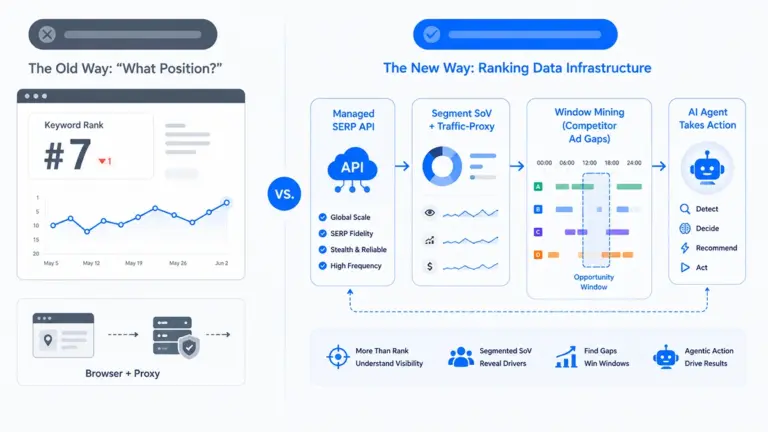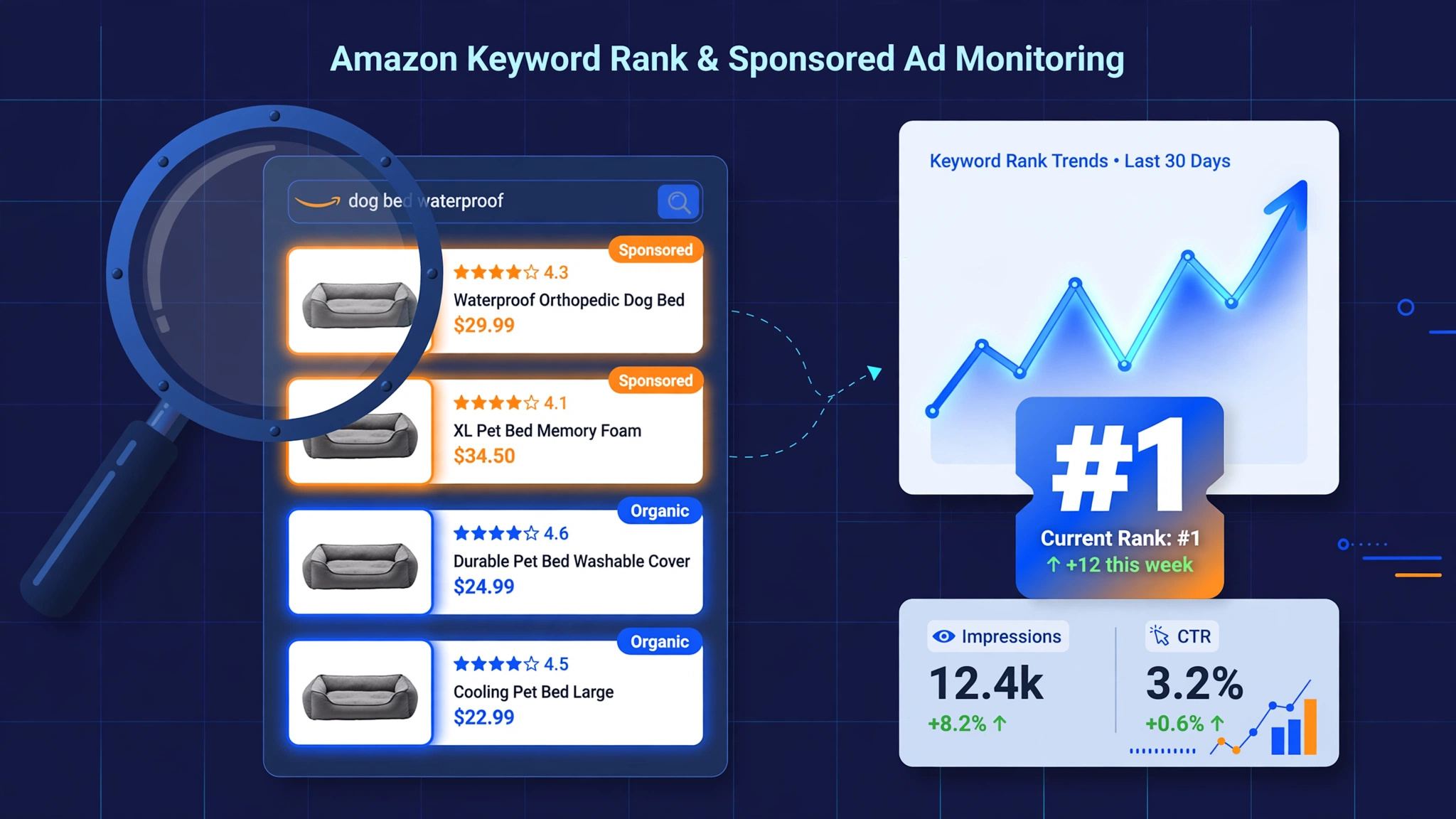
Every Amazon search results page answers two questions at once: where do you rank, and who is paying to stand in front of you. Most sellers monitor the first and guess at the second. This guide treats them as one system — because technically, they are. A single SERP fetch returns both your organic position and every sponsored slot on the page. The monitoring architecture, the cost model, and the alert design all follow from that fact. This guide explains how an Amazon keyword rank monitoring API turns that single fetch into a complete monitoring system.
Why monitor keyword rank and sponsored ads together
Organic rank is volatile by design. Amazon re-ranks continuously — competitor moves, seasonal demand shifts, and listing changes all move positions daily. A keyword you owned last month can decay quietly while you look at sales reports that lag by weeks.
Ad positions are paid visibility you can’t see in your own ad console. Amazon’s Advertising API reports only your own campaigns. It tells you nothing about which competitors occupy Top of Search on your money keywords, how ad density on a keyword is trending, or when a new entrant starts buying placement. That intelligence only exists in the SERP itself.
Rank drops have two causes, and they demand different responses. When your position falls, either your organic relevance decayed (listing problem — fix copy, images, reviews) or a competitor’s ads displaced you (paid problem — fix bids, budget, or accept and out-convert). Without sponsored data alongside organic data, you cannot tell which happened — and you will apply the wrong fix.
What you’re actually tracking: the dual-metric system
Organic metrics
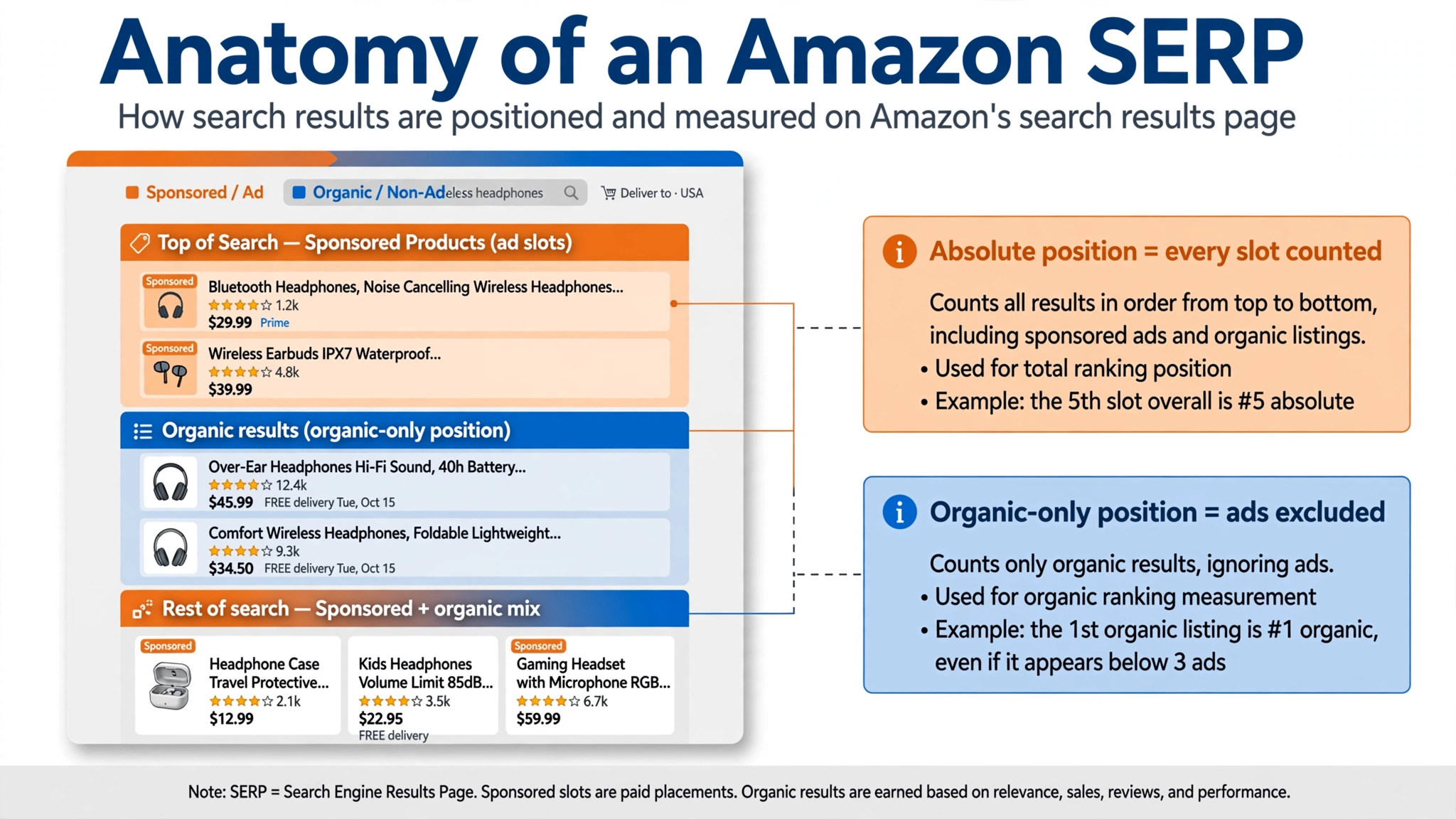
- Absolute position — your rank counting every slot on the page, ads included. This is what the customer experiences.
- Organic-only position — your rank among non-sponsored results. This isolates your listing’s true relevance signal from ad displacement.
- Page-1 share — the fraction of tracked keywords where you hold a page-1 organic slot. The single number executives actually want.
Sponsored metrics
- SP ad positions — which ASINs hold sponsored slots for each keyword, and at which ad rank.
- Placement type — Top of Search, rest of search, product detail page. Top of Search is the expensive, high-intent inventory.
- Ad density — sponsored slots as a share of visible slots per keyword. Rising density means the keyword is getting more expensive to compete on.
- New entrant / exit events — an ASIN appearing in sponsored slots for the first time, or vanishing (budget exhaustion or strategic retreat).
Context fields (without these, the metrics lie)
- Timestamp — every reading needs one; rank without time is a rumor.
- Location — rank varies by ZIP code. Fix your location and compare only like with like.
- Marketplace — record what you measured under.
The difficulties
1. Rank is not one number. Personalization — location, device, browsing history — means two customers can see two different orders. Any rank number without a stated location and capture method is uncomparable. The fix is methodological: fix your location (ZIP-level), fix your schedule, and compare only like with like.
2. Ad auctions re-run constantly. Sponsored positions can shift intraday as budgets pace and bids adjust. Daily snapshots capture the trend; hourly captures the battle. Match frequency to the decision.
3. Sponsored/organic disambiguation is the hard parsing problem. Amazon does not make ad slots trivially machine-readable at scale — badges, layouts, and templates change. This is where provider quality diverges: Pangolinfo’s pricing page claims 90%+ sponsored-placement detection, and a keyword-intelligence platform’s CTO is on record that 90%+ detection is “critical for keyword intelligence and traffic attribution.” A provider that misses one in five ad slots will tell you “no new competitors” while a rival buys Top of Search all week.
4. Frequency is a cost function. Each keyword × marketplace × page scanned is a request. Tier it: money keywords daily (or more), growth keywords daily during pushes, watch keywords weekly.
5. Attribution: organic decay vs ad displacement. The dual-metric system exists to answer this. Organic-only position stable + absolute position falling = ads displaced you. Both falling = your listing lost relevance. One metric cannot distinguish them.
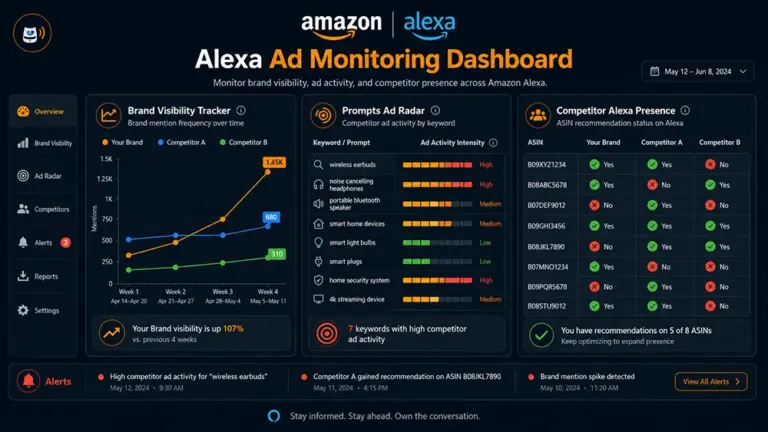
6. AI surfaces are not rank metrics (yet). Amazon’s AI shopping surfaces (Rufus, now folding into “Alexa for Shopping”) have no stable position number to track. Monitor them qualitatively — does your ASIN surface for money keywords — but never let a noisy observation override your organic rank and sales data.
Where current solutions fall short
- SaaS rank trackers (Helium 10, SellerSprite, Ad Badger): built for tracking your ASINs in their UI. Daily updates, keyword caps, no programmatic access to competitors’ ad positions.
- Amazon’s Advertising API: authoritative for your own campaigns, blind to competitors. By design.
- Generic SERP APIs: Google-centric; Amazon sponsored-slot parsing is an afterthought — exactly the metric this use case lives on.
- Manual checks: unscalable, unrecorded, and personalized to whoever happens to be logged in.
- The ranking “guides”: SaaS feature pages wearing a guide’s clothes. Useful for learning what buttons to click; useless for building a system.
How a keyword rank monitoring API system works
One fetch, two extractions, then the standard loop:
- Keyword list — money keywords (the 5–15 that drive sales), growth keywords (being pushed to page 1), watch keywords (long-tail). Tracking the 10 keywords that make the money beats tracking 200 that don’t.
- SERP fetch — one request per keyword per marketplace returns organic results and sponsored slots together.
- Parse — split into organic positions and ad positions; tag placement types.
- Store + diff — snapshot every run; compare against baseline per keyword per ASIN.
- Alert + act — rank slip, new advertiser, ad density spike, page-1 exit.
Rank semantics: why two position numbers
Absolute position answers “what does the customer see.” Organic-only position answers “how relevant does Amazon think my listing is.” When a competitor launches an aggressive Sponsored Products campaign on your keyword, your absolute position drops while organic-only holds — the correct response is an advertising decision, not a listing rewrite. Teams that track only one number misdiagnose this weekly.
Sponsored ad intelligence
The ad half of the system is competitive intelligence, not just tracking:
- Who advertises on your keywords — the persistent occupants vs the tourists.
- Ad density trends — a keyword going from 2 to 6 sponsored slots is getting more expensive; budget accordingly or find cheaper long-tail.
- New entrant detection — an ASIN appearing in Top of Search for the first time is often a launch push. The first week of a competitor’s launch is when they’re most vulnerable.
- Disappearing ads — budget exhaustion creates windows; strategic retreat creates information.
The code: keyword rank + ad position monitor
One request per keyword returns both halves. Everything downstream is diffing. (Illustrative — exact endpoints in the docs.)
import requests
from datetime import date

API_KEY = "pgl_xxx"  # tool.pangolinfo.com — first 60 requests free
headers = {"Authorization": f"Bearer {API_KEY}"}

def check_keyword(keyword, asin, marketplace="US", zipcode="10041"):
    d = requests.get(SERP_URL, headers=headers, params={
        "query": keyword, "marketplace": marketplace, "zipcode": zipcode,
    }).json()
    organic = [r for r in d["results"] if not r["sponsored"]]
    ads = [r for r in d["results"] if r["sponsored"]]
    abs_pos = next((i+1 for i, r in enumerate(d["results"]) if r["asin"] == asin), None)
    org_pos = next((i+1 for i, r in enumerate(organic) if r["asin"] == asin), None)
    top_ads = [a for a in ads if a["placement"] == "top_of_search"]
    snapshot = {"keyword": keyword, "asin": asin, "absolute": abs_pos,
                "organic_only": org_pos, "top_of_search_ads": top_ads,
                "ad_density": len(ads) / max(len(d["results"]), 1),
                "captured_at": date.today().isoformat()}
    baseline = load_baseline(keyword, asin)
    diff_and_alert(keyword, asin, baseline, snapshot)
    save_baseline(keyword, asin, snapshot)
Scenario 1: defending a money keyword
A seller’s hero keyword “silicone stretch lids” drives 30% of revenue. The monitor tracks it daily with ZIP-level localization. On a Wednesday the alert fires: absolute position 4 → 9, organic-only position unchanged at 3. Diagnosis is instant — ad displacement, not relevance decay. The ad scan shows a new ASIN occupying two Top of Search slots since Tuesday. Response: raise bids on the exact-match campaign for that keyword through the weekend rather than rewriting a listing that isn’t broken. The following Monday the entrant’s budget paces out and positions normalize. Without the dual metric, the team would have spent the week “optimizing” a listing that was never the problem.
Scenario 2: detecting a competitor’s launch push
A watch keyword in the category shows ad density jumping from 2 to 7 sponsored slots in three days, with one new ASIN holding Top of Search across five related keywords. That’s a launch push with real budget behind it. The category manager pulls the entrant’s listing: thin reviews, aggressive pricing, heavy ad spend — the classic land-grab pattern. Response options: increase defensive bids on shared money keywords, or let them burn budget against an unproven listing while monitoring their review velocity. Either way, the decision happens in week one, not in the month-end report.
What it costs
One SERP fetch per keyword per marketplace per run. On Pangolinfo’s Amazon Scraper API (verified October 2026): 1 credit/page.
| Setup | Credits/month |
|---|---|
| 20 money keywords, daily, 1 marketplace | 600 |
| 100 keywords, daily, 2 marketplaces | 6,000 |
| 500 keywords, daily, 3 marketplaces | 45,000 |
First 60 requests free. The expensive mistake is the same as in price monitoring: tracking 200 vanity keywords at high frequency. Tier by revenue impact.
Build, buy, or use the open-source tracker
- Build if rank/ad intelligence is your product. Budget real data-engineering time.
- Buy the API for clean SERP data with sponsored slots parsed, 1 credit/page; you own the keyword list, the diffing, and the alerts.
- Start from open source: pangolinfoapi/amazon-keyword-rank-tracker — free, daily monitoring via GitHub Actions, SQLite history, ZIP-code localization, sponsored-slot detection, absolute + organic-only positions. Open-source users get 200 free API calls.
Choosing a provider
- Sponsored-placement detection rate, stated as a number (Pangolinfo: 90%+)
- Organic and sponsored returned in one response
- Location control at ZIP level
- Timestamps on every record
- Amazon-specific uptime, not generic SERP uptime
- Cost per keyword-check modeled on your schedule
FAQ
How often should I check ranks? Money keywords daily; growth keywords daily during pushes; watch keywords weekly. Intraday only for keywords where you’d act intraday.
Can I see competitors’ ads, not just my own? Yes — that’s the point of SERP-based monitoring. Amazon’s own Advertising API covers only your campaigns.
Why do I need ZIP-code localization? Rank varies by location. Without fixing it, day-over-day comparisons are noise.
What’s the difference between absolute and organic-only position? Absolute counts every slot (what customers see); organic-only excludes ads (your listing’s relevance signal). Track both.
How much does it cost? 1 credit per SERP page. 100 keywords daily across 2 marketplaces ≈ 6,000 credits/month. First 60 requests free. See the pricing page.
Related reading
Rank monitoring tells you where you stand; product research tells you where to stand. If you’re still selecting products, start with the Amazon Product Research API guide. For defending the revenue behind those ranks, see the Competitor Price Monitoring API guide.