Why Are 90% of Sellers “Blind Selecting” Products?
Have you ever spent weeks researching products, invested significant capital in inventory, only to discover minimal market demand? Or watched competitors’ products fly off the shelves while wondering how they discovered these opportunities?
The root cause: Most sellers’ product selection decisions lack real-time market demand data support. Traditional selection methods—browsing bestseller lists, following competitors, relying on intuition—have become completely ineffective in 2026. Why? Because Amazon’s algorithm updates every 15 minutes, user search behavior changes constantly, and your information is always one step behind the market.
The core logic of Amazon keyword product selection is simple: Before purchasing, users inevitably search using keywords. For example, when buying plush toys, they search “plush animals”; when buying mechanical pencils, they search “mechanical pencil”. Therefore, understanding which keywords users are intensively searching during a specific period means grasping the true pulse of market demand.
This article provides an in-depth analysis of how to select products using Amazon keywords, covering hot search term ranking usage, operational steps, precautions, and how to leverage Pangolinfo API for automated keyword monitoring to boost selection efficiency by 300%.
1. The Underlying Logic of Amazon Keyword Product Selection
1.1 User Search Behavior and Purchase Decision Relationship
Amazon’s shopping journey follows a clear path: Need Generation → Keyword Search → Browse & Compare → Purchase. Data shows that over 70% of Amazon purchases originate from on-site searches, not external traffic.
What does this mean? Changes in keyword search volume directly reflect market demand fluctuations. When a keyword’s search ranking surges by 1000 positions in one week, it could indicate:
- Seasonal demand explosion: “mechanical pencil” searches spike before back-to-school season
- Holiday demand anticipation: “Christmas decorations” climb 2 months before Christmas
- Trending product emergence: An innovative product goes viral on TikTok, driving related keyword searches
- Competitor stockout: Leading sellers run out of inventory, users search for alternatives
1.2 Data Value of Hot Search Term Rankings
The core tool for Amazon trending keyword selection is the hot search term ranking. These rankings present keyword search ranking changes across different time periods, sites, and categories through real-time Amazon on-site search data collection and analysis.
Compared to traditional Best Sellers Rank (BSR), hot search term rankings offer three unique advantages:
- Predictive: Search behavior occurs before purchase, rankings can predict market trends 1-2 weeks in advance
- Precise: Directly reflects users’ actual demand expression, not algorithm-recommended results
- Dynamic: Weekly updates capture rapidly changing market opportunities
1.3 Keyword-Based Product Research vs Traditional Methods
| Dimension | Traditional Methods | Keyword-Based Selection |
|---|---|---|
| Data Source | Bestseller lists, competitor analysis, experience | Real-time search data, user behavior data |
| Timeliness | Lagging 1-4 weeks | Leading 1-2 weeks |
| Accuracy | Algorithm interference, bias exists | Directly reflects real demand |
| Competition Level | High (everyone watches same lists) | Medium (requires data analysis skills) |
| Use Cases | Mature categories, stable demand | Emerging trends, seasonal products, trending discovery |
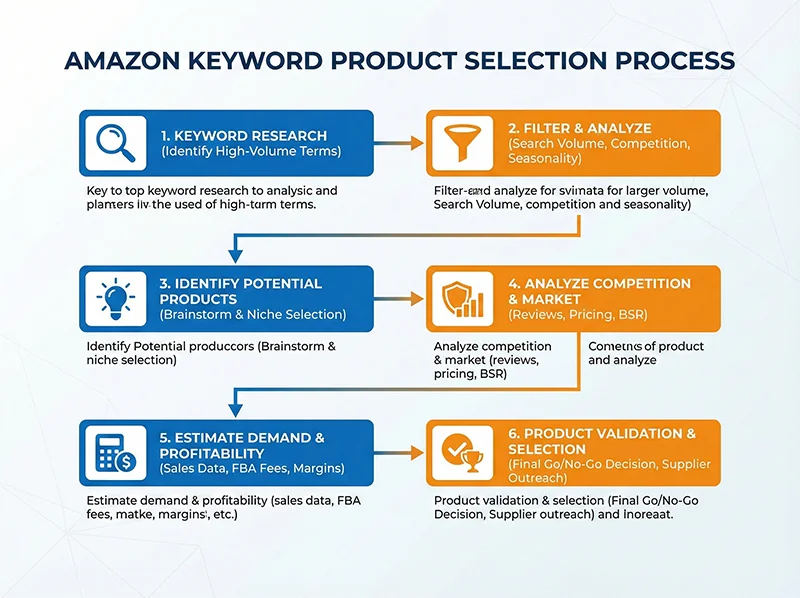
2. Detailed Operational Steps for Amazon Keyword Product Selection
2.1 Step 1: Select Target Marketplace and Time Range
Open a hot search term ranking tool (such as Amz123, Pangolinfo AMZ Data Tracker, etc.), first clarify two key parameters:
Marketplace Selection:
- North America (US): Largest market capacity, most competitive, suitable for experienced sellers
- Europe (UK/DE/FR): High compliance requirements but larger profit margins
- Japan (JP): Strong localization requirements, suitable for premium strategies
Time Range Settings:
- Weekly rankings: Capture short-term hotspots, suitable for fast-reacting FBM sellers
- Monthly rankings: Identify stable trends, suitable for FBA sellers’ medium-long term planning
2.2 Step 2: Filter High-Potential Keywords
In hot search term rankings, you’ll see hundreds of keywords. How to quickly filter keywords worth deep research? Focus on these three core metrics:
① Ranking Change Magnitude
Keywords with ranking increases exceeding 500 positions typically indicate rapidly growing demand. For example:
- “mechanical pencil” ranking up 1000+ this week → Likely back-to-school demand explosion
- “portable heater” starts climbing in early October → Winter heating demand anticipation
② Search Volume Level
Prioritize keywords with monthly search volume between 10,000-100,000:
- <10,000: Market too small, low ceiling
- 10,000-100,000: Sufficient demand, moderate competition, optimal sweet spot
- >100,000: Intense competition, requires strong capital and operational capabilities
③ Keyword Type
Distinguish between category keywords and brand keywords:
- Category keywords (e.g., “yoga mat”): Large market space, suitable for new product entry
- Brand keywords (e.g., “lululemon yoga mat”): Brand monopoly, not recommended for direct competition
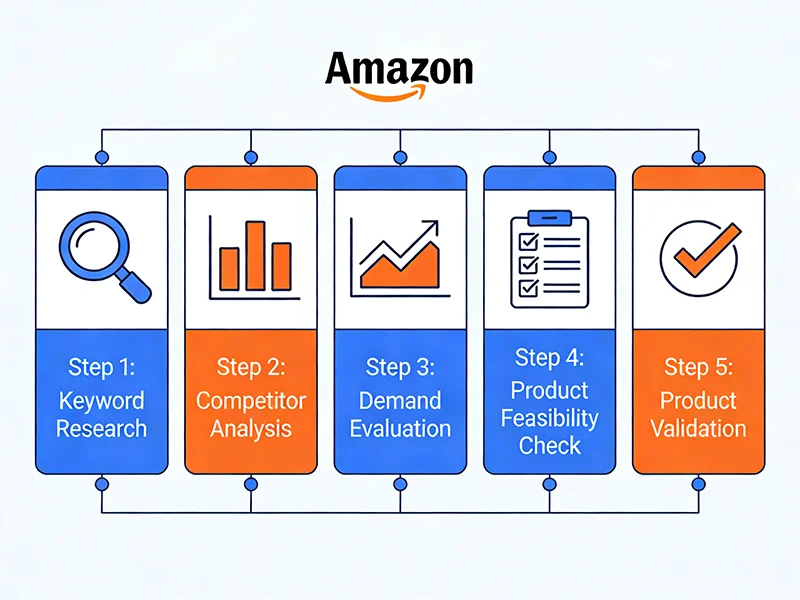
2.3 Step 3: Deep Analysis of Products Behind Keywords
After filtering high-potential keywords, click the keyword to enter product detail pages, focusing on these dimensions:
① Product Category Distribution
Check which categories products under this keyword mainly concentrate in. If categories are too dispersed, user demand is unclear; if concentrated in 1-2 categories, demand is clear and suitable for entry.
② Price Range Analysis
Analyze price distribution of top 20 products:
- Prices concentrated at $15-$30: Mass consumer goods, volume-driven
- Prices concentrated at $50-$100: Mid-high-end market, larger profit margins
- Dispersed prices: Market segmentation obvious, can choose niche positioning
③ Review Count and Ratings
Key indicator for judging market maturity and competition intensity:
- Top products reviews >5000, rating >4.5: Mature market, intense competition, requires differentiation
- Top products reviews 500-2000, rating 4.0-4.5: Growing market, improvement opportunities exist, best entry timing
- Top products reviews <500: Emerging market, risks and opportunities coexist
④ Negative Review Analysis
Use Pangolinfo Reviews Scraper API to batch scrape competitors’ 1-3 star reviews, focusing on:
- Quality issues: Materials, workmanship, durability
- Functional defects: Unreasonable design, inconvenient use
- Logistics issues: Slow shipping, poor packaging
These negative reviews are your product improvement directions and differentiation selling points.
2.4 Step 4: Validate Demand Sustainability
Avoid chasing “flash in the pan” hotspots by validating keyword demand sustainability:
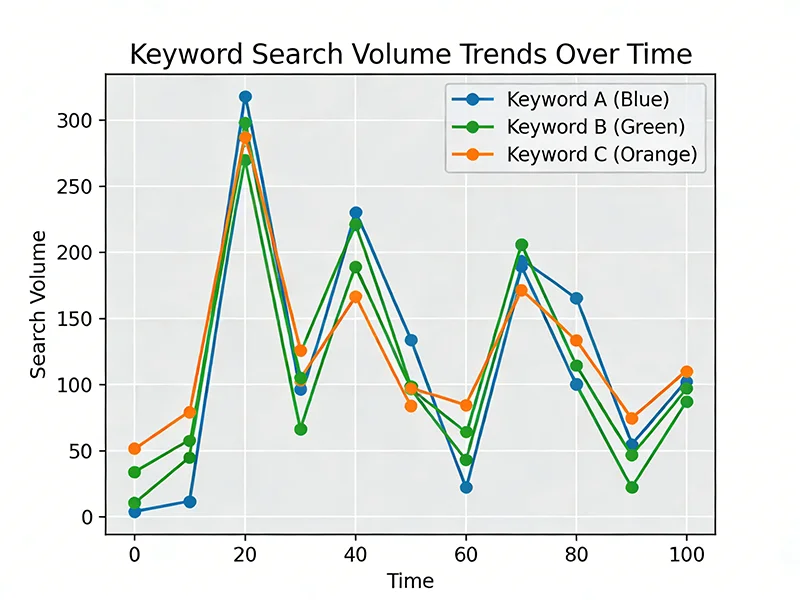
① Google Trends Cross-Validation
Enter keywords in Google Trends, check search trends over past 12 months:
- Continuous upward: Long-term trend, worth investment
- Seasonal fluctuation: Plan 2-3 months ahead
- Sudden spike then decline: Short-term hotspot, proceed cautiously
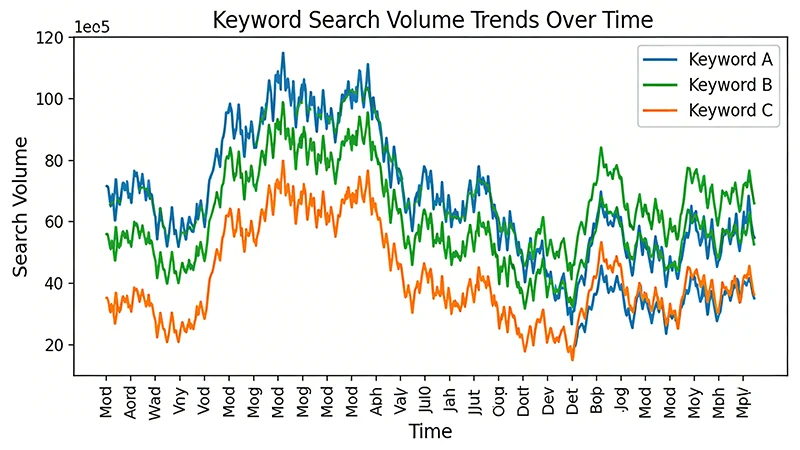
② Historical Data Comparison
Use AMZ Data Tracker to view keyword ranking changes over past 3-6 months, determine if cyclical patterns exist.
2.5 Step 5: Deep Competitor Analysis
After determining target keywords, select 3-5 top competitors for deep analysis:
① Sales Estimation
Estimate monthly sales through review growth rate:
Monthly Sales ≈ (New Reviews in Last 30 Days / Review Rate) × 30
Review rate typically 2-5%
② Listing Quality Analysis
- Title: Contains core keywords? Highlights selling points?
- Bullet points: Addresses user pain points? Includes scenario descriptions?
- A+ content: Has brand story? Includes comparison charts?
- Video: Has product demonstration? Appropriate duration?
③ Advertising Strategy Analysis
Use Pangolinfo Scrape API to scrape search result pages, analyze:
- Are competitors running SP ads? What positions are they bidding?
- What differentiation selling points do ad copies have?
- Are there brand flagship store ads?
3. Four Key Precautions for Amazon Keyword Product Selection
3.1 Precaution 1: Hot Search Term Ranking Data Delay
Key Issue: Most hot search term rankings update every 7 days, the data you see is actually from last week.
Response Strategy:
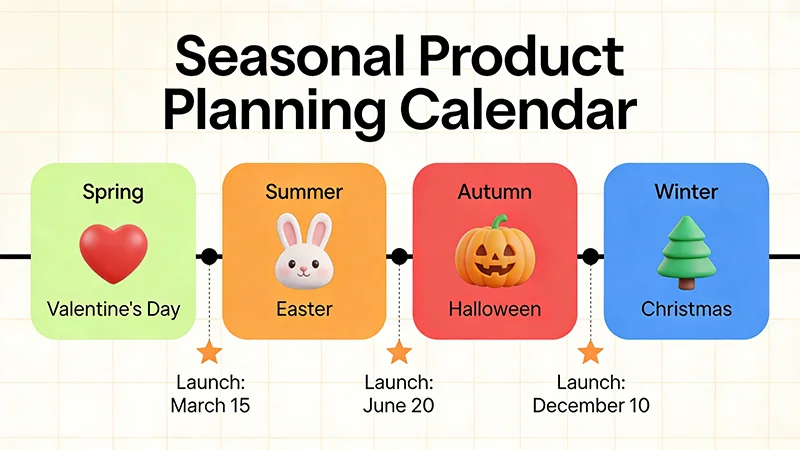
- Holiday products: Plan 2-3 months ahead. For Christmas products, don’t wait until November rankings appear, start preparing in September
- Seasonal products: List 1-2 months ahead. For swimwear, don’t wait until summer, complete inventory in spring
- Everyday products: Can follow ranking rhythm but act quickly
3.2 Precaution 2: Hot Selling Doesn’t Mean Suitable for You
Key Issue: Hot search term rankings only reflect market demand, not your ability to enter this market.
Self-Assessment Checklist:
- Capital strength: Sufficient funds to support inventory, advertising, operations?
- Supply chain capability: Can find reliable suppliers? Acceptable MOQ?
- Operational experience: Have category operational experience? Understand compliance requirements?
- Differentiation capability: Can differentiate in product, brand, service?
- Time window: How long from decision to listing? Is there enough time?
Recommendation: Don’t blindly chase hotspots, choose niches where you have advantages, even if search volume is smaller, better than struggling in red oceans.
3.3 Precaution 3: Identifying Trending Product Signals
Key Issue: How to distinguish “normal seasonal growth” from “trending product-driven growth”?
Three Typical Characteristics of Trending Products:
- Non-seasonal, non-holiday products suddenly explode
- Example: A “silicone ice cube tray” search volume surges in July (off-season)
- Possible reason: TikTok influencer recommendation, innovative design goes viral
- Related long-tail keywords grow simultaneously
- Example: “silicone ice cube tray”, “sphere ice mold”, “whiskey ice ball” all rise together
- Indicates: Entire sub-category is exploding, not single product
- Top product reviews surge
- Example: A product gains 500+ reviews in 2 weeks (normal is 50-100)
- Indicates: Sales are truly exploding, not false signal
Discovery Strategy: When finding keywords matching above characteristics, immediately:
- Analyze top products’ differentiation selling points
- Check social media (TikTok, Instagram) for related viral content
- Assess if you can quickly follow (supply chain, capital, time)
3.4 Precaution 4: Seasonal Product Operational Rhythm
Key Issue: Seasonal products often have high profits, but poor timing can lead to inventory accumulation.
Seasonal Product Operational Timeline:
| Product Type | Peak Season | Selection Time | Listing Time | Ad Warmup |
|---|---|---|---|---|
| Christmas Decorations | Nov-Dec | July | Early Sept | Early Oct |
| Swimwear/Pool Gear | May-Aug | January | Early March | Early April |
| Back-to-School Supplies | Aug-Sept | April | Early June | Early July |
| Halloween Costumes | October | May | Early July | Early Aug |
Key Principle: Select 3-4 months ahead, list 2-3 months ahead, start ad warmup 1-2 months ahead.
4. Automated Keyword Monitoring with Pangolinfo API
4.1 Why API Automation is Necessary
Manual hot search term ranking checks have three major pain points:
- Poor timeliness: Can only check once weekly, missing rapidly changing opportunities
- Narrow coverage: Can only focus on limited keywords, unable to comprehensively monitor
- Low analysis efficiency: Requires manual recording, comparison, analysis, time-consuming
Pangolinfo Scrape API helps you build automated keyword monitoring systems, achieving:
- Real-time monitoring: Automatically scrape keyword ranking and search volume data daily
- Batch tracking: Simultaneously monitor 100+ keywords, covering multiple categories and sites
- Smart alerts: Automatically send notifications when keyword rankings fluctuate abnormally
- Historical analysis: Accumulate long-term data, identify seasonal patterns and trend changes
4.2 Automated Monitoring System Architecture
A complete keyword monitoring system includes the following components:
┌─────────────────────────────────────────────────┐
│        Scheduled Task Scheduler (Cron Job)       │
│      Triggers data collection at 2 AM daily      │
└────────────────┬────────────────────────────────┘
                 │
        ┌────────▼────────┐
        │  Pangolinfo API │
        │  Data Collection │
        └────────┬────────┘
                 │
        ┌────────▼────────┐
        │   Data Storage   │
        │  (PostgreSQL)    │
        └────────┬────────┘
                 │
        ┌────────▼────────┐
        │  Data Analysis   │
        │ (Python Script)  │
        └────────┬────────┘
                 │
        ┌────────▼────────┐
        │ Alert & Notify   │
        │  (Slack/Email)   │
        └─────────────────┘
4.3 Code Implementation Example
Below is a Python keyword monitoring script example:
import requests
import json
from datetime import datetime
import psycopg2

class KeywordMonitor:
    """
    Amazon Keyword Automated Monitoring System
    """
    def __init__(self, api_token, db_config):
        self.api_token = api_token
        self.base_url = "https://scrapeapi.pangolinfo.com/api/v1/scrape"
        self.db_conn = psycopg2.connect(**db_config)

    def fetch_keyword_data(self, keyword, marketplace="US"):
        """
        Fetch single keyword search result data
        """
        payload = {
            "url": f"https://www.amazon.com/s?k={keyword}",
            "formats": ["json"],
            "parserName": "amzKeyword",
            "bizContext": {
                "marketplace": marketplace
            }
        }

        headers = {
            "Authorization": f"Bearer {self.api_token}",
            "Content-Type": "application/json"
        }

        response = requests.post(self.base_url, json=payload, headers=headers)

        if response.status_code == 200:
            return response.json()
        else:
            raise Exception(f"API request failed: {response.status_code}")

    def analyze_trend(self, keyword, days=7):
        """
        Analyze keyword trend changes
        """
        cursor = self.db_conn.cursor()

        sql = """
        SELECT search_volume, rank_position, created_at
        FROM keyword_tracking
        WHERE keyword = %s AND created_at >= NOW() - INTERVAL '%s days'
        ORDER BY created_at DESC
        """

        cursor.execute(sql, (keyword, days))
        results = cursor.fetchall()
        cursor.close()

        if len(results) < 2:
            return None

        # Calculate change rate
        latest_volume = results[0][0]
        previous_volume = results[-1][0]
        change_rate = ((latest_volume - previous_volume) / previous_volume) * 100

        return {
            'keyword': keyword,
            'current_volume': latest_volume,
            'previous_volume': previous_volume,
            'change_rate': change_rate,
            'trend': 'up' if change_rate > 0 else 'down'
        }

    def send_alert(self, keyword, trend_data):
        """
        Send alert notification (Slack example)
        """
        if abs(trend_data['change_rate']) > 50:  # Change > 50%
            webhook_url = "YOUR_SLACK_WEBHOOK_URL"

            message = {
                "text": f"⚠️ Keyword Anomaly Alert",
                "blocks": [
                    {
                        "type": "section",
                        "text": {
                            "type": "mrkdwn",
                            "text": f"*Keyword*: {keyword}\n*Volume Change*: {trend_data['change_rate']:.2f}%\n*Current Volume*: {trend_data['current_volume']}\n*Trend*: {'📈 Up' if trend_data['trend'] == 'up' else '📉 Down'}"
                        }
                    }
                ]
            }

            requests.post(webhook_url, json=message)

# Usage example
if __name__ == "__main__":
    monitor = KeywordMonitor(api_token, db_config)

    keywords = [
        "mechanical pencil",
        "yoga mat",
        "portable heater"
    ]

    for keyword in keywords:
        data = monitor.fetch_keyword_data(keyword)
        trend = monitor.analyze_trend(keyword)

        if trend:
            monitor.send_alert(keyword, trend)
4.4 Real-World Results
A cross-border e-commerce seller achieved significant results using this system:
- Discovered 2 weeks early that “portable neck fan” search volume was surging
- Quick decision: Completed supplier contact and sample confirmation in 3 days
- Precise listing: Completed FBA warehousing 1 week before search volume peak
- Sales results: First month sales $45,000, ROI 280%
Compared to manual monitoring, the automated system reduced product selection decision time from 2-3 weeks to 3-5 days, increasing selection success rate from 30% to 65%.
5. Advanced Strategies: Three High-Level Keyword Selection Techniques
5.1 Technique 1: Long-Tail Keyword Mining
Most sellers only focus on top keywords in hot search rankings, but real opportunities often hide in long-tail keywords.
Long-Tail Keyword Advantages:
- Low competition: Big sellers don’t bother, small sellers easily enter
- High conversion: More specific search intent, users closer to purchase decision
- Larger profit margins: Niche demands often willing to pay premium
Mining Method:
- Find core keyword in hot search rankings, e.g., “yoga mat”
- Use Pangolinfo Custom Multi-dimensional Table to view related search terms
- Filter long-tail keywords with monthly search volume 1000-5000, such as:
- “extra thick yoga mat for bad knees”
- “travel yoga mat foldable”
- “yoga mat with alignment lines”
- Optimize listings for these long-tail keywords, precisely matching user needs
5.2 Technique 2: Cross-Marketplace Comparison Analysis
Different marketplaces have vastly different market maturity and competitive landscapes. The same product might be red ocean in US but blue ocean in Japan.
Comparison Dimensions:
| Marketplace | Search Volume | Competition | Avg Price | Opportunity Assessment |
|---|---|---|---|---|
| US | 50,000 | High (top reviews 5000+) | $25 | Red ocean, needs strong differentiation |
| UK | 15,000 | Medium (top reviews 1500) | £22 | Moderate, worth trying |
| Japan | 8,000 | Low (top reviews 500) | ¥3,500 | Blue ocean, prioritize |
Strategy Recommendation: After validating product demand in US, prioritize entering lower-competition marketplaces (like Japan, Australia) to establish first-mover advantage.
5.3 Technique 3: Keyword Combination Innovation
By combining different keywords, you can discover entirely new niche markets.
Combination Formula:
Core Product Keyword + Scenario + Audience + Function

Example:
"yoga mat" + "outdoor" + "for men" + "non-slip"
= "outdoor non-slip yoga mat for men"
Real Case:
- “water bottle” is red ocean
- “water bottle for gym” has moderate competition
- “water bottle for gym with time marker” is blue ocean
Through this combination innovation, you can find blue ocean niches within red ocean markets.
6. Summary and Action Recommendations
Amazon keyword product selection is a scientific selection method based on real user demand data. Compared to traditional experience-based judgment and competitor following, it can:
- ✅ Discover 1-2 weeks early market trend changes
- ✅ Precisely target real user needs
- ✅ Reduce trial-and-error costs, improve selection success rate
- ✅ Identify trending opportunities, capture short-term dividends
Key Points Recap:
- Select target marketplace and time range, clarify monitoring scope
- Filter high-potential keywords, focus on ranking changes, search volume, keyword types
- Deep product analysis, evaluate from category, price, reviews, negative reviews
- Validate demand sustainability, avoid chasing flash-in-the-pan hotspots
- Note data delays, plan seasonal products 2-3 months ahead
- Identify trending signals, quickly follow innovative products
- Leverage API automation, improve monitoring efficiency and decision speed
Take Action Now:
- Register Pangolinfo Developer Account, get API Token
- Use AMZ Data Tracker to view hot search rankings in your category
- Select 3-5 high-potential keywords for deep analysis
- Build automated monitoring system, continuously track keyword changes
- Upon discovering opportunities, decide quickly, act quickly
In Amazon’s 2026 market, speed and precision are keys to success. Whoever discovers demand changes faster wins first-mover advantage. Amazon keyword product selection combined with Pangolinfo API automation capabilities is the best combination to achieve this goal.
Start acting now, let data drive your product selection decisions!
Related Resources:
- Pangolinfo Scrape API – Real-time E-commerce Data Collection
- AMZ Data Tracker – Amazon Data Visualization Monitoring
- API Technical Documentation – Complete Development Guide
- Custom Multi-dimensional Table – Keyword Deep Analysis Tool
Published: February 3, 2026
Author: Pangolinfo Content Team
Copyright: Original content by Pangolinfo, please cite source when reposting