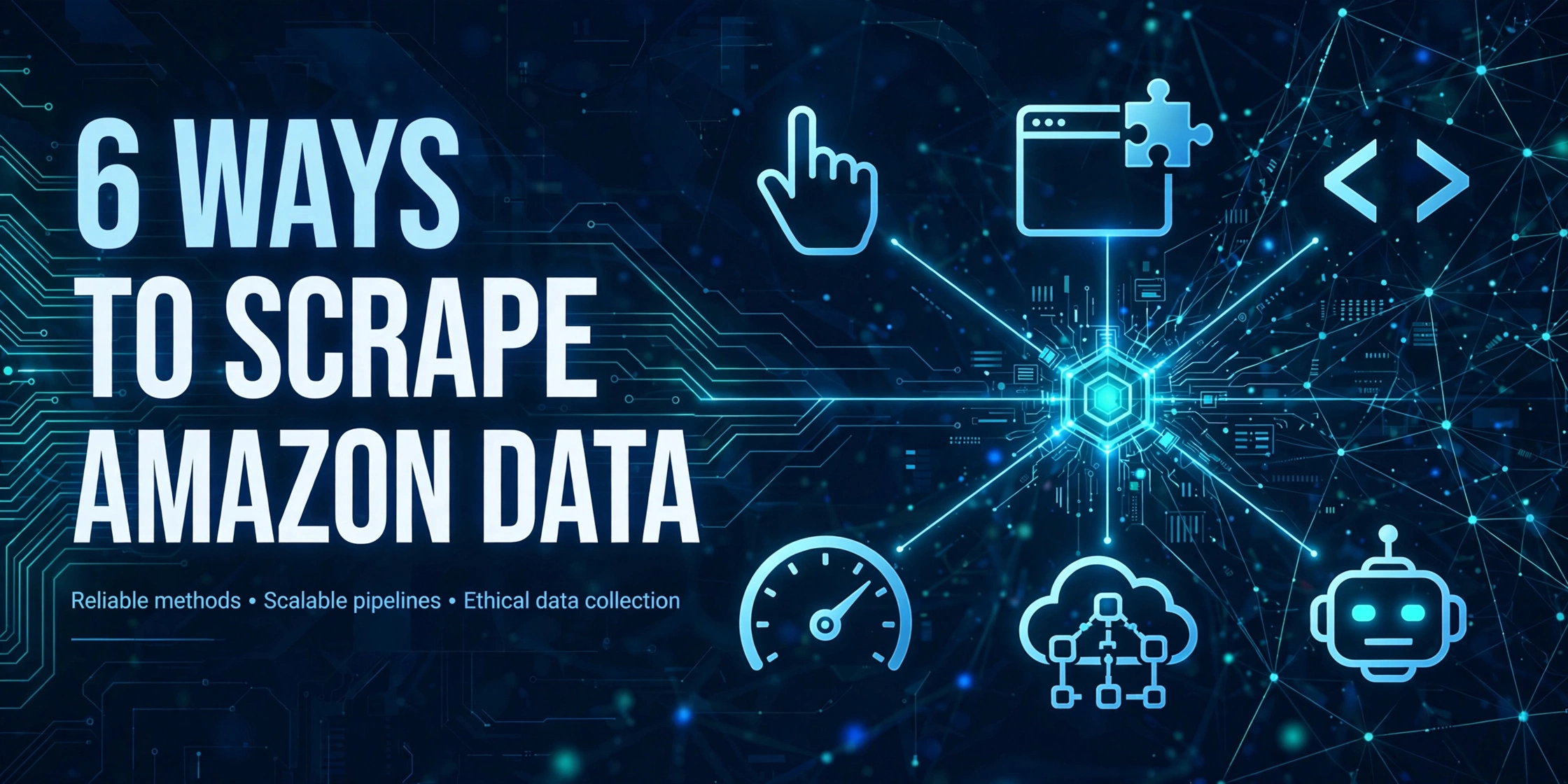
Choosing how to scrape Amazon data is the first decision in any Amazon data project — and the most expensive one to reverse. A wrong choice rarely fails in week one: a manual workflow collapses when the product list doubles, an extension is absent when a job needs to run on a schedule, a home-grown scraper stops the first time Amazon redesigns a page. This article does not crown a “best tool.” It puts six mainstream routes on the same set of evaluation axes — how each works, its real cost structure, its scale ceiling, and its failure modes — and ends with a decision table keyed to team size, data volume, freshness requirements, and technical capacity.
Scope note. A companion article on this site, Amazon ASIN Data Scraping at Scale: 4 Methods Compared, goes deep on the engineering of four routes for ASIN data at scale. This article is the breadth-first decision guide: all six routes, with the emphasis on which route fits which team and which requirement — not on the engineering depth of any single route. Use this article to pick the route, then the specialized articles to work out the details.
1. Define the axes first: five ways to judge any scraping route
Routes resist direct comparison because most discussions silently mix different criteria. This article fixes five axes up front; the route-by-route analysis and the decision table are both built on them.
Axis one: cost structure. The question is not “how much” but “where the money goes”: one-time build cost or per-unit pricing, tool subscription or human hours, and whether hidden costs accumulate over time. Selection exercises that look only at the sticker price almost always get this axis wrong.
Axis two: scale ceiling. Every route has a volume ceiling. What matters is what sets it — human hours, template complexity, plan quota, or maintenance bandwidth. The determining factor matters more than the number.
Axis three: freshness shape. Is the output a one-time snapshot or a continuously updated time series, and at what cadence — daily, hourly, or real-time? The pillar guide of this series has already argued that the five main business scenarios need time series, not snapshots; each team still has to confirm this against its own requirement.
Axis four: technical threshold and maintenance burden. Who can build it — and, more importantly, who fixes it when it breaks. Build cost is one-time; maintenance burden is permanent. Counting only the former is the most common misjudgment on the DIY route.
Axis five: failure mode. Every route breaks; they differ in how. Some fail loudly — an error, a stopped job, visible and fixable. Others fail silently, emitting wrong data that contaminates downstream decisions. This axis is discussed least and should be asked first.
The combined inference: selection is not the search for the strongest tool, but for a route whose failure modes are tolerable at your volume and whose maintenance burden fits inside your team’s headcount. The next section tests each route against this standard.
2. The six routes, one by one
Route 1: Manual copy
How it works. A person opens pages in a browser, reads fields by eye, and pastes them into a spreadsheet. There is no program anywhere in the chain — the “scraping system” is the person.
Real cost structure. Tool cost is zero; the entire cost is human time, growing linearly with row count. The hidden cost is definitional drift: different people, or the same person on different days, record fields inconsistently — today’s price includes a coupon, tomorrow’s does not — and the cost of cleaning and aligning afterwards routinely exceeds the cost of collecting.
Scale ceiling. On the order of tens of items per person per day. Beyond that, the error rate collapses before productivity does: misaligned pastes, missing fields, and duplicate rows are the typical output of an overstretched manual workflow.
Failure modes. Non-repeatable and non-auditable. Run the same task next week and you do not get the same dataset under the same definitions; afterwards, no one can answer “on what day, under which delivery postcode, was this price observed?” Conclusion: manual copy is legitimate only for one-off research of a few dozen items where conclusions do not depend on precise field definitions.
Route 2: Browser extension
How it works. An extension runs in the context of the browser page, reads the DOM of the page you are viewing, extracts product fields into a table, and exports them. It inherits “the page as you see it”: marketplace, delivery postcode, language, and login state are whatever your browser currently has.
Real cost structure. Free or a low-priced subscription — tool cost is negligible. The real cost remains human: every page must be opened, clicked, and exported by someone. The extension automates the copying, not the presence.
Scale ceiling. Hundreds of items per session. Right for one operator watching one category and exporting a few dozen to a few hundred products at a time. It cannot run unattended, cannot run on a schedule, and switching collection conditions — marketplace, postcode, language — is manual, one change at a time.
Failure modes. Page redesigns shift or empty the extracted fields; export fields are fixed and cannot be extended on demand; and every export silently carries the browsing context (postcode, login state) it was taken under, so cross-session comparisons drift without anyone noticing. Conclusion: the extension is the optimal answer for human-in-the-loop work — provided the requirement itself is human-in-the-loop.
Route 3: DIY scraper
How it works. You write the program yourself: issue requests, parse HTML (or drive a headless browser to render it), handle proxies and retries, and store the result. Every layer is yours — and so is every responsibility.
Real cost structure. Three stacked layers. One-time development, measured in engineer-weeks. Running costs: proxy IPs billed by traffic or by address, CAPTCHA handling, servers. And the heaviest layer — adversarial maintenance: Amazon’s page structures and anti-bot defenses change continuously, and every change is a repair ticket. This layer does not amortize with scale; it accumulates with runtime.
Scale ceiling. Unlimited in theory, set by budget and maintenance capacity in practice. Scaling to millions of requests is not technically hard; the question was never “can it run” but “at what unit cost, and for how long, before it breaks.”
Failure modes. Predominantly silent degradation — the most dangerous failure pattern of the six routes. Throttled IPs quietly return less data; a CAPTCHA page gets parsed as a normal page and yields empty fields; a redesign shifts every field at once. The system does not error; the data rots first. A related trap sits at the start of the route: a prototype works within days, because a scraper that runs once, from one IP, against today’s page structure, is genuinely easy. The prototype’s success is then misread as the system’s cost — when in fact the prototype has tested none of the three cost layers that dominate the route’s lifetime: sustained anti-bot pressure, redesign response, and silent-failure detection. Installments B4 (the 7 common DIY pitfalls) and C7 (large-scale scraping architecture) of this series go deeper. The advance conclusion: DIY fits exactly two situations — requirements so custom that no vendor sells them, or a team that is itself a data-engineering team with maintenance capacity on staff.
Route 4: Low-code scraping tools
How it works. Point-and-click task configuration: you select page elements to define fields, and the tool executes on a schedule in the cloud or locally, exporting spreadsheets or pushing to sheets and databases. In essence, the generic parts of a DIY scraper — requests, parsing, scheduling, export — are productized; the user only defines “what to collect.”
Real cost structure. Subscription pricing by task count, data volume, or runtime — a smooth, predictable cost curve. Two hidden costs: template maintenance (a page redesign invalidates the task template and someone must re-configure it by clicking), and feature tiering (scheduling, API export, and incremental de-duplication are usually locked in higher plans).
Scale ceiling. Thousands to tens of thousands of rows per day is the comfort zone: fixed tasks, fixed fields, small-to-medium volume. Beyond it, unit cost and task-management complexity converge on the API route.
Failure modes. Same root as extensions — dependence on page structure, so a redesign breaks the task — but the breakage happens inside a cloud job, and discovery lags until “the report numbers look wrong.” Separately, complex page logic — expanding variants, data that appears only after interaction — regularly exceeds what point-and-click configuration can express. Conclusion: low-code is the optimal answer at the intersection of fixed tasks, modest scale, and no engineering headcount.
Route 5: Data API
How it works. The caller sends a request with parameters (ASIN, keyword, bestseller list, marketplace); the provider performs the page fetch, anti-bot handling, and structuring on its own infrastructure, and returns JSON. Scraping turns from an in-house operation into a procurement: what you buy is fields and success rates, not requests.
Real cost structure. Priced per call (credits or per-request), with an explicit unit cost that grows linearly with volume — budgets can be forecast precisely. To make the shape concrete, take the Pangolinfo Scraper API, built by this article’s authors (interface conventions in its documentation): new users get 60 free credits per month, resetting monthly; paid plans start at $19/month (9,600 credits); review-type endpoints are billed per page (5 credits per page). What to verify in selection is not the sticker price but three things: whether failed requests are billed, whether field definitions are compatible with your existing data, and whether the free tier can run your real sample end to end. One more item of total accounting: the API’s unit price already contains all three cost layers of the DIY route — development, proxies, maintenance — amortized by the provider across all customers. That is why an API’s per-call price looks higher than raw proxy traffic while its total bill is often lower.
Scale ceiling. Set by plan quota and rate limits, expanding linearly with plan tier — large scale is the design target. The binding ceiling is not volume but coverage: which data types and which marketplaces the provider supports. An unsupported data type cannot be bought at any budget, so the first selection step is to check your field list against the coverage table, not to compare prices.
Failure modes. Dependency risk: provider outages, throttling, and field-definition changes propagate into your pipeline. And the freshness trap: some endpoints return cached rather than freshly fetched data, so price-class fields must be verified endpoint by endpoint. Mitigations are engineering-standard: timeouts and retries, dual-source checks on critical fields, and running a real sample before purchase. That sample deserves emphasis, because it is the one verification step teams skip: take fifty ASINs and ten keywords from your own catalog, run them through the free tier, and score field completeness, success rate, and response freshness against the pages as you see them in a browser. A provider that survives your sample has answered the coverage, billing, and freshness questions with evidence; one evaluated only from its pricing page has answered none of them. Conclusion: once a requirement means “inside a system, continuously, at scale,” the API is the only route whose nature does not change with volume — every other route’s cost and failure profile deforms as volume grows; the API’s does not.
Route 6: MCP (the access layer for AI agents)
How it works. MCP (Model Context Protocol) is not a new scraping technique but an access layer on top of a data API: the API’s capabilities are packaged as “tools” an AI agent can discover and call, and the agent fetches structured data on demand inside a conversation or workflow, then reasons over the result. The base remains the API — fetching, anti-bot handling, and structuring all happen on the API side; MCP changes only who calls, and in what form.
Real cost structure. Billed from the same source as the underlying API, with cost incurred per agent tool call. The new hidden cost sits in orchestration: an agent may call redundantly or retry after choosing wrong parameters, so the actual call count of a task depends on the agent’s planning quality and needs quota caps and call logs to watch.
Scale ceiling. Designed for single-interaction retrieval: look up one product, pull one page of reviews, check one ranking — that is the comfort zone. It is not a bulk pipeline: million-row backfills and daily full-catalog syncs belong, by shape, to API batch processing, not to an agent calling tools row by row.
Failure modes. It inherits every API failure mode and adds an agent-side layer: wrong tool selection, hallucinated parameters (an invented ASIN, for instance), and long results crowding the context window. Mitigations are equally explicit: write parameter constraints into tool descriptions, validate returned structures, and keep human confirmation on consequential actions. Conclusion: when the consumer is a person or a reporting system, a direct API connection suffices; when the consumer is an agent workflow, MCP is the required access layer — but it replaces the calling method, not the data pipeline. The companion pillar of this project, the Complete Guide to AI Agents and Amazon Data, covers this layer’s client-by-client integration in full.
3. The six routes side by side
| Route | Cost structure | Scale ceiling | Freshness shape | Primary failure mode |
|---|---|---|---|---|
| Manual copy | Pure labor, linear in rows | Tens of items per person per day | One-time snapshot | Definitional drift; non-auditable |
| Browser extension | Free/low subscription + human presence | Hundreds per session | Manually triggered snapshots | Redesigns shift extracted fields |
| DIY scraper | Development + proxies + adversarial maintenance | Set by budget and maintenance capacity | Hourly time series achievable | Silent degradation — data rots before the system errors |
| Low-code tools | Subscription by tasks/volume | Thousands–tens of thousands per day | Daily scheduled series | Templates break on redesign; discovery lags |
| Data API | Per-call (credits) pricing | Set by quota and rate limits; scales linearly | Real-time requests / hourly series | Provider dependency; cache freshness |
| MCP | Same API billing, incurred per agent call | Single-interaction retrieval | Real-time, on demand | Agent-side parameter and orchestration errors |
4. The decision table: look up your team and requirement
Projecting the five axes onto concrete situations gives the table below. How to use it: find the row closest to your situation, then go back to Section 2 and check whether that route’s failure modes are tolerable for you — the table gives direction; the failure modes make the final call.
| Team & scenario | Data volume | Freshness | Technical capacity | Recommended route |
|---|---|---|---|---|
| Solo seller, one-off competitor research | A few dozen items | One-time snapshot | None | Manual copy (extension if volume grows) |
| Solo / small-team seller, routine product research | Hundreds per session | Daily | None–low | Browser extension |
| Operations team, fixed reporting tasks | Thousands per day | Daily | Low | Low-code tools |
| No engineering headcount, but the need is now permanent | Thousands per day | Daily | None | Start low-code; migrate to API past its ceiling |
| Small team with an engineer, one-off research project | Tens of thousands, once | Snapshot | Yes | DIY scraper (project-based) or per-call API purchase |
| Brand / data team, monitoring feeding business systems | Tens of thousands+ per day | Hourly | Yes | Data API |
| Pricing scenario: repricing and Buy Box alerts | Continuous increments | Minutes–hourly | Yes | Data API |
| Any team, retrieval inside an AI agent workflow | Small, per interaction | Real-time | Moderate (can configure a connector) | MCP (on an API base) |
Three inferences from the table outlast the table itself:
Rule one: ask “continuous or snapshot” first. Snapshot requirements always have a cheap answer. Continuous requirements leave exactly two routes — API or DIY — and DIY’s real cost is maintenance, not development.
Rule two: ask “who consumes it” second. A person reads it: extensions and low-code suffice, with results landing in a spreadsheet. A system consumes it: an API is required. An agent calls it: MCP on top of the API. The consumer’s shape decides the route, and it outranks volume.
Rule three: ask about volume last. Volume only selects the plan tier within a route; it does not change which route you belong on. Reading “large volume” as “must build it ourselves” is the most common selection error — large volume is precisely the range where an API amortizes its fixed costs.
Reading the table: three worked examples. First, a two-person seller team tracking roughly 200 competitor products with prices checked twice a day. The consumer is a person, the shape is continuous but the volume is small — the table points to an extension or low-code tool, and the deciding factor is Axis five: twice-daily manual checking is exactly where human presence fails first (weekends, holidays), so the scheduled low-code tool wins despite the higher subscription. Second, a brand team monitoring 30,000 SKUs across four marketplaces, with prices feeding a repricing system hourly. Consumer: a system. Freshness: hourly. The table’s answer is unambiguous — data API — and the real selection work is not the route but the provider: coverage of all four marketplaces and per-endpoint freshness verification. Third, an analyst team that has begun asking an AI agent questions like “why did this product’s negative reviews spike last week?” The retrieval is small and ad hoc, but the consumer is an agent; no spreadsheet route can serve it. MCP on top of the API the team already uses for monitoring is the answer — note that the API pipeline does not move; only a new access layer is added above it.
5. A route is not a destination: the usual migration path
Most teams walk the same trajectory: manual → extension → low-code → API, with MCP added on top of the API once the business adopts agents. Every migration is triggered the same way: the previous route’s failure mode starts firing regularly — manual errors, an extension that cannot run on schedule, low-code templates breaking repeatedly, an agent consumer appearing above the API.
The engineering inference: you do not need to arrive in one step, but at every stage, keep the field-definition documentation. What cannot be moved in a migration is never the tool — it is the definitions: field meanings, collection conditions (marketplace, postcode, language), de-duplication and validation rules. With the definitions intact, changing routes means changing the executor; without them, the historical data is void.
Conclusion
The six routes have no ranking, only volume fit. The one-sentence version: small and one-off — keep a human in the loop; fixed and modest — low-code; continuous and inside a system — API; consumer is an agent — MCP on top of the API; DIY is reserved for highly custom requirements or teams that ship with their own data engineering. Locate yourself with the decision table in Section 4, then re-read the failure modes of your route in Section 2 — you have chosen correctly only when you can tolerate how it breaks.
Author and product note. This article was written by the Pangolinfo team; the API route is illustrated with the team’s own product purely to show the shape of the route, not as a selection conclusion — the head-to-head, same-sample test of five APIs is installment F1 of this series: Best Free Amazon Scraper APIs in 2026 (Tested). The free tier mentioned above (60 credits per month, resetting monthly) can be used directly to validate the field definitions at your own volume level against the decision table.
This article is part of the Complete Guide to Amazon Data Scraping series.