
Preface
Amazon is the world’s largest e-commerce platform, with hundreds of millions of users searching, browsing, and buying various products every day. For Amazon sellers, market researchers, business analysts and other practitioners, the data on the Amazon site is a very valuable resource, which can help them understand market demand, competitors, product advantages and other information, and formulate more effective marketing strategies, improve sales performance, and optimize product experience.
However, the data on the Amazon site is not easy to obtain, especially the SP ad data. Due to Amazon’s anti-crawling mechanism and data encryption technology, traditional data scraping tools often fail to accurately and efficiently collect the SP ad data, resulting in incomplete, inaccurate, and untimely data, which cannot meet the needs of users.
What is Amazon Data Tracker
To solve this problem, we developed a visual browser plug-in – Amazon Data Tracker (Amazon Data Tracker) based on the powerful Scraper API product. It is a professional Amazon site data scraper, which stands out with its unique SP ad scraping technology. It can easily collect all the data on the Amazon site with one click, including keywords, SP ads, listings, sales, rankings, reviews, prices, etc. The latest upgraded features make data scraping more accurate and efficient, meeting the one-stop needs of market research, business analysis and e-commerce practitioners.
The unique advantages of Amazon Data Tracker
Amazon Data Tracker is a powerful and easy-to-use browser plug-in, which has the following unique advantages:
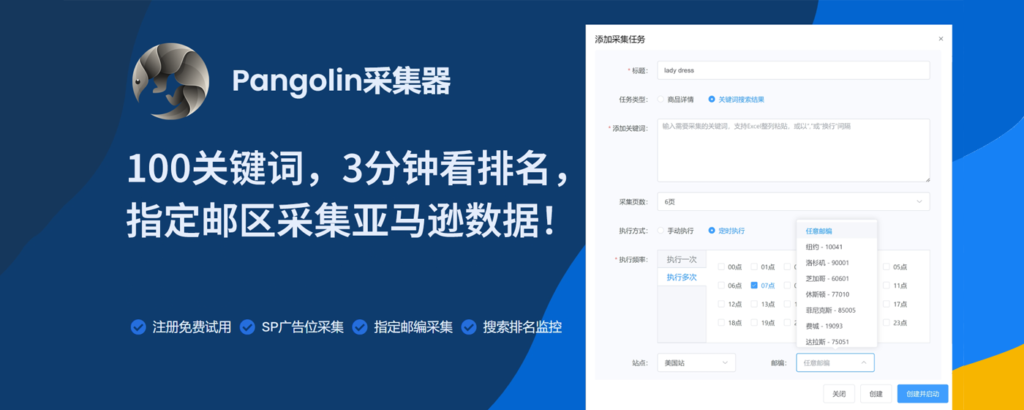
- SP ad scraping: Using its unique scraping technology, our plug-in can efficiently obtain the SP ad data on the Amazon site, with a collection rate of up to 98%, far exceeding similar products. SP ads are the most important form of advertising on the Amazon site, which can help sellers increase exposure, traffic, and conversion rates, and are the core elements of e-commerce marketing.
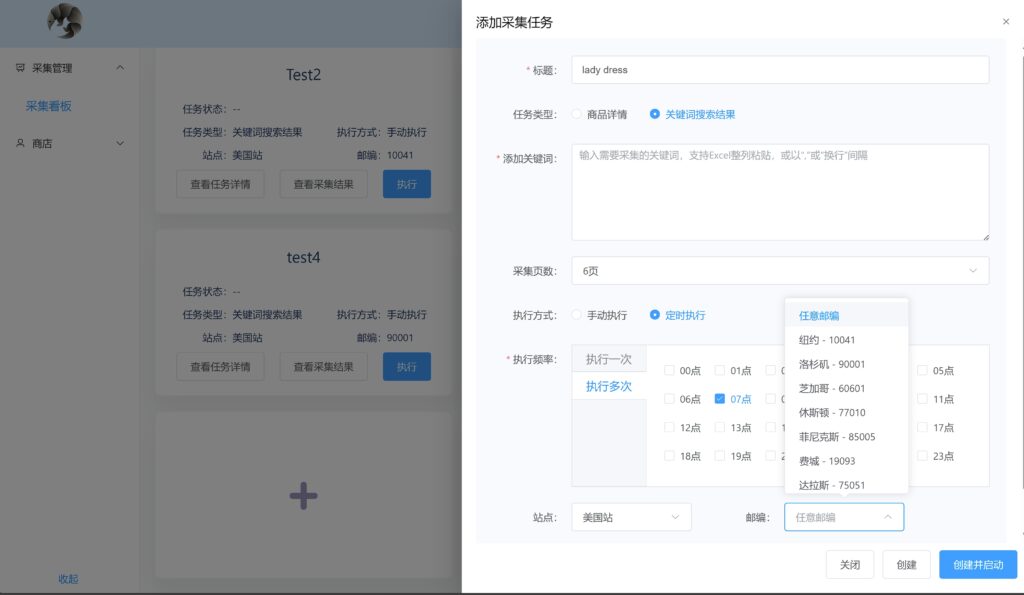
- Specify zip code scraping: With its unique technology, you can directly specify the zip code for scraping, and achieve accurate data acquisition for the target market. The data on the Amazon site varies according to different zip codes, such as price, inventory, sales, ranking, etc.
- Efficient and timely scraping: The plug-in supports near-real-time monitoring of target data, and the scraping speed can be as fast as 3 minutes, ensuring that you get the latest data. The data on the Amazon site is dynamically changing, as the user’s search, browse, purchase and other behaviors, the data will be constantly updated. If the collected data is outdated, it will lose its reference value, and even lead to wrong decisions.
- Comprehensive data types: One-stop to meet all Amazon data needs, covering keywords, SP ads, listings, sales, rankings, reviews, prices and other data types. The data on the Amazon site is very rich, and each type of data has its unique value.
- Search ranking monitoring: Efficiently and real-time parse the page information, and directly provide the SP ranking and natural ranking data, to help you deeply understand the market competition situation.
- Rich data formats: Support to export the collected data directly as JSON or Excel files, for you to easily perform flexible data processing and application, and can be directly used for AI model training. The collected data will lose its meaning if it cannot be effectively processed and applied. Through Amazon Data Tracker, you can export the collected data directly as JSON or Excel files, which are both common data formats, and can easily perform data analysis, data visualization, data reporting and other operations, and can also be directly used for AI model training, improving the value and efficiency of data.
How to use Amazon Data Tracker
The use of Amazon Data Tracker is very simple, just a few steps, you can easily get the data on the Amazon site:

- Step 1: Install the plug-in
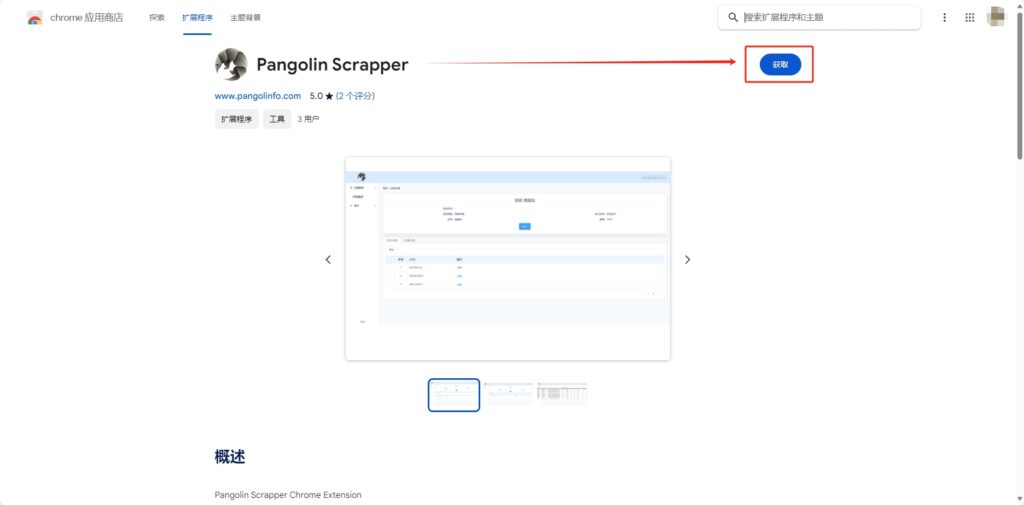
- Step 2: Register and log in In order to use Amazon Data Tracker, you need to register an account first, and then log in to the plug-in’s control panel. The registration and login process is very simple, just enter your email and password, and you can complete it. After registration, you will get a free plan with 60 credits per month, which you can use to experience the plug-in’s features for free.
- Step 3: Create a scraping task After logging in, you can create a scraping task on the control panel, specify the data type, Amazon site, zip code, keywords and other parameters you want to scrape, and then click start scraping. The plug-in will automatically scrape the data for you, and display the scraping progress and results on the control panel.
- Step 4: Export the scraped data After scraping, you can view the scraped data on the control panel, or export the data as JSON or Excel files, and save them to your local or cloud, for your subsequent data processing and application.
Amazon Data Tracker’s free plan
In order to let more users experience the powerful features of Amazon Data Tracker, we are now launching a free plan. As long as you register and log in, you can enjoy a free plan with 60 credits per month, completely free, without any fees. You can use these quotas to collect any data you want, whether it is SP ads, sales, rankings, etc., you can get them with one click, without any restrictions, unlimited possibilities.
Conclusion
This is a rare opportunity, don’t miss it, hurry up and install the plug-in, register and log in, and start the free test! Amazon Data Tracker is your best choice for getting data on the Amazon site, it can help you easily get SP ads, sales, rankings and other comprehensive data, and help you stand out in the market competition. Install the plug-in now and experience the efficient, accurate and comprehensive Amazon site data scraping service!