Get started with the Pangolinfo AI Overview SERP API today. Grab your API key from the Pangolinfo Console and configure your OpenClaw AI Search Skill in minutes.
Your Agent Is Operating Blind — Here’s the Search Layer It Can’t See
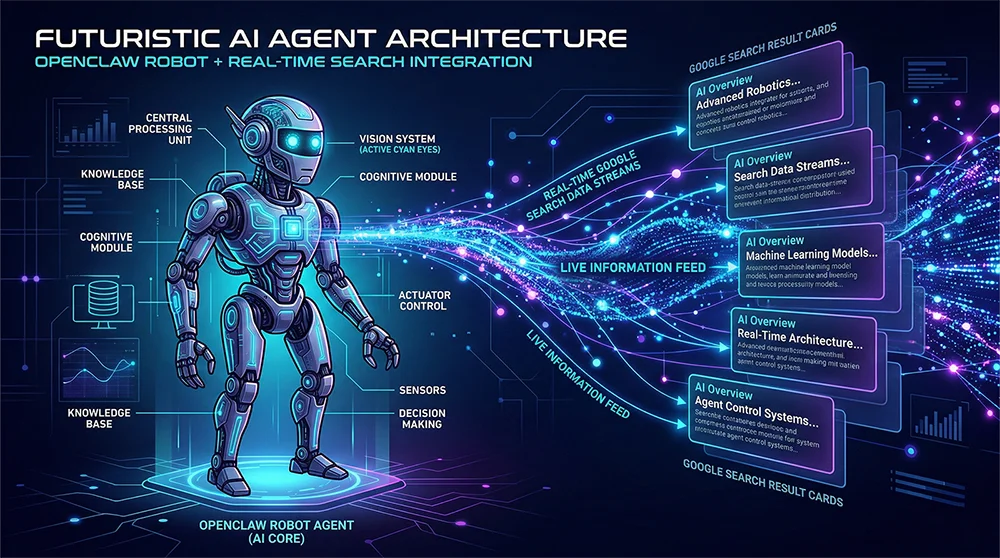
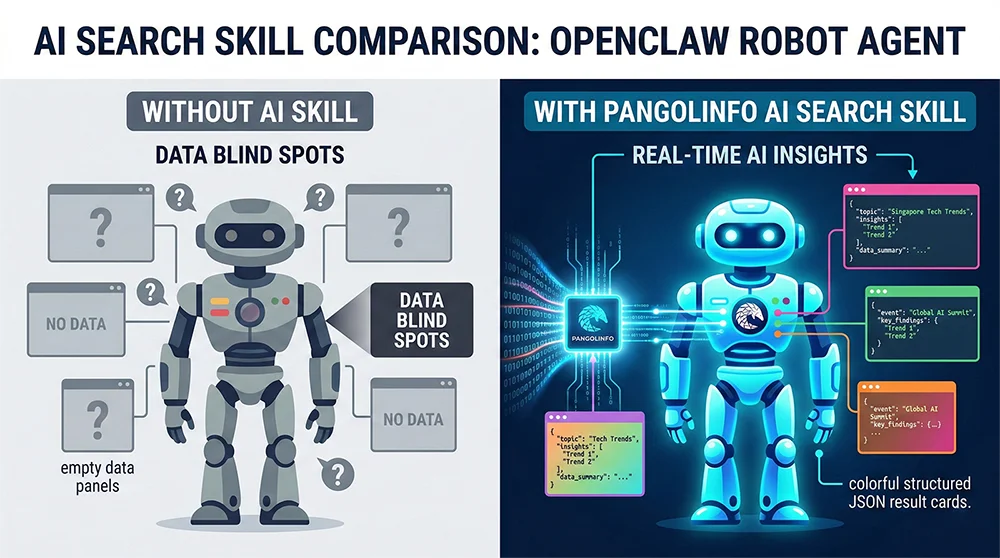
The OpenClaw AI Search Skill addresses a gap that’s been quietly widening for months. Fire up your OpenClaw Agent today and ask it to research a competitive keyword — it’ll return dozens of parsed HTML results, rank a handful of organic listings, and hand you a tidy report that looks comprehensive. Meanwhile, every user who typed that same query into Google saw something entirely different at the top of their screen: a dynamically generated AI Overview that synthesized the answer before a single link was clicked. None of that content lives in any DOM node your Agent can reach.
This is the core blind spot in the current OpenClaw ecosystem. Your Agent can track Amazon price changes, scrape competitor listings, and monitor review sentiment — but it cannot see the information layer that users now encounter first on Google. As AI Mode coverage climbs across global markets, the delta between what users see and what Agents can access keeps growing. For e-commerce operators using Agent workflows to drive keyword strategy, competitor intelligence, and content decisions, this gap translates directly into misinformed actions.
The good news: the OpenClaw AI Search Skill is now available. Built on Pangolinfo’s AI Overview SERP API, this Skill closes the gap in a single POST request — giving your Agent structured access to AI Overview summaries, reference sources, and full SERP results, the same view your users are already getting.
Why AI Mode Data Is Notoriously Hard to Capture
The challenge isn’t just anti-bot measures — it’s architectural. Google AI Mode content is server-side generated on every request: Google runs a behind-the-scenes LLM inference pass and injects the result inline into the SERP. Standard HTTP clients never see this content; headless browsers face a compounding triple threat of render timing, fingerprint detection, and IP-based blocking. Even when all three are managed, the multi-turn prompt capability in AI Mode — where users continue questioning within the results page — creates a stateful interaction model that static scraping pipelines simply weren’t designed for.
Teams that have tried building their own AI Mode scrapers tend to tell a similar story: what started as a two-week project became a permanent maintenance obligation. Maintaining residential proxy pools, rotating user-agent fingerprints, tracking Google’s anti-detection updates every few weeks — this is infrastructure work masquerading as a data feature. The underlying data problem is solved, but now there are two problems: the data, and the scraper.
Where Agent Workflows Break Without AI Mode Access
The missing OpenClaw AI Search Skill creates concrete, business-level failure modes. A cross-border brand’s monitoring Agent can track competitor BSR movements but misses whether that competitor’s product is getting surfaced in AI Overview for high-intent keywords. An SEO SaaS platform can analyze traditional SERP rankings but can’t measure a client’s “AI visibility” — the emerging metric that determines whether a brand appears in AI-generated summaries. A research Agent ingesting web content as a live knowledge feed hits a systematic gap every time it encounters a query where AI Mode intercepts the primary answer. These aren’t edge cases. They’re the normal operation of AI Mode across millions of daily searches.
Build vs. Buy: The Real Economics of AI Mode Data Access
When a requirement like AI Mode data access surfaces, engineering teams typically model two paths: build a custom scraping stack, or integrate a managed API. The make-or-buy decision isn’t philosophical here — it comes down to total cost of ownership when measured honestly.
The self-build costs are real but often undercounted. A stable AI Mode scraping stack needs residential proxies (typically $200–$800/month at moderate request volumes), an active fingerprinting and user-agent rotation system, and engineering capacity to respond when Google adjusts its detection mechanisms — which happens with irregular but reliable frequency. Add parser maintenance for when AI Overview’s response structure evolves, and you have an infrastructure commitment that scales with your query volume and Google’s product velocity, not your revenue.
Pangolinfo’s approach is architecturally opposite: absorb the complexity server-side, expose simplicity to the developer. Through the AI Overview SERP API, proxy management, anti-detection, and rendering orchestration run silently in Pangolinfo’s infrastructure layer. Your OpenClaw Skill emits a single standard POST request; everything else is handled.
| Dimension | Self-Built Scraper | Pangolinfo AI Mode API |
|---|---|---|
| Time to first data | 2–4 weeks minimum | 5-minute integration |
| Maintenance overhead | Ongoing Google update tracking | Zero — Pangolinfo handles it |
| Reliability | Dependent on IP health | Enterprise-grade uptime |
| Multi-turn prompts | Requires custom state management | Native param[] support |
| Output format | Raw HTML — parse it yourself | Structured JSON, ready to use |
| Cost model | Proxy fees + engineering time | 2 credits per successful call |
The OpenClaw AI Search Skill: Architecture and Integration
The OpenClaw AI Search Skill is the first official Pangolinfo Skill for OpenClaw, built on the AI Overview SERP API. Register it in your OpenClaw configuration and your Agent gains the ability to query Google AI Mode results on demand — AI summary content, structured reference sources, and organic results, all returned as JSON that Agent logic can consume directly, no post-processing required.
API Reference
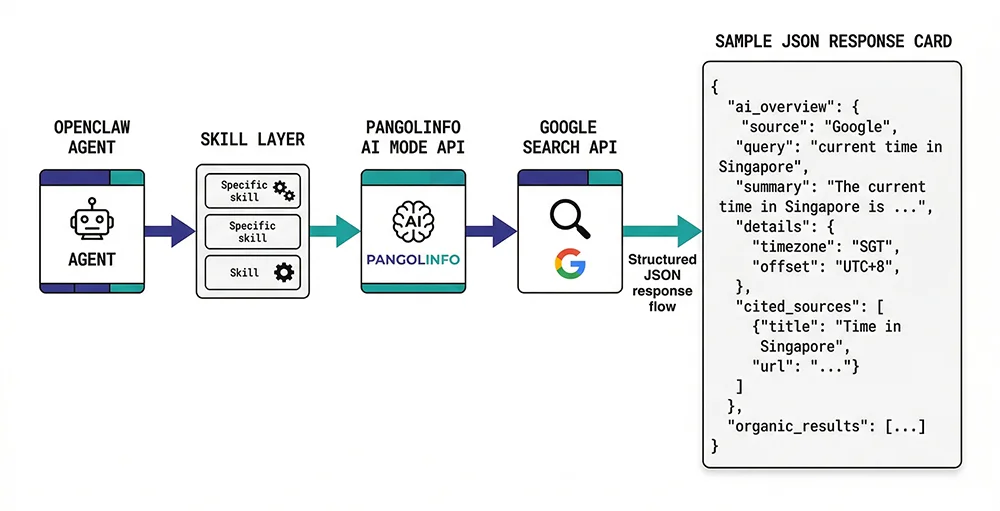
The AI Mode API follows a clean REST interface authenticated via Bearer Token. Each request targets the unified scrape endpoint:
POST https://scrapeapi.pangolinfo.com/api/v2/scrapeRequired headers: Content-Type: application/json and Authorization: Bearer YOUR_API_KEY. The request body parameters:
{
  "url": "Target Google Search URL (must include udm=50 for AI Mode)",
  "parserName": "googleAISearch",  // Required, selects the AI Mode parser
  "screenshot": true,              // Optional: returns a page screenshot URL
  "param": ["follow-up prompt"]    // Optional: multi-turn prompts, max 5
}
Two parameters are worth particular attention. The parserName field must be set to "googleAISearch" — this selects Pangolinfo’s dedicated AI Mode parser as opposed to standard SERP parsers. The URL must include udm=50 to trigger Google’s AI Mode interface; without it, you’ll receive standard SERP results without AI Overview content. A properly constructed AI Mode URL looks like: https://www.google.com/search?num=10&udm=50&q=your+query.
Full Request and Response Example
Here’s a complete request sampling AI Mode results for “javascript”:
curl --request POST \
  --url https://scrapeapi.pangolinfo.com/api/v2/scrape \
  --header 'Authorization: Bearer YOUR_API_KEY' \
  --header 'Content-Type: application/json' \
  --data '{
    "url": "https://www.google.com/search?num=10&udm=50&q=javascript",
    "parserName": "googleAISearch",
    "screenshot": true,
    "param": ["how to setup"]
  }'
The response structure:
{
  "code": 0,
  "message": "ok",
  "data": {
    "results_num": 1,
    "ai_overview": 1,
    "json": {
      "type": "organic",
      "items": [{
        "type": "ai_overview",
        "items": [{
          "type": "ai_overview_elem",
          "content": [
            "JavaScript (JS) is a high-level, lightweight programming language...",
            "Modern browsers include a built-in JS engine (like Chrome's V8)..."
          ]
        }],
        "references": [{
          "type": "ai_overview_reference",
          "title": "JavaScript - Wikipedia",
          "url": "https://en.wikipedia.org/wiki/JavaScript",
          "domain": "Wikipedia"
        }]
      }]
    },
    "screenshot": "https://image.datasea.network/screenshots/xxxxx.png",
    "taskId": "1768988520324-xxxxx",
    "url": "https://www.google.com/search?num=10&udm=50&q=javascript"
  }
}
Credit consumption: each successful call that returns complete AI Overview data costs 2 credits. Plan your Agent’s query frequency accordingly — for workflows that don’t need AI summaries, route to standard parsers to conserve credits.
Integrating the OpenClaw AI Search Skill: Production-Ready Python
The following Python implementation wraps the AI Mode API into a clean Skill interface ready for OpenClaw registration. It handles request construction, error handling, and response parsing:
import requests
from typing import Optional


class PangolinAISearchSkill:
    """
    OpenClaw AI Search Skill
    Wraps Pangolinfo AI Mode API for real-time Google AI Overview access.
    Consumes 2 credits per successful AI Overview response.
    """

    BASE_URL = "https://scrapeapi.pangolinfo.com/api/v2/scrape"

    def __init__(self, api_key: str):
        self.headers = {
            "Content-Type": "application/json",
            "Authorization": f"Bearer {api_key}",
        }

    def search(
        self,
        query: str,
        follow_up: Optional[list[str]] = None,
        screenshot: bool = False,
    ) -> dict:
        """
        Query Google AI Mode and return structured AI Overview data.

        Args:
            query: Search query string
            follow_up: Multi-turn conversation prompts (max 5; more degrades speed)
            screenshot: Whether to capture a page screenshot

        Returns:
            Parsed dict with has_ai_overview, ai_content, references, etc.
        """
        search_url = (
            f"https://www.google.com/search"
            f"?num=10&udm=50&q={requests.utils.quote(query)}"
        )
        payload: dict = {
            "url": search_url,
            "parserName": "googleAISearch",
            "screenshot": screenshot,
        }
        if follow_up:
            payload["param"] = follow_up[:5]  # API enforces a soft 5-item limit

        resp = requests.post(
            self.BASE_URL, headers=self.headers, json=payload, timeout=30
        )
        resp.raise_for_status()
        data = resp.json()

        if data.get("code") != 0:
            raise RuntimeError(f"Pangolinfo API error: {data.get('message')}")

        return self._parse(data["data"])

    def _parse(self, data: dict) -> dict:
        result = {
            "has_ai_overview": bool(data.get("ai_overview")),
            "ai_content": [],
            "references": [],
            "screenshot_url": data.get("screenshot", ""),
            "task_id": data.get("taskId", ""),
        }
        for item in data.get("json", {}).get("items", []):
            if item.get("type") != "ai_overview":
                continue
            for sub in item.get("items", []):
                if sub.get("type") == "ai_overview_elem":
                    result["ai_content"].extend(sub.get("content", []))
            for ref in item.get("references", []):
                result["references"].append(
                    {
                        "title": ref.get("title"),
                        "url": ref.get("url"),
                        "domain": ref.get("domain"),
                    }
                )
        return result


# --- Quick-start usage ---
if __name__ == "__main__":
    skill = PangolinAISearchSkill(api_key="YOUR_PANGOLINFO_API_KEY")

    # Simple search
    out = skill.search("best python webscraping library 2026")
    if out["has_ai_overview"]:
        print("AI Overview content:")
        for line in out["ai_content"]:
            print(f"  • {line}")
        print("\nReference sources:")
        for ref in out["references"]:
            print(f"  [{ref['domain']}] {ref['title']} — {ref['url']}")

    # Multi-turn prompts
    out2 = skill.search(
        "asyncio vs threading python",
        follow_up=["which is better for I/O tasks", "show me a comparison table"],
    )
    print(f"\nFollowup query returned {len(out2['ai_content'])} AI content blocks")
Production Tips
A few patterns accelerate reliable production deployment. For batch keyword queries, use asyncio with aiohttp and cap concurrency at 5–10 simultaneous requests — bursting beyond this risks timeout clustering under high load. The param array is powerful but has a cost: arrays longer than 5 items noticeably degrade response latency, so design multi-turn scenarios as sequential single calls rather than one large batch. Finally, always check has_ai_overview before processing — not every query triggers an AI Overview, and handling that case explicitly prevents silent data gaps in your Agent’s logic.
Real-Time Vision, Available Now
AI Mode is actively narrowing the gap between “search result” and “answer.” As that gap shrinks, the information layer that users encounter first is increasingly AI-generated, dynamically assembled, and invisible to Agents that rely on traditional SERP scraping. This isn’t a future concern — it’s the daily operating reality for any workflow that depends on Google search data.
The OpenClaw AI Search Skill, powered by Pangolinfo AI Overview SERP API, gives your Agent access to that same information layer — structured, reliable, and available in a single API call. The integration takes minutes; the competitive advantage of operating with a complete view of the search landscape compounds over time. While other Agents are still operating blind, yours doesn’t have to.
Get your API key from the Pangolinfo Console, review the full API documentation, and configure your first OpenClaw AI Search Skill today.