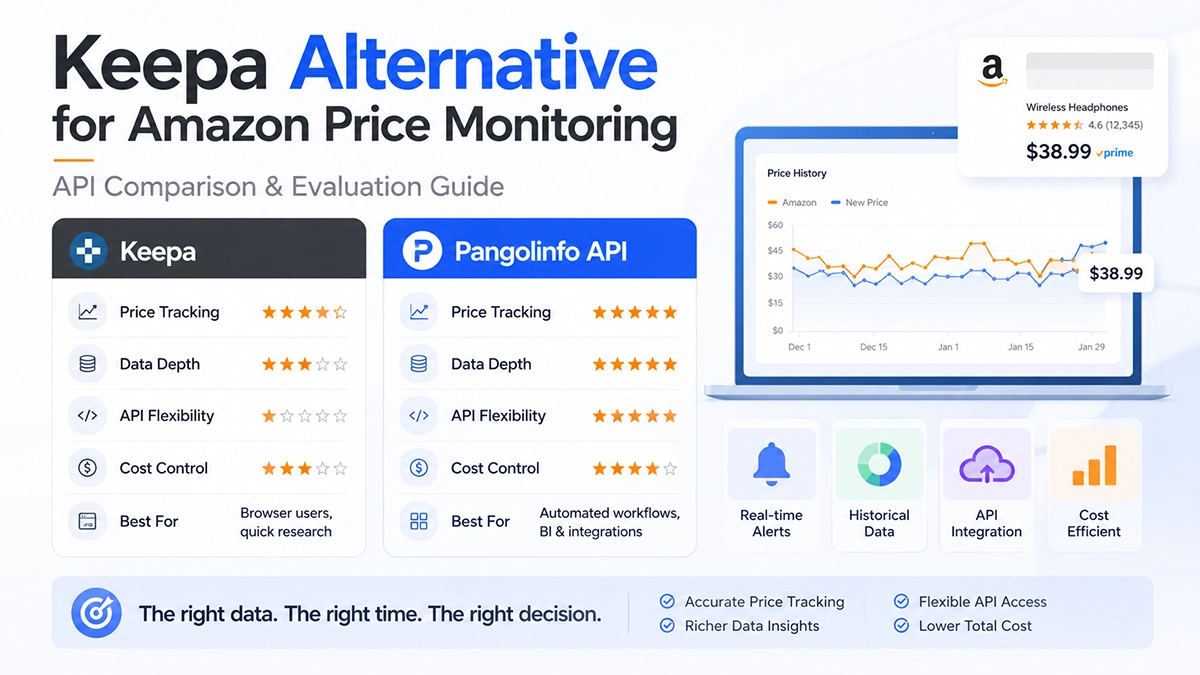
Keepa is a useful fit for people who want to inspect Amazon price history in a browser. Teams that need to monitor a defined ASIN portfolio, retain time-series data, connect results to BI or internal workflows, or compare product, review and search signals may instead need an API-based workflow. The right choice depends on the data fields, refresh cadence, integration requirements and request economics you can validate during a proof of concept.
This guide does not treat any vendor as universally better. It provides five practical criteria for evaluating Amazon price-monitoring options, explains when a dedicated API can be appropriate, and outlines a 10–20 ASIN proof of concept before a larger rollout.
Keepa and API-based monitoring serve different jobs
Keepa is widely used for browsing historical price and sales-rank trends and setting simple price alerts. That can be enough for a buyer, an individual seller or a small team working mainly in the browser. An API workflow becomes more relevant when the output must be stored, compared with first-party business data, scheduled for many ASINs, or passed to another application.
Before switching tools, write down the decision you need to make: price-change alerting, competitor assortment monitoring, product research, review analysis, catalog QA, or a data feed for an internal system. A tool should be evaluated against that job rather than against a generic feature checklist.
Five criteria for comparing Amazon data APIs
1. Data coverage and field definitions
Confirm exactly which fields are returned for your target marketplaces: current price, offer context, availability indicators, Buy Box context, ratings, review counts, BSR, category information, variants and page metadata. Read the documentation and save representative responses. Do not assume that a field exists, has the same definition, or is available for every ASIN and locale.
2. Freshness, cadence and historical retention
Decide whether you need a current snapshot, a scheduled history you build yourself, or vendor-provided history. For critical ASINs, test the cadence that your workflow needs; for a broader watch list, a less frequent schedule may be sufficient. Record the retrieval timestamp alongside each response so that downstream users can judge freshness.
3. Integration and operational fit
Check authentication, request limits, error payloads, retry guidance, pagination, documentation and the languages or automation platforms used by your team. A useful API is not only one that returns data; it is one your team can operate reliably with logging, alerting and a clear fallback when a request is incomplete.
4. Request economics
Model the cost using your expected ASIN count, marketplaces, refresh frequency and required endpoints. Compare the published terms current at the time of evaluation. Include the engineering time needed to normalize, store and monitor the data instead of relying only on a headline plan price.
5. Validation and support
Run the same small ASIN set through your existing process and the candidate workflow. Compare the fields that matter to you, document expected differences, and test a failed request on purpose. Review the vendor’s documentation, status information and support path before committing production traffic.
When a Pangolinfo workflow may be worth evaluating
Pangolinfo may be a relevant option when you need structured Amazon page data in an application or automation rather than only a browser view. The Amazon Scraper API is the starting point for product and search-page research; the Amazon Review API is a separate entry point for review-focused workflows. Review the current documentation for available endpoints, required parameters and response examples before implementation.
For teams using AI-agent tooling, the Amazon Data MCP provides another integration path. It should be evaluated using the same field, latency, reliability and cost criteria as a REST workflow.
Run a 10–20 ASIN proof of concept
- Select 10–20 ASINs that represent your normal catalog: stable items, volatile items, parent/child variations and at least one product from each key marketplace.
- Define the fields and timestamp you will compare, plus the acceptable handling for unavailable or incomplete responses.
- Run a small scheduled test at your intended cadence. Store raw responses and a normalized table so that results can be audited.
- Test normal, invalid and temporarily unavailable requests. Confirm how your workflow retries and alerts without creating duplicate records.
- Estimate production volume from the observed request pattern, then decide whether to expand, adjust cadence or keep a browser-first workflow.
Implementation checklist
- Keep a timestamp, marketplace and ASIN with every observation.
- Use change thresholds and a cooldown window so that one price movement does not create repeated alerts.
- Separate data collection from business decisions: alert first, then apply your own rules for repricing or escalation.
- Link implementation owners to the relevant API documentation and retain example responses for QA.
Choose the workflow that matches the decision
A browser-based price-history tool can be the simplest answer for ad hoc research. An API is usually more appropriate when a team needs repeatable data collection, integration with its own systems and an auditable monitoring process. Use a small POC and vendor documentation—not headline claims alone—to make the decision.
Next step: review the Pangolinfo API documentation and test representative ASINs before designing a production schedule.