If you’ve ever been stopped mid-shopping by a page that says “Enter the characters you see below” — or “Sorry, we just need to make sure you’re not a robot” — you’ve met Amazon’s CAPTCHA. For most shoppers it’s an occasional speed bump. For some, it appears on nearly every search. And for developers pulling Amazon data programmatically, it’s a wall.
This guide explains what the Amazon CAPTCHA page actually is, why it keeps appearing, and what to do about it — with one path for shoppers and a different one for developers, because the right fix depends on which one you are.
What the Amazon CAPTCHA Page Actually Is
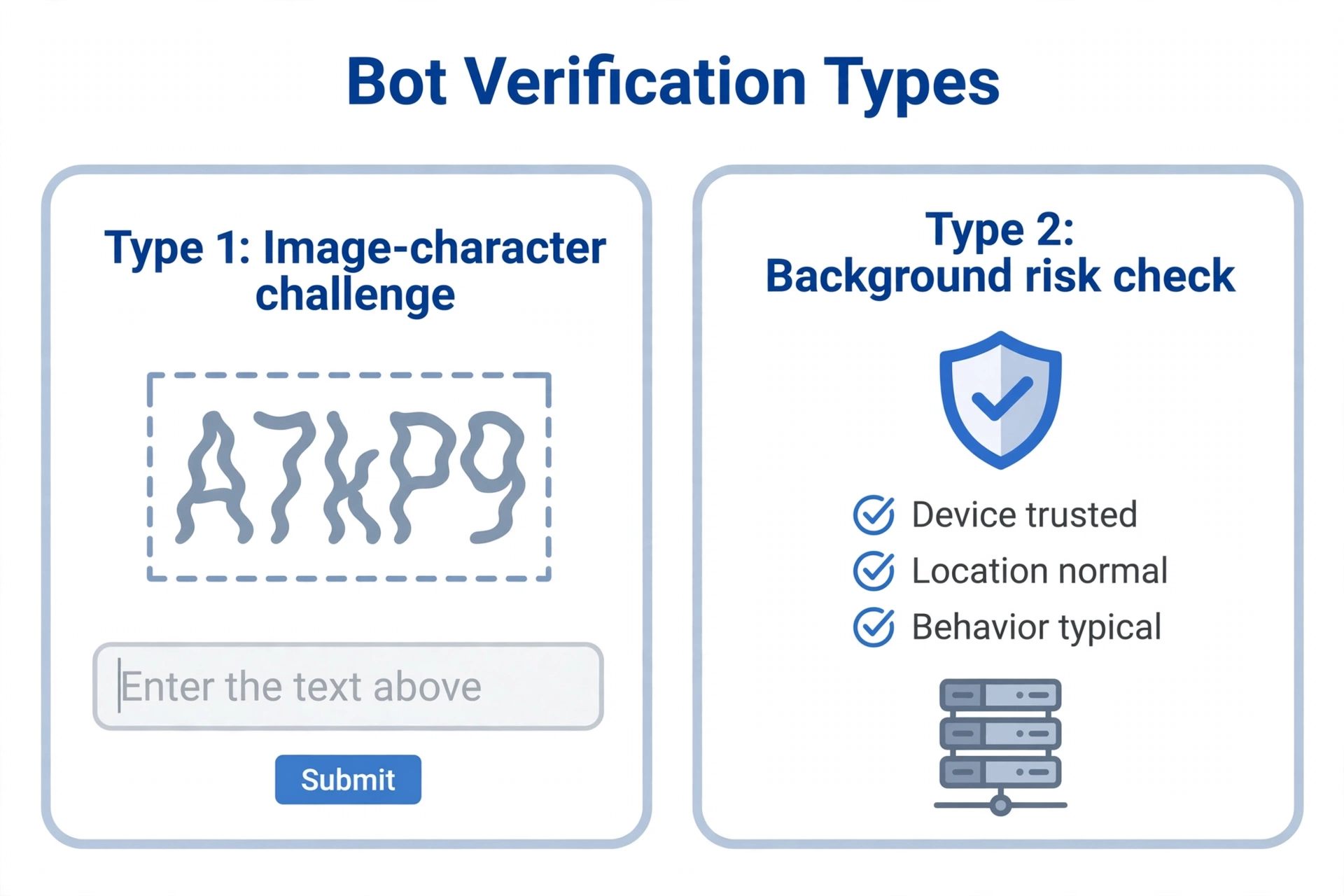
Amazon runs two different verification layers. Knowing which one you’re hitting matters, because the fixes differ.
1. The classic image CAPTCHA. A distorted-character image with the prompt “Enter the characters you see below.” You type the characters back and continue shopping. This is what the vast majority of shoppers encounter.
2. The AWS WAF risk challenge. A background risk check Amazon runs before the page even loads. Sometimes it’s invisible; sometimes it appears as an interstitial page. It fires when your browser or IP fingerprint scores as automated — this is the one scrapers hit most.
Why Amazon Keeps Showing You CAPTCHA
Amazon displays the check when its risk engine flags your traffic as bot-like. The triggers split cleanly by audience:
| Trigger | Who it hits | Why it flags you |
|---|---|---|
| VPN or shared / office IP | Shoppers | The IP’s reputation is shared with strangers’ traffic |
| Rapid searches and page loads | Shoppers | Looks like automated browsing |
| New device, browser, or location | Shoppers | No trusted history for this session |
| Incognito mode / cleared cookies | Shoppers | Session continuity is broken every visit |
| Datacenter IP (AWS, GCP, etc.) | Developers | IP ranges known for hosting scrapers |
| Dozens of requests per minute | Developers | Rate-based bot detection |
| Headless browser fingerprints | Developers | Detectable automation signals |
| Fresh session on every request | Developers | Inhuman browsing pattern |
If you’re a shopper, your row is probably near the top of that table. If you’re a developer, it’s near the bottom — and the fix is not “solve the CAPTCHA better.”
Path A — For Shoppers: How to See Fewer CAPTCHAs
Work through this checklist in order. Most shoppers only need the first three.
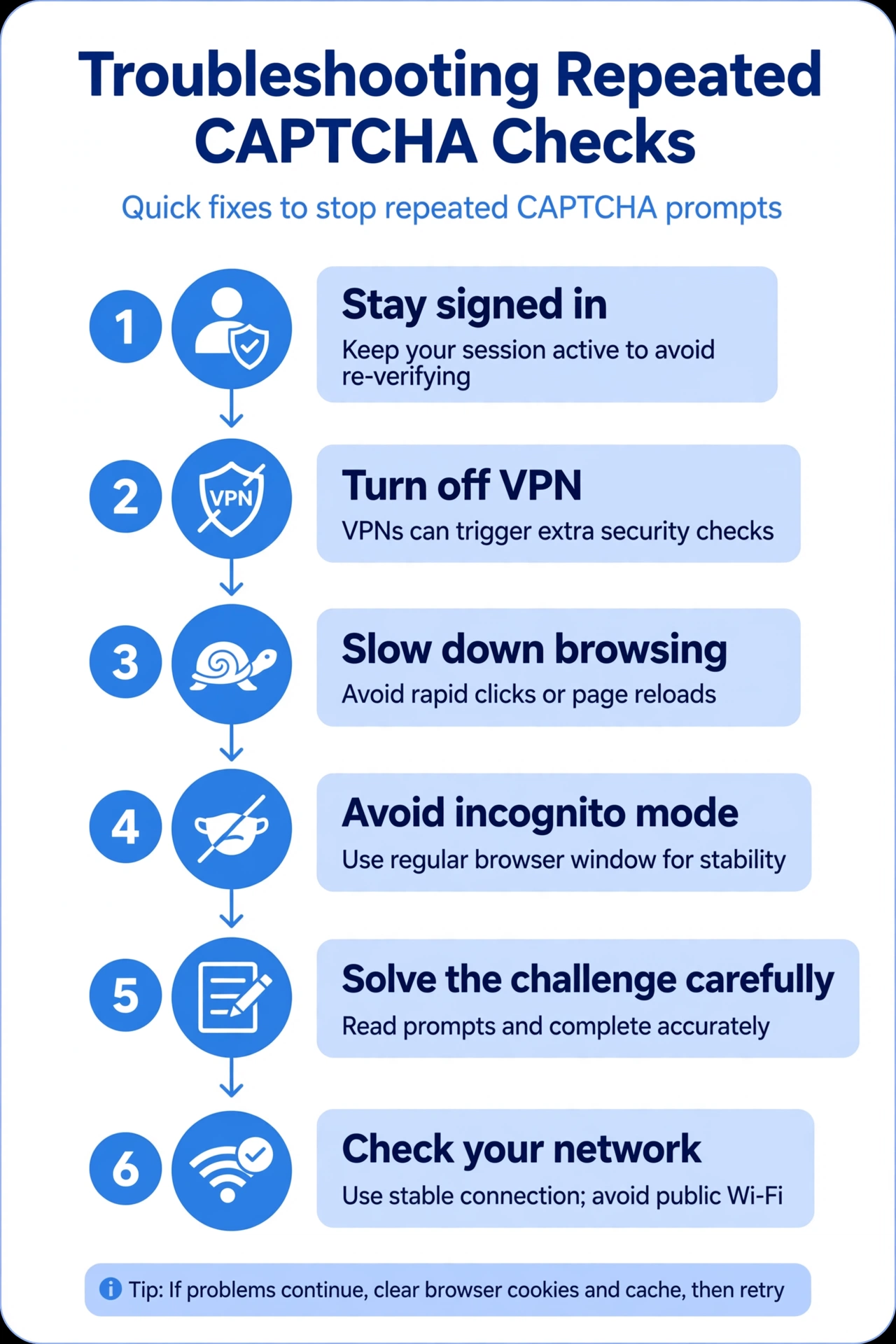
- Stay signed in. A logged-in account with purchase history is the strongest trust signal you have. Guest browsing gets challenged far more often.
- Turn off your VPN — or switch servers. Shared VPN exit IPs carry other people’s abuse history. If you must use a VPN, try a different server or a dedicated IP.
- Slow down. Opening dozens of product tabs in seconds is exactly what bots do. Pace your browsing and the checks usually stop.
- Avoid incognito for routine shopping. Every incognito visit looks like a brand-new, untrusted visitor.
- Solve the challenge carefully. The characters are case-insensitive but easy to misread — use the audio alternative if the image is unclear instead of failing repeatedly (repeated failures raise your risk score).
- Check your network. On shared Wi-Fi (offices, dorms, cafes), someone else’s traffic can poison the IP’s reputation. Try mobile data once to confirm.
Path B — For Developers: Stop Fighting CAPTCHAs, Use an API
Here’s the honest version: if you’re hitting CAPTCHAs because you’re scraping Amazon programmatically, there is no stable “bypass.” CAPTCHA-solving services are an arms race against Amazon’s WAF, they add latency and cost to every request, and circumventing access controls violates Amazon’s terms of use. The durable answer is to stop scraping HTML pages and get structured data instead.
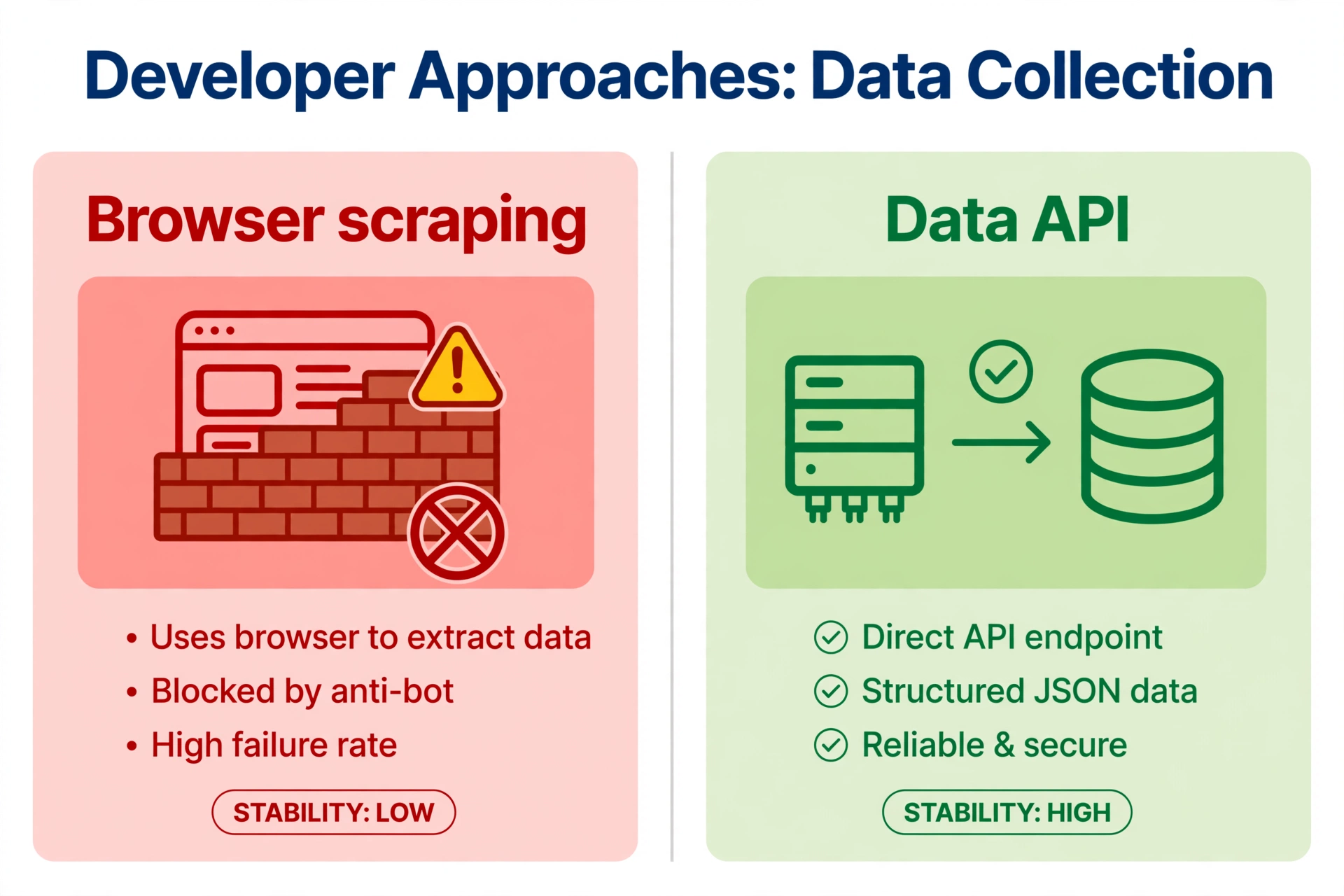
Pangolinfo Scraper API returns real-time Amazon product, search, review, and pricing data through a clean API — no browser automation, no CAPTCHAs, no IP rotation to manage. It includes 60 free credits per month, no credit card required. Full integration reference is in the documentation.
Prefer no code at all? The Amazon Data Tracker browser plugin collects Amazon data as you browse, inside your own logged-in session — the CAPTCHA problem never comes up.
A note on Amazon’s own APIs: Amazon’s Product Advertising API exists, but it requires affiliate approval and enforces strict quotas — it is not a general-purpose replacement for product data access.
FAQ
Why does Amazon keep asking me to verify I’m not a robot?
Its risk engine has flagged something about your traffic — usually your IP’s reputation, your browsing speed, or a missing trust history (new device, incognito, logged out). The checklist in Path A addresses each of these.
I solved the CAPTCHA once — why did it come back?
Solving one challenge doesn’t whitelist you. If the underlying trigger (e.g., a flagged VPN IP) is still present, the next burst of activity triggers a new check.
Are CAPTCHA-solving services safe or legal?
They exist, but using them to scrape Amazon at scale violates Amazon’s terms, and reliability degrades as Amazon updates its detection. For developers, an API is cheaper and stable; for shoppers, they’re unnecessary.
Can I make Amazon stop showing CAPTCHAs permanently?
There’s no setting to disable them — they’re a security control, not a preference. Reducing the triggers above is the practical way to see them rarely.
Conclusion
Amazon’s CAPTCHA page is a symptom, not the disease: it appears when your traffic looks automated. Shoppers can usually make it go away by fixing trust signals — stay signed in, drop the shared VPN IP, slow down. Developers should stop treating the CAPTCHA as a puzzle to solve and treat it as a signal to change approach: structured data via API beats browser scraping behind an ever-escalating wall.