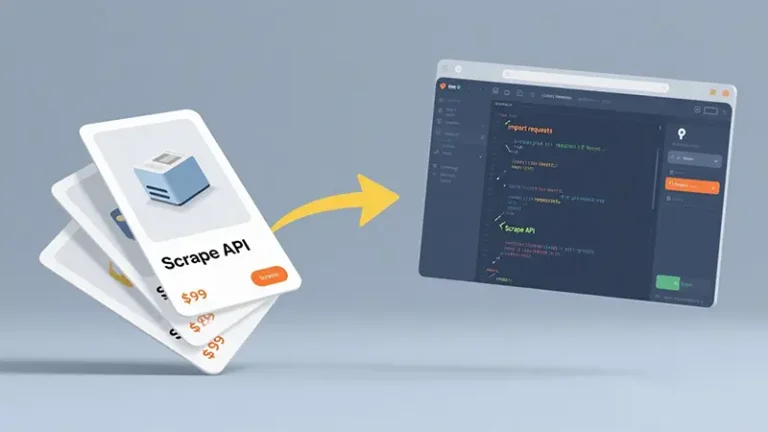


Introduction
In the world of e-commerce, access to accurate and real-time product data is crucial for businesses, market researchers, and developers. Amazon, as the largest online marketplace, provides valuable insights into pricing, product availability, reviews, and trends. However, due to its strict anti-scraping mechanisms, extracting data efficiently is a significant challenge.
Why Use an Amazon Scraper API?
Challenges of Traditional Web Scraping
Scraping Amazon manually presents several difficulties:
- IP Blocking & CAPTCHA Challenges: Amazon actively detects scrapers and blocks repetitive requests.
- Frequent Website Structure Updates: Maintaining custom scrapers is costly and time-consuming.
- JavaScript-Rendered Content: Many crucial elements load dynamically, making them harder to extract with standard scrapers.
- Legal & Compliance Issues: Uncontrolled scraping can violate Amazon’s terms of service.
Benefits of Using Pangolinfo Amazon Scraper API
Using Pangolinfo Amazon Scraper API, developers can:
- ✅ Bypass CAPTCHA & IP restrictions using a smart proxy network.
- ✅ Retrieve structured JSON data without parsing raw HTML.
- ✅ Access real-time data across multiple Amazon marketplaces.
- ✅ Stay compliant by leveraging ethical scraping methodologies.
Getting Started with Pangolinfo Amazon Scraper API in Python
Step 1: Sign Up and Obtain API Credentials
- Register on Pangolinfo: Sign up here.
- Generate API Key: Go to the dashboard and create a unique token.
- Review API Documentation: Visit API Docs for detailed usage instructions.
Step 2: Install Required Python Libraries
pip install requests
Step 3: Fetch Product Data from Amazon
import requests

API_ENDPOINT = "https://api.pangolinfo.com/v1/amazon/product"
HEADERS = {"Authorization": "Bearer YOUR_API_TOKEN"}

params = {
    "asin": "B08N5WRWNW",  # Amazon Product ID
    "marketplace": "US",    # Marketplace Code
    "fields": "title,price,rating,images"
}

response = requests.get(API_ENDPOINT, headers=HEADERS, params=params)
print(response.json())
Advanced API Functionalities
1. Extract Amazon Reviews
params = {
    "asin": "B08N5WRWNW",
    "max_pages": 3  # Fetch reviews from first 3 pages
}

response = requests.get("https://api.pangolinfo.com/v1/amazon/reviews", headers=HEADERS, params=params)
print(response.json())
2. Price Monitoring with Webhooks
{
  "alert_name": "Product Price Alert",
  "asin": "B09JQMJHXY",
  "trigger_type": "price_drop",
  "threshold": 199.99,
  "webhook_url": "https://yourdomain.com/price-alert"
}
3. Scrape Amazon Best Sellers
params = {
    "category": "electronics",
    "marketplace": "US"
}

response = requests.get("https://api.pangolinfo.com/v1/amazon/bestsellers", headers=HEADERS, params=params)
print(response.json())
Best Practices for Amazon Data Scraping
- Use Rotating Proxies: Avoid IP bans by using proxy sessions.
- Respect API Rate Limits: Follow best practices for request intervals.
- Store Data Efficiently: Use databases like MongoDB or PostgreSQL for managing large datasets.
- Ensure Compliance: Adhere to Amazon’s policies to avoid legal risks.
Conclusion
Using Amazon Scraper API with Python, particularly through Pangolinfo, provides a robust, scalable, and ethical way to extract valuable product data. Whether you’re monitoring prices, analyzing trends, or conducting competitive research, this API simplifies the process while ensuring compliance.
? Get Your Free API Key Now: Sign up here
? Read the Full API Documentation: API Docs
New to the API? Start with the 5-minute quickstart tutorial first, then come back here for the Python deep dive. Product details and pricing: Amazon Scraper API.