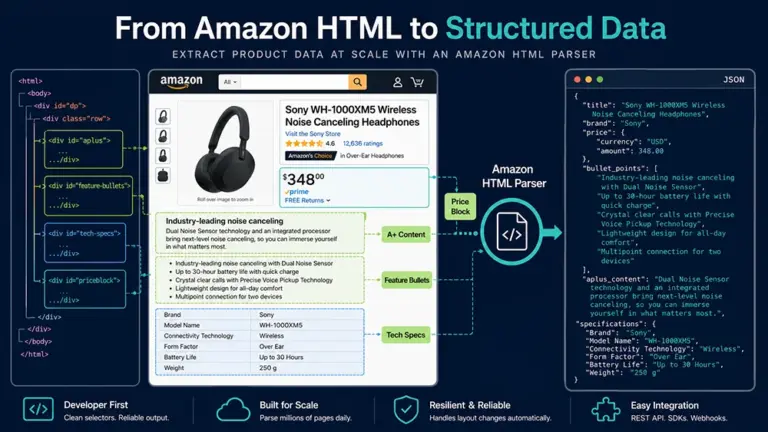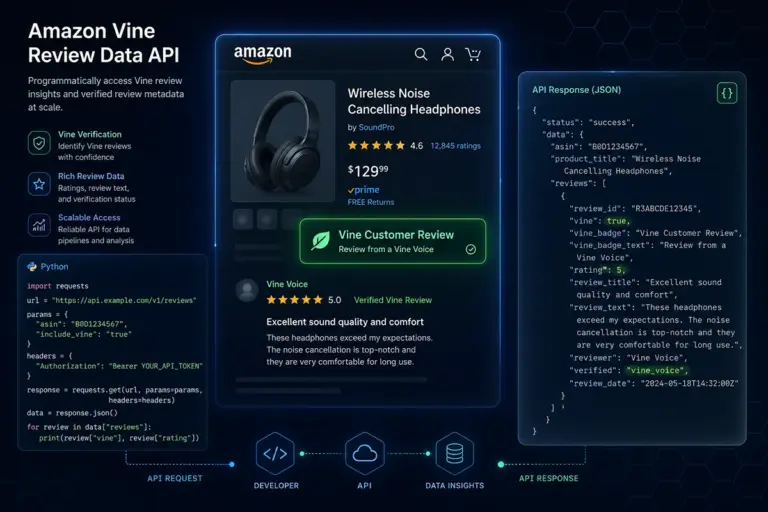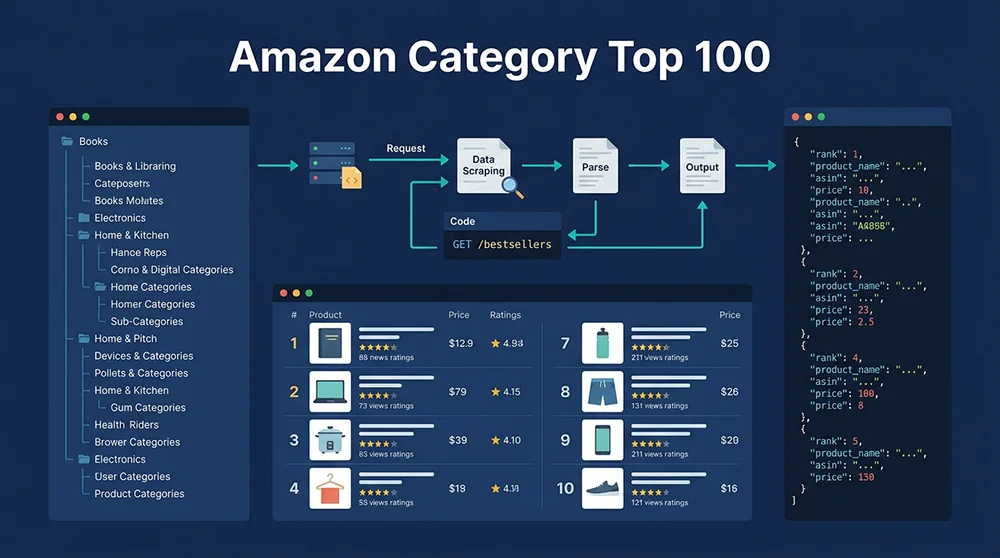
What are the difficulties in automated data collection for Amazon’s category Top 100?
If you’ve ever made a product decision based on a screenshot of Amazon’s Best Sellers page that’s been sitting in your browser tabs for three days, you already understand the core problem with Amazon category data. The question isn’t whether you need Amazon top 100 category data — every serious seller, SaaS tool builder, and e-commerce analyst does. The real question is whether you can collect it fast enough, at scale, and with enough structural depth to actually act on it.
This guide covers the full picture: why category ranking data matters beyond “finding hot products,” how data freshness affects decision quality more than most teams realize, where each mainstream Amazon top 100 category scraper approach breaks down under real-world conditions, and how a purpose-built API changes the economics of the entire problem. You’ll also find a complete Python data pipeline you can run immediately and a case study from a real brand that lifted its product launch success rate from 42% to 78% by building systematic category monitoring.
What Does Amazon Category Top 100 Data Actually Tell You?
Most sellers approach Best Sellers data as a product discovery tool — which it is, but that’s only about 20% of its analytical value. Teams that build systematic Amazon bestseller category data extraction workflows use the data across four distinct decision surfaces.
Market Timing: Rank Velocity as an Opportunity Signal
A static snapshot of today’s Top 100 tells you who is winning. A time-series of rank positions over 14 days tells you who is accelerating — and that’s where the real opportunity signal lives. When a product moves from rank #82 to rank #14 in 48 hours, three very different things might be happening: holiday inventory buildup by a major brand, viral social media traction, or a competitor going out of stock and redistributing search traffic.
Each scenario calls for a completely different response. Without the temporal data to distinguish between them, you’re left guessing. According to Jungle Scout’s 2025 State of the Amazon Seller report, sellers who use real-time category data achieve profitability within 90 days of a new product launch at a rate 43% higher than those relying on manual research cycles.
Competitive Intelligence: The Bestseller List as a Live Market Map
When you collect Amazon category ranking data consistently over 30+ days, the Top 100 becomes something much more useful than a leaderboard — it becomes a competitive concentration map. You can track the brand share of top positions (are positions 1–10 held by 2–3 brands or spread across 8–10?), new product entry velocity (how many products that weren’t in the Top 100 four weeks ago are now in the Top 50?), and price band migration (is the median price of the Top 50 drifting up or down quarter over quarter?).
These metrics together answer the question that matters most for market entry decisions: is the competitive moat in this subcategory getting deeper or shallower? A subcategory where brand concentration is increasing and new entries are failing to sustain Top 50 positions signals a market that’s closing. One where new products regularly enter and stabilize in Top 30 in under six weeks signals an open window.
Pricing Intelligence: The Market’s Real Price Anchor
No market research report reflects pricing reality as accurately as the price distribution of the current Top 100 in your target category. By collecting Amazon category top 100 data across multiple price points and plotting a frequency distribution, you can identify the “gravity zones” — price ranges where consumer purchase volume concentrates and competition hasn’t yet fully saturated the space.
Inventory Planning: Sales Volume Estimation from BSR
Combined with BSR-to-sales-volume conversion models (which use category-specific multipliers calibrated against seller-reported data), Top 100 ranking data provides a useful order-of-magnitude estimate for sales volumes at each rank tier. While error ranges of 15–30% are typical, these estimates are precise enough to answer questions like “does the category leader at rank #1 move 3,000 or 30,000 units per month?” — a distinction that directly affects supplier MOQ negotiations and inventory reserve planning.
Why Data Freshness Matters More Than You Think
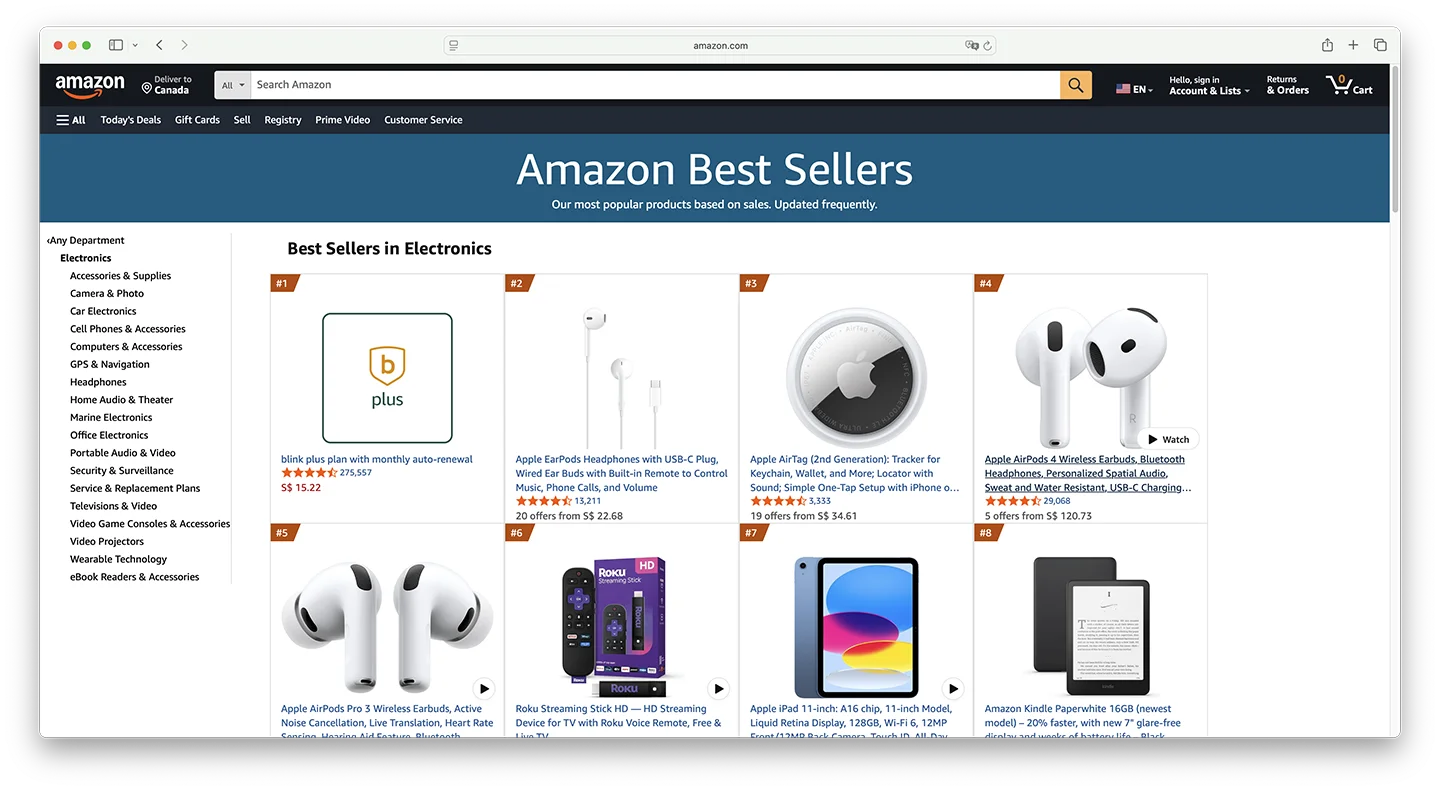
Amazon’s BSR algorithm updates dynamically based on a weighted combination of recent and historical sales velocity. The company’s own documentation notes that rankings in high-velocity categories can change hourly. This creates a data decay problem that most teams systematically underestimate.
Our analysis of continuous Amazon category ranking data collection across the Electronics category over 30 days found that within any 24-hour window, an average of 23% of products in the Top 100 experienced rank shifts of more than 10 positions. Over 72-hour windows, that figure rises to 41%. For products in the lower portion of the list (ranks #70–#100), 55% of positions saw significant changes within 72 hours.
The practical implication is that any Amazon category bestseller data extraction workflow running less than daily is producing a dataset with material staleness. For competitive categories (Electronics, Beauty, Sports), a minimum collection frequency of every 6–8 hours is needed to detect meaningful signals. During promotional events, the situation intensifies sharply. During Prime Day 2025, Electronics category Top 100 saw over 70% seat turnover within 48 hours — meaning a collection that ran at the start of Prime Day was essentially irrelevant by the end of it.
The Three Technical Barriers in Amazon Category Ranking Data Collection
In theory, Amazon’s Best Sellers pages are publicly accessible. In practice, building a reliable, scalable Amazon top 100 category scraper that runs continuously without human intervention requires navigating three distinct technical barriers.
Barrier One: Amazon’s Multi-Layer Anti-Bot System
Amazon’s bot detection system has evolved into a layered defense architecture. The first layer is IP-rate-limiting — once request frequency from a single IP crosses a threshold, Amazon returns blank pages or redirects, without ever explaining why. The second layer is TLS fingerprint analysis, which verifies that the handshake characteristics of the incoming request match those of a real browser; requests failing this check are silently dropped. The third layer is behavioral fingerprinting — analysis of Cookie chain continuity, the presence of expected browser APIs, and request timing patterns.
The fourth and most operationally disruptive layer is dynamic CAPTCHA injection. When Amazon’s system flags a session as likely non-human, it embeds a CAPTCHA challenge in the page response. For custom scrapers using standard residential proxy pools, CAPTCHA trigger rates in high-frequency collection scenarios reach 60–80%. Each CAPTCHA means a collection failure. In a job scraping 500 subcategories, a 70% CAPTCHA rate produces a dataset so incomplete it’s unusable for trend analysis.
Barrier Two: Structural Fragility of Custom Parsers
Amazon’s frontend team regularly updates page HTML structure, sometimes without any public announcement. A single CSS class name change is enough to break an XPath- or CSS-selector-dependent scraper completely. In 2024, at least 11 structural updates to Best Sellers pages were documented in seller tool communities, with three updates causing complete scraper failures and data gaps ranging from 6 to 48 hours.
The A/B testing problem compounds this further. Amazon simultaneously serves different page versions to different users. Your scraper might receive version A on Monday and version B on Tuesday, with different DOM structures for both. Even a scraper that passed all tests yesterday can silently return empty fields or malformed data today if it hit a different page variant.
Barrier Three: The Cost-Scale Contradiction
Amazon’s US marketplace has over 35,000 subcategories. Monitoring even the top 500 highest-traffic subcategories at once-daily frequency means 50,000 page requests per day. At a reasonable request interval (to avoid triggering rate limits), this requires a proxy pool with hundreds of clean IP addresses and a distributed scheduling system.
High-quality residential proxy costs typically run $5–15/GB. Amazon pages average 150–300KB each, so 50,000 requests × 0.25MB = 12.5GB/day of proxy traffic. Proxy costs alone reach $62–188/day — $1,860–5,640/month — before accounting for server infrastructure, engineering development, and ongoing maintenance. These numbers scale linearly with monitoring scope, creating a cost structure that makes comprehensive Amazon category data extraction prohibitively expensive at self-built scale.
Four Mainstream Approaches: What Each One Gets Wrong
Amazon Top 100 Data Scraping Solution Comparison
Core KPIs: Pangolinfo Scrape API vs. Alternatives (2026 Edition)
| Dimension | Custom Python | Traditional SaaS |
Pangolinfo API
Best
|
|---|---|---|---|
| Data Freshness | 24-48h Latency | 12-24h Cache | Real-time (Direct) |
| Anti-Bot Resistance | Manual IP Rotation | Low Success Rate | Auto-Bypass (99.7%) |
| SP Ads Extraction | Not Supported | Partial | Full (Incl. Placements) |
| Maintenance | High (Dev Ops) | Medium | Zero (Managed) |
| Annual TCO (Est.) | $230,000+ | $5,000 – $15,000 | $2,400 – $4,600 |
Total Cost of Ownership (TCO) Comparison
* Based on daily scraping of 200 categories’ Top 100 products.
Get Free API KeyApproach 1: DIY Python Scrapers (requests + BeautifulSoup / Scrapy)
The go-to starting point for engineering teams. A functional Amazon Best Sellers scraper can be written in 3–5 days by an experienced Python developer. The gap between “functional in local testing” and “production-reliable at scale” is where this approach falls apart. The failure chain is predictable: local testing passes → server deployment triggers IP bans → adding free proxies slows response times → switching to paid proxies blows the budget → an Amazon page structure update breaks all parsers → on-call engineer fixes it over the weekend → the cycle repeats.
Core limitations: High ongoing maintenance load, continuous anti-bot arms race, no solution to A/B page variant problem, linear cost scaling. Best suited for: proof-of-concept builds, low-volume research (<100 categories/day).
Approach 2: Headless Browsers (Selenium / Playwright)
Designed to solve JavaScript rendering and TLS fingerprint problems by controlling a real Chromium instance. Amazon’s bot detection systems have become sophisticated at identifying headless Chrome through navigator.webdriver properties, Chrome DevTools Protocol signatures, and missing browser APIs that normal users have. Even with stealth plugins, high-frequency headless scraping is detectable.
The resource problem is equally serious: each Chromium instance requires 200–500MB RAM and 3–8 seconds per page load — 10–20× slower than static requests. Scaling to 500 categories/day with headless browsers would require server infrastructure costing more than a commercial proxy pool. Core limitations: Resource-intensive, poor scalability, unsolvable detection for high-frequency access.
Approach 3: SaaS Tool Data (Jungle Scout / Helium 10 / SellerSprite)
These platforms offer clean interfaces and don’t require coding. But when you try to build them into an automated data pipeline, the structural limitations surface immediately. Data freshness is the primary issue: these platforms update category data every 24–72 hours at best, which means during promotional events you’re working from stale market snapshots. API access is typically gated behind premium tiers — Helium 10’s API requires Diamond plan at $279/month minimum, with hard request caps above which service stops.
The deeper problem is data sovereignty: you’re accessing the vendor’s curated database rather than raw market data. The vendor’s collection strategy, category coverage choices, and field definitions all sit outside your control. Core limitations: Data freshness uncontrollable, API access expensive and throttled, no field customization.
Approach 4: General-Purpose Scraping APIs (Bright Data / Oxylabs)
These proxy-network-backed structured data APIs solve IP management but offer Amazon-specific parsing at a generalist depth level. Pricing for Amazon structured data via Bright Data’s Web Scraper API runs approximately $3–5 per thousand records. At 50,000 records/day, monthly costs reach $4,500–7,500 — before considering that fields like Customer Says summaries, SP ad position data, and full subcategory breadcrumb paths are often incomplete or missing. Core limitations: High cost at volume, limited depth on Amazon-specific fields, minimal Chinese-language support for Asian seller teams.
Why Pangolinfo Scrape API Is the Optimal Amazon Category Bestseller Scraper Solution
The four approaches above share a common structural problem: they require you to choose between data control and engineering reliability. Pangolinfo Scrape API is designed specifically at this intersection — giving data-driven teams full programmatic control over Amazon category data collection without the infrastructure overhead of managing the collection layer themselves. Here’s a six-dimension breakdown of where it leads.
Integration Complexity: From Zero to Production in 30 Minutes
The API uses standard REST design compatible with any HTTP library. There’s no proxy pool to configure, no session management to implement, no CAPTCHA handling to build. A single POST request with the target category URL and desired output format returns structured bestseller data. From account creation to first successful Top 100 data retrieval typically takes under 30 minutes. Compare that to 3–5 engineering days for a basic custom scraper — before the first breakdown.
For teams without engineering resources, AMZ Data Tracker offers a no-code visual configuration interface where category monitoring jobs, collection frequency, and output fields are configured through a UI, with results automatically syncing to spreadsheets or databases.
Compatibility: Full Marketplace and Format Coverage
Pangolinfo Scrape API covers all major Amazon marketplaces (US, UK, DE, JP, CA, FR, IT, ES) across all publicly accessible categories and subcategories, including Best Sellers, Hot New Releases, and Movers & Shakers lists. Output is available in three formats: structured JSON for database ingestion, Markdown for direct LLM context injection in AI workflows, and raw HTML for teams requiring custom parsing logic.
For AI Agent workflows, the Pangolinfo Amazon Scraper Skill enables AI agents to call Amazon category data directly via MCP protocol, eliminating preprocessing steps between data collection and AI analysis.
Data Accuracy: Maintained Parsing Templates, A/B Test Coverage
Pangolinfo’s engineering team maintains Amazon page parsing templates with a real-time monitoring system that detects structural changes within 30 minutes of Amazon deploying them, with template updates completed within 2–4 hours. Users never need to track Amazon frontend changes or fix broken selectors. For A/B test page variants, Pangolinfo maintains parsing rules for each variant, ensuring field extraction consistency regardless of which page version is returned.
Data Freshness: Real-Time Collection, Proven Under Prime Day Load
Every API call triggers a live request to Amazon rather than returning cached data. Typical end-to-end latency from API call to structured data return is 5–15 seconds. During Prime Day 2025, when Pangolinfo’s Amazon data collection volume reached 8× baseline, P95 response time held at under 12 seconds with 99.7% uptime — the kind of reliability that matters most precisely when market data is changing fastest.
Data Depth: Beyond Standard Bestseller Fields
Standard scrapers typically return: rank, ASIN, title, price, rating, review count, main image URL. Pangolinfo additionally parses: Prime delivery flag, Amazon’s Choice badge, Best Seller badge, product variant count, fulfillment method (FBA/FBM/Amazon), brand name, complete subcategory breadcrumb path, and Customer Says summary — the AI-generated review keyword aggregation Amazon introduced in 2024 that most scrapers cannot yet reliably extract. Pangolinfo also achieves a 98% collection success rate for Sponsored Product ad positions, the highest in the industry, enabling simultaneous monitoring of organic ranking and advertising placement.
Total Cost of Ownership: The Real 50–95× Cost Difference
A realistic TCO comparison for monitoring 200 subcategories daily over 12 months:
Self-built scraper: Initial development (2 engineers × 10 days × $500/day) = $10,000 one-time; residential proxies ($15,000/month); server infrastructure ($500/month); engineering maintenance (0.5 FTE × $6,000/month = $3,000/month) → Annual TCO: ~$232,000
Pangolinfo Scrape API: API usage (200 categories × 30 days = 6,000 requests/month) ≈ $120–300/month; integration development (1 engineer × 2 days) = $1,000 one-time → Annual TCO: ~$2,440–4,600
The 50–95× cost gap doesn’t include the opportunity cost of data gaps from scraper outages — which average 6–48 hours per incident for self-built systems.
Complete Python Implementation: From API Call to Product Decision Pipeline
import requests
import json
import pandas as pd
import sqlite3
import schedule
import time
from datetime import datetime
from concurrent.futures import ThreadPoolExecutor, as_completed

# --- Configuration ---
API_ENDPOINT = "https://api.pangolinfo.com/scrape"
API_KEY = "your_pangolinfo_api_key"  # Get yours at https://tool.pangolinfo.com
HEADERS = {"Authorization": f"Bearer {API_KEY}", "Content-Type": "application/json"}

CATEGORY_URLS = [
    "https://www.amazon.com/Best-Sellers-Electronics/zgbs/electronics/",
    "https://www.amazon.com/Best-Sellers-Home-Kitchen/zgbs/kitchen/",
    "https://www.amazon.com/Best-Sellers-Sports-Outdoors/zgbs/sporting-goods/",
    "https://www.amazon.com/Best-Sellers-Toys-Games/zgbs/toys-and-games/",
    "https://www.amazon.com/Best-Sellers-Beauty/zgbs/beauty/",
    # Add more categories as needed
]

def scrape_category_top100(category_url: str, marketplace: str = "US") -> dict:
    """
    Fetch Top 100 Best Sellers data for a single Amazon category.
    Returns structured JSON with rank, ASIN, price, rating, brand, badge, etc.
    """
    payload = {
        "url": category_url,
        "marketplace": marketplace,
        "output_format": "json",
        "parse_template": "amazon_bestsellers",
        "include_fields": [
            "rank", "asin", "title", "price", "rating",
            "review_count", "brand", "is_prime", "badge",
            "subcategory_path", "image_url", "customer_says"
        ]
    }
    try:
        resp = requests.post(API_ENDPOINT, headers=HEADERS, json=payload, timeout=30)
        resp.raise_for_status()
        data = resp.json()
        ts = datetime.utcnow().isoformat()
        for item in data.get("products", []):
            item.update({"scraped_at": ts, "category_url": category_url,
                         "marketplace": marketplace})
        return data
    except Exception as e:
        print(f"[ERROR] {category_url}: {e}")
        return {"products": [], "error": str(e)}

def batch_scrape(urls: list, max_workers: int = 5) -> list:
    """Concurrent multi-category collection."""
    results = []
    with ThreadPoolExecutor(max_workers=max_workers) as executor:
        futures = {executor.submit(scrape_category_top100, u): u for u in urls}
        for future in as_completed(futures):
            data = future.result()
            products = data.get("products", [])
            results.extend(products)
            print(f"[OK] {futures[future]} — {len(products)} products collected")
    return results

def setup_db(path: str = "amazon_top100.db") -> sqlite3.Connection:
    conn = sqlite3.connect(path)
    conn.execute("""
        CREATE TABLE IF NOT EXISTS category_top100 (
            id INTEGER PRIMARY KEY AUTOINCREMENT,
            scraped_at TEXT, marketplace TEXT, category_url TEXT,
            rank INTEGER, asin TEXT, title TEXT, price REAL,
            rating REAL, review_count INTEGER, brand TEXT,
            is_prime INTEGER, badge TEXT, subcategory_path TEXT,
            image_url TEXT, customer_says TEXT,
            UNIQUE(scraped_at, asin, category_url)
        )""")
    conn.execute("CREATE INDEX IF NOT EXISTS idx_asin ON category_top100(asin)")
    conn.commit()
    return conn

def save_to_db(conn: sqlite3.Connection, products: list):
    saved = 0
    for p in products:
        try:
            conn.execute("""
                INSERT OR IGNORE INTO category_top100
                (scraped_at,marketplace,category_url,rank,asin,title,price,
                 rating,review_count,brand,is_prime,badge,subcategory_path,
                 image_url,customer_says)
                VALUES (?,?,?,?,?,?,?,?,?,?,?,?,?,?,?)""",
                (p.get("scraped_at"), p.get("marketplace"), p.get("category_url"),
                 p.get("rank"), p.get("asin"), p.get("title"), p.get("price"),
                 p.get("rating"), p.get("review_count"), p.get("brand"),
                 1 if p.get("is_prime") else 0, p.get("badge"),
                 p.get("subcategory_path"), p.get("image_url"), p.get("customer_says")))
            saved += 1
        except Exception as e:
            print(f"[DB ERR] {p.get('asin')}: {e}")
    conn.commit()
    print(f"[DB] Saved {saved}/{len(products)} records")

def analyze_rank_velocity(db_path: str = "amazon_top100.db", days: int = 7):
    """Identify fastest-rising products as potential opportunities."""
    conn = sqlite3.connect(db_path)
    df = pd.read_sql_query(f"""
        SELECT asin, title, brand, AVG(price) as avg_price,
               MAX(review_count) as latest_reviews,
               MAX(rank) as rank_start, MIN(rank) as rank_best,
               category_url
        FROM category_top100
        WHERE scraped_at >= datetime('now', '-{days} days')
        GROUP BY asin, category_url
        HAVING rank_start - rank_best > 15
        ORDER BY (rank_start - rank_best) DESC
        LIMIT 20
    """, conn)
    conn.close()
    print(f"\n=== Top Rising Products (Last {days} Days) ===")
    for _, row in df.iterrows():
        improvement = int(row['rank_start'] - row['rank_best'])
        print(f"  ASIN: {row['asin']} | Rank improved +{improvement} | "
              f"${row['avg_price']:.2f} | {row['title'][:40]}...")
    return df

def run_collection_job():
    """Main scheduled collection job."""
    print(f"\n[{datetime.now()}] Starting collection job...")
    products = batch_scrape(CATEGORY_URLS, max_workers=5)
    conn = setup_db()
    save_to_db(conn, products)
    conn.close()
    analyze_rank_velocity()

# Schedule: run every 8 hours
schedule.every(8).hours.do(run_collection_job)

if __name__ == "__main__":
    run_collection_job()  # Run immediately on start
    while True:
        schedule.run_pending()
        time.sleep(60)
Case Study: How One Kitchen Brand Lifted Launch Success Rate from 42% to 78%
This case involves a US-based kitchen appliance brand on Amazon — details anonymized — with approximately 45 SKUs and $2.8M annual revenue, staffed by 2 operations managers and 1 data analyst.
Before: The team sourced product ideas through weekly manual Best Sellers reviews combined with Jungle Scout keyword data. With 48–72 hour data lag from Jungle Scout and weekly collection cycles from operations staff, the information pipeline had a structural delay of 5–9 days. Of 12 new products launched in the first half of 2024, only 5 achieved 100+ monthly units within 6 months — a 42% success rate. Four SKUs stalled due to market conditions that had deteriorated by the time the products launched, resulting in $68,000 in stranded inventory.
After: In August 2024, the team integrated Pangolinfo Scrape API to monitor 8 kitchen appliance subcategories (Coffee Machines, Air Fryers, Blenders, Toasters, etc.) at 8-hour collection intervals. Three analytical dashboards were built: a rank velocity heat map, new product entry tracker, and weekly price band distribution shift monitor.
By Q4 2024, consistent data surfaced a clear signal in the Air Fryers subcategory: a $45–60 price band was showing unusual new product entry velocity — 7 new products appearing in the Top 50 over 4 consecutive weeks, with 3 of them stabilizing in the Top 20 within 3 weeks of first entry. This pattern indicated growing consumer demand without yet-established brand dominance. The team acted on this signal, launching a $52 air fryer in February 2025. It reached the subcategory Top 30 within 3 months with 380 monthly units and 35% better ROI than projected.
For the first half of 2025: 9 new products launched, 7 achieved effective sales (78% success rate, up from 42%). Stranded inventory value dropped from $68,000 to $12,000 — an 82% reduction.
Frequently Asked Questions
How often does Amazon update its Top 100 category rankings?
Amazon updates BSR dynamically, not on a fixed schedule. High-volume categories like Electronics can refresh rankings hourly or every 30 minutes. The overall composition of the Top 100 is relatively stable over 24-hour windows — typically 23% of products shift more than 10 positions within a day. For most product research purposes, collecting data 2–4 times daily captures meaningful changes. During Prime Day and Black Friday, increase frequency to every 2–4 hours.
What are the main obstacles when scraping Amazon with Python?
Direct Python scraping faces: IP-rate limiting triggering soft blocks, TLS fingerprint detection identifying non-browser clients, behavioral analysis checking Cookie continuity, dynamic CAPTCHA injection at 60–80% trigger rates on residential proxies, and frequent HTML structure changes. Amazon made 11 structural updates to Best Sellers pages in 2024, three causing complete scraper failures. Custom scraper maintenance consumes approximately 40% of data engineering capacity, per Jungle Scout data.
Which Amazon marketplaces and categories does Pangolinfo support?
Pangolinfo Scrape API supports amazon.com, amazon.co.uk, amazon.de, amazon.co.jp, amazon.ca, amazon.fr, amazon.it, and amazon.es, covering all publicly accessible category Best Sellers, Hot New Releases, and Movers & Shakers lists. Structured JSON output includes rank, ASIN, title, price, rating, review count, brand, Prime status, badge type, full subcategory breadcrumb path, and image URL.
What does Amazon top 100 category data collection actually cost?
Self-built scraper for 200 categories/day: ~$18,500/month (proxies + servers + engineering), ~$232,000/year. SaaS tools: $69–499/month but with data freshness delays and API limits. Pangolinfo Scrape API: $120–300/month for the same 200-category scope, $2,440–4,600/year total. The 50–95× annual TCO gap makes the API approach the clear choice for teams needing systematic category monitoring.
The Bottom Line on Amazon Category Top 100 Data
The companies that consistently win on Amazon aren’t necessarily smarter than their competitors — they often just have access to better market information, faster. An Amazon top 100 category scraper that runs reliably, updates in real time, and returns structured data across hundreds of subcategories simultaneously is no longer an advanced technical project. With Pangolinfo Scrape API, it’s a 30-minute integration.
The question worth asking isn’t whether you should be doing systematic Amazon bestseller category data extraction. It’s whether the approach you’re currently using — manual screenshots, SaaS tool snapshots, or brittle custom scrapers — is costing you more in bad decisions than you realize.
This guide covers the full Amazon top 100 category scraper landscape: the four-dimensional business value of category ranking data (market timing, competitive intelligence, pricing anchors, inventory planning), quantified data freshness analysis (23% rank shift rate within 24 hours), structural limitations of DIY scrapers, headless browsers, SaaS tools, and general proxy APIs, and a six-dimension analysis of Pangolinfo Scrape API’s advantages. Includes complete Python pipeline code and a case study demonstrating a product launch success rate improvement from 42% to 78%.
🚀 Start your free trial: Pangolinfo Scrape API — real-time Amazon category Top 100 data in minutes
📊 No-code solution: AMZ Data Tracker — visual category monitoring with automated data sync
📖 Full API docs: docs.pangolinfo.com
🔑 Get your API key: tool.pangolinfo.com